Best Laptop for UET Lahore Students: A Practical Guide
NN Laptops Team — Shop team at Hafeez Center, Lahore
Shop 66A, 3rd Floor, Hafeez Center, Gulberg III, Lahore
Match the laptop to your UET programme, not to the sticker on the lid. Here is what engineering, CS and business students actually need, and why tested used business laptops are good value.
Prices & stock were checked at our shop on . See today's prices at nnlaptops.com/shop.

Quick answer: The best laptop for UET Lahore students depends on the programme: engineering students running CAD and simulation need 16-32GB RAM and a dedicated GPU, while CS students need 16GB RAM and a fast SSD, and business or humanities students should prioritise light weight and battery life. A tested used business laptop usually gives more machine for the same money.
Match the laptop to your UET programme, not to the sticker on the lid. Here is what engineering, CS and business students actually need, and why tested used business laptops are good value.
Key takeaways
- Engineering students running CAD and simulation should aim for 16-32GB RAM and a dedicated GPU.
- CS and software students need 16GB RAM, a fast SSD and a comfortable keyboard more than a GPU.
- Business and humanities students should pick a light 13-14 inch machine with good battery life.
- Tested used business laptops from brands like ThinkPad, Latitude and EliteBook are built to last and easy to repair.
What UET Lahore Students Actually Need From a Laptop
The best laptop for UET Lahore students is not one model — it is the machine that matches your programme. As a rough rule, aim for at least 16GB RAM, a recent quad-core processor or better, a 512GB SSD and a screen you can read for hours without a headache. Add a dedicated GPU only if your degree genuinely runs CAD, simulation or machine-learning work. Most students either overpay for gaming weight they never use, or underbuy and struggle through third-year labs.
UET Lahore covers a wide spread of programmes: electrical, mechanical, civil, chemical, metallurgical, computer science, software engineering, industrial and the management side. Each pulls different software into your day. A mechanical student spends evenings in SolidWorks and ANSYS. A CS student lives in VS Code, a Linux terminal and a browser with too many tabs open. A business student needs Excel, PowerPoint and a battery that survives a full timetable.
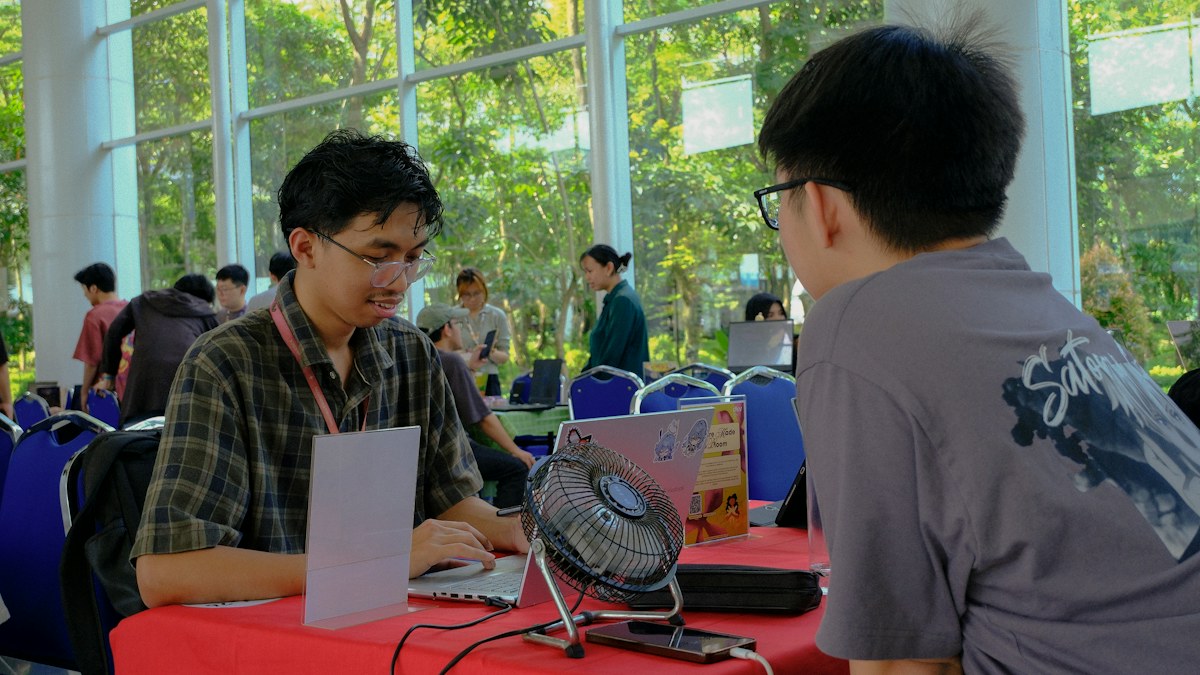
Campus life shapes the choice too. Long days, limited charging points, a heavy bag and a hostel room where the laptop is also your TV, your study desk and your group-project meeting room. Weight and battery life are not luxuries on that schedule — they decide whether you actually carry the laptop to class.
| Item | Key spec / condition | Price (PKR) |
|---|---|---|
| Lenovo ThinkPad T460 i5-6200U 8GB 256GB | Intel Core i5-6200U, 8GB, 256GB | Rs 45,000 |
| Dell Latitude 5500 i7-8665U 16GB 512GB Used Laptop Lahore | i7-8665U, 16GB, 512GB SSD | Rs 72,000 |
| HP ProBook 640 G7 i5-10210U 16GB 512GB | Intel Core i5-10210U, 16GB, 512GB | Rs 90,000 |
| Lenovo ThinkPad X1 Yoga Gen 6 i7-1165G7 16GB 512GB Used Laptop Lahore | i7-1165G7, 16GB, 512GB NVMe SSD | Rs 116,500 |
Live prices from nnlaptops.com on 2026-11-21 — subject to stock. WhatsApp 0314 4000131 to confirm.
Have a question about this?
Ask the shop on WhatsApp. We reply with real stock and prices.
Spec Targets by Programme
Mechanical, civil, electrical, chemical and metallurgical students should treat 16GB RAM as the floor and 32GB as comfortable. CAD and analysis software such as SolidWorks, AutoCAD, ETABS, ANSYS and MATLAB are memory-hungry, and a dedicated GPU with 4GB or more video memory makes modelling and rendering far smoother. A 15-inch screen helps when you are staring at drawings and spreadsheets all evening, and a 512GB SSD fills up quickly once project files start piling in.
Computer science and software engineering students should prioritise RAM, a fast CPU and a good keyboard. Sixteen gigabytes keeps virtual machines, Docker containers and dozens of browser tabs alive at the same time; 8GB will have you closing things constantly. A 512GB SSD is the sensible minimum, and a 14-15 inch full-HD screen at a comfortable resolution saves your eyes during long debugging sessions. A GPU is optional unless you plan to work with deep learning or game development.
Business, management and humanities students have the simplest requirements and the strongest reason to buy light. Eight to 16GB RAM, a 256-512GB SSD, a 13-14 inch screen and genuinely good battery life will carry you through lectures, presentations and case-study work. Spending extra on processing power you never touch is money that could have gone into a second charger or a decent bag.
If you are unsure which category you fall into, be honest about the software your department actually asks you to install in first and second year. That list — not the laptop shop's suggestion — is the real specification sheet.
Why RAM, SSD and GPU Matter More Than the Sticker on the Lid
A laptop slows down for three predictable reasons: not enough memory, a mechanical hard drive, or a processor that cannot keep up with the software. Of these, RAM and storage are the cheapest to fix and the most noticeable in daily use. Going from 8GB to 16GB RAM changes how a machine feels far more than a small jump in processor model number, and moving from a hard drive to an SSD turns a five-minute boot into a short wait.
The GPU is where students waste the most money. If your software renders 3D models, runs simulation or trains models, a dedicated graphics chip earns its place. If your work is documents, code, browsing and video calls, integrated graphics are perfectly fine, and the money is better spent on battery, build quality and a better screen.
One more point: check that RAM and storage can be upgraded later. Many business-class laptops let you add memory and swap the drive yourself, which stretches the same machine across four years of study. Slim consumer models often solder everything down, so what you buy is what you live with.
What each budget gets you in our stock today
| Budget band | Listings in stock | Lowest price | Median price (rounded) |
|---|---|---|---|
| Up to Rs 40,000 | 29 | Rs 19,500 | Rs 33,000 |
| Rs 40,001 – 60,000 | 54 | Rs 42,000 | Rs 49,000 |
| Rs 60,001 – 80,000 | 61 | Rs 60,500 | Rs 73,000 |
| Rs 80,001 – 100,000 | 79 | Rs 80,500 | Rs 90,000 |
| Rs 100,001 – 150,000 | 113 | Rs 100,500 | Rs 122,500 |
| Rs 150,001 – 200,000 | 25 | Rs 152,500 | Rs 174,500 |
| Above Rs 200,000 | 221 | Rs 210,000 | Rs 400,000 |
Why a Tested Used Business Laptop Makes Sense for a Student
Business laptops are built for offices that replace them on a schedule, not for shoppers who upgrade every two years. That means stronger hinges, spill-resistant keyboards, metal lids and screws you can actually open. Ex-corporate ThinkPads, Dell Latitudes, HP EliteBooks and similar machines arrive in Pakistan in large numbers, and Hafeez Center has the spare parts, chargers and batteries to keep them running.
For a student, that combination is quietly powerful. You get a machine that was expensive when new, at a price that leaves room for a phone, books and transport. Repairs are realistic because parts exist locally, instead of a slim consumer laptop where one broken hinge means hunting for a rare assembly.
Every laptop we sell carries a 30-day check warranty, so you have time to test the things that matter: keyboard, battery, screen, ports and thermals. We have been selling laptops at Hafeez Center since 2017, and the students who come back to us are usually the ones who bought slightly more RAM than they thought they needed.
What to Check Before You Pay
Open the lid and press every key. Type a full paragraph and check for dead keys, a mushy spacebar or a trackpad that jumps. Look at the screen on a plain white background for dead pixels, bright patches and pressure marks. Tilt it back and forth to check the hinge stiffness — a hinge that swings freely will only get worse.
Ask about battery health, not just whether it charges. Battery is the part that decides whether the laptop leaves your room. Then test the ports you will actually use: USB, HDMI, headphone jack and the charging connector. Confirm the charger is the correct one for that model, and that the machine boots, connects to Wi-Fi and runs without the fan screaming at idle.
Finally, check the software side: is Windows activated, are drivers present, and does the webcam and microphone work for online classes? If anything looks off in the shop, say so before you pay rather than discovering it during your first lab report.
Windows or Mac, and Other Practical Choices
Windows remains the safer default for UET programmes, simply because engineering and analysis software is usually written for it first. If you already own a Mac and love it, fine, but check that the specific tools your department requires will run — or that you can use a lab machine or a virtual machine for the exceptions.
Keyboard layout, screen finish and weight deserve more attention than they usually get. A matte screen is easier under tube lights, a backlit keyboard helps in evening labs, and anything above roughly two kilograms starts to feel heavy by the third week of carrying it across campus. Try lifting the laptop before you commit to it.
Buying From NN Laptops in Hafeez Center
We are at Shop 66A, 3rd Floor, Hafeez Center, Gulberg III, Lahore. Students come to us with a department, a software list and a budget, and we point them at the machines that actually fit. We are not linked to UET in any official way — we simply serve a lot of students who study there, and we know what their coursework demands.
The table below lists suitable laptops currently in stock with their specifications, so you can compare options side by side before visiting. If you want help narrowing it down, message us on WhatsApp at 0314 4000131 with your programme and the software you use, and we will tell you which units make sense.
Payment is cash in the shop, bank transfer, JazzCash, Easypaisa or another common method. Courier orders are paid in advance and shipped by TCS or Leopards nationwide. Inside Lahore we can often send a laptop by our own rider or Bykea, Careem, inDrive or Yango — ask us on WhatsApp for timing and charges.
Side-by-side comparison
| Model | Processor | RAM | Storage | Price (PKR) |
|---|---|---|---|---|
| Lenovo ThinkPad T460 i5-6200U 8GB 256GB | Intel Core i5-6200U | 8GB | 256GB | Rs 45,000 |
| Dell Latitude 5500 i7-8665U 16GB 512GB Used Laptop Lahore | i7-8665U | 16GB | 512GB SSD | Rs 72,000 |
| HP ProBook 640 G7 i5-10210U 16GB 512GB | Intel Core i5-10210U | 16GB | 512GB | Rs 90,000 |
| Lenovo ThinkPad X1 Yoga Gen 6 i7-1165G7 16GB 512GB Used Laptop Lahore | i7-1165G7 | 16GB | 512GB NVMe SSD | Rs 116,500 |
Helpful next steps
- Free tool: best laptop under your budget
- Free tool: find my laptop (AI finder)
- Free tool: check a used-laptop deal
- Shop Used Laptops
- Laptop LCD screens — retail & wholesale
- Laptop repair services in Lahore
- Laptop guide for Uet Lahore students
Shop the NN Laptops range
- Tested used laptops
- New laptops
- Laptop parts — RAM, SSD, batteries, keyboards
- Laptop LCD screens — retail & wholesale for technicians
- Chargers, hubs & accessories
- Free tool: is a laptop price fair?
- Free tool: plan a RAM / SSD upgrade
- Free tool: paste a used-laptop ad and check the deal
- Free tool: how long will your laptop last in load-shedding?
- Free tool: find the right replacement screen (30/40-pin)
Frequently asked questions
Is a gaming laptop a good choice for engineering students at UET Lahore?
It can be, because gaming laptops usually come with the dedicated GPU and 16GB or more RAM that CAD software likes. The trade-off is weight, fan noise and shorter battery life, so buy one only if you genuinely use GPU-heavy software or game in your free time.
How much RAM do I need for computer science at UET Lahore?
Aim for 16GB. It keeps virtual machines, containers and a crowded browser usable at the same time, and it is usually the cheapest upgrade that makes a real difference. Eight gigabytes is workable for first year but will feel tight later.
Can I use a MacBook for engineering at UET Lahore?
Sometimes, but check first. A lot of engineering and analysis software is written for Windows, so you may end up relying on lab machines or a virtual machine for certain courses. For CS and general coursework, a MacBook is usually fine.
Do you sell laptops suitable for CAD on a student budget?
Yes. Used business laptops with a dedicated GPU and upgradeable RAM are the usual answer for students who need CAD without spending like a professional. Share your budget on WhatsApp and we will tell you what is currently available.
Can you send a laptop outside Lahore?
Yes, we ship nationwide by TCS or Leopards, and courier orders are paid in advance. Inside Lahore, delivery by our own rider or a ride-hailing service is often possible — ask us on WhatsApp for timing and charges.
What warranty comes with a laptop from NN Laptops?
Every laptop we sell carries a 30-day check warranty, which gives you time to test the keyboard, battery, screen and ports properly. If something is not right, contact us on WhatsApp and we will look at it.
Visit NN Laptops at Shop 66A, 3rd Floor, Hafeez Center, Gulberg III, Lahore, or WhatsApp 0314 4000131. We send orders nationwide by TCS or Leopards courier; ask us on WhatsApp for timing and charges.
Cover photo by Vitaly Gariev on Unsplash.
Talk to us
Questions about anything in this post, or want a personalised recommendation? WhatsApp the shop directly, or browse our laptops in the shop, university laptop guide and laptop delivery in Lahore.
WhatsApp 0314 4000131