Skip to content
N.N Laptop logo
Head-to-head · Workstation

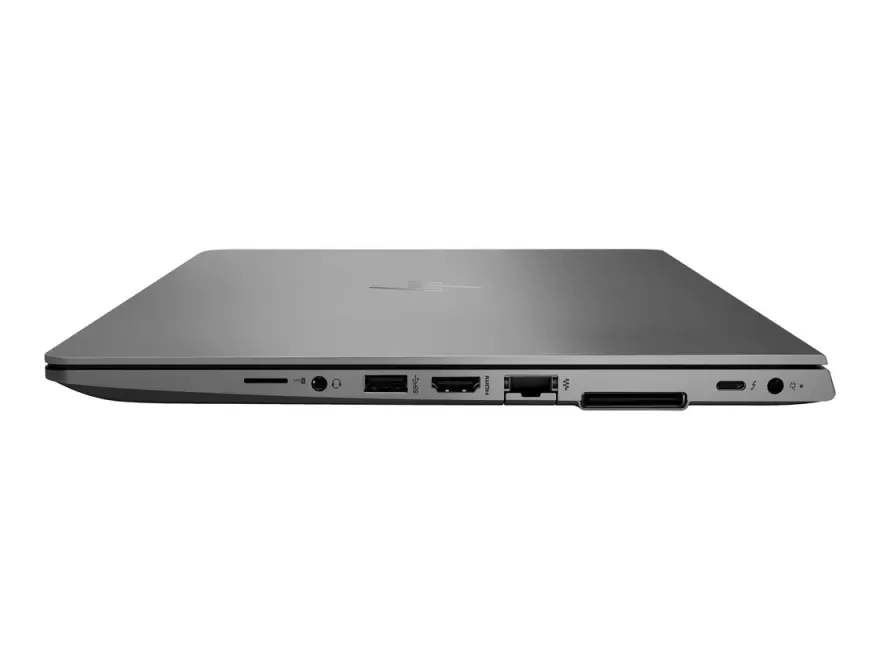
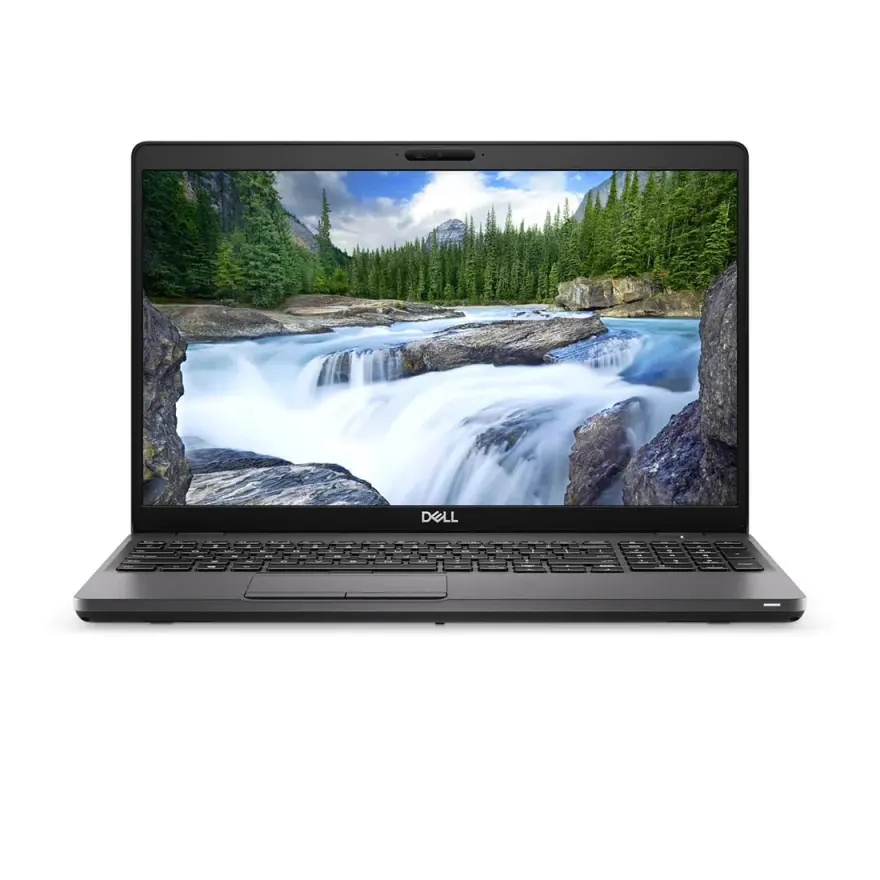
Dell Precision 3540 vs HP ZBook 14u G6

Mobile workstation territory — both ISV-certified for AutoCAD and SolidWorks, both with discrete pro graphics.

Best for

Which laptop wins by use case?

Programming
HP ZBook 14u G6 i7-8665U 16GB 512GB Used Laptop Lahore
Gaming
Tie
Battery life
Dell Precision 3540 i7-8665U 16GB 512GB Used Laptop Lahore
Value
Dell Precision 3540 i7-8665U 16GB 512GB Used Laptop Lahore
Pakistan context

How this rivalry plays out in Pakistan.

Mobile workstations are a specialised category in Pakistan, mostly bought by civil/mechanical/electrical engineering students at NUST/UET/GIK, architectural firms (especially Lahore's growing architectural consulting sector), and a handful of professionals in oil & gas (Karachi) or manufacturing engineering (Sialkot, Karachi). The Precision 3540 vs ZBook 14u G6 question lands at our shop maybe twice a month, but each buyer is high-intent and high-knowledge — they know what ISV certification means and they have specific software requirements. Both laptops arrive in Pakistan as off-lease corporate fleets, often from European engineering consultancies and US architecture firms. Supply is lower than consumer laptops, so prices stay firm. The Dell Precision line has stronger brand recognition in Pakistani engineering circles because Dell's enterprise relationships dominated this segment globally. HP ZBooks are quieter in Pakistani conversation but technically equivalent for entry-tier work. Both Radeon Pro WX 2100 (Dell) and Quadro P520 (HP) are entry-tier pro GPUs — fine for student-level CAD work, undersized for serious professional 3D modelling. Buyers serious about professional CAD should look at Precision 7540 / ZBook 15 with dedicated GTX/Quadro discrete GPUs (Rs. 180,000-250,000 used).

By use case

Which wins for which workflow?

Use caseWinnerReasoning
AutoCAD (2D drafting, basic 3D)TiedBoth handle AutoCAD 2D and 3D up to ~5 million polygons identically. Both are ISV-certified. Choose on budget and chassis preference.
SolidWorks (mechanical engineering)HP ZBook 14u G6 i7-8665U 16GB 512GB Used Laptop LahoreZBook's Quadro P520 has slightly better RealView graphics support out of the box. SolidWorks' driver maturity favors NVIDIA Quadro line historically.
Revit (architectural BIM)HP ZBook 14u G6 i7-8665U 16GB 512GB Used Laptop LahoreZBook's NVIDIA Quadro driver stability in Revit complex models is marginally better than Radeon Pro's. Both work; Quadro is the safer choice for serious Revit projects.
Inventor (Autodesk mechanical)Dell Precision 3540 i7-8665U 16GB 512GB Used Laptop LahorePrecision's AMD Radeon Pro WX 2100 handles Inventor well and at slightly better value. Inventor is less driver-sensitive than SolidWorks.
Engineering student general useDell Precision 3540 i7-8665U 16GB 512GB Used Laptop LahorePrecision 3540's larger 15.6-inch screen, full numpad, and Rs. 15,000+ savings over ZBook make it the better student value.
On-site architect / consultantHP ZBook 14u G6 i7-8665U 16GB 512GB Used Laptop LahoreZBook's 14-inch chassis at 1.45 kg is genuinely portable for client site visits. Precision 3540's 15.6-inch / 1.95 kg is desk-bound.
Programming / data scienceTiedBoth handle development workloads identically. Neither GPU offers meaningful ML/CUDA advantage at this tier. Pick on chassis preference.
Rendering / GPU computeTiedBoth are too weak for serious GPU rendering. Look at Precision 7540 with RTX 3000 or external GPU enclosure with RTX 3070+ for real rendering work.
Is the price fair?

Pakistani street-price reality check.

Left option

Dell Precision 3540 i7-8665U 16GB 512GB Used Laptop LahoreRs. 165,000

Dell Precision 3540 i7-8665U / 16GB / 512GB at Rs. 100,000-130,000 in Lahore is fair pricing for an ISV-certified mobile workstation with above-average screen real estate. The price reflects three factors: lower supply than Latitude/EliteBook business lines (workstation buyers are a niche), the included discrete Radeon Pro GPU adds Rs. 15,000-20,000 of value over the equivalent non-workstation Latitude, and the larger 15.6-inch panel adds value for desk-based work. Above Rs. 140,000 stock-standard you're paying a markup — consider the Precision 5540 (Rs. 150,000-200,000) which has a much better display and discrete NVIDIA Quadro T1000 for genuinely meaningful workstation upgrade. Below Rs. 95,000 may indicate downgraded specs or compromised hardware.

Right option

HP ZBook 14u G6 i7-8665U 16GB 512GB Used Laptop LahoreRs. 165,000

HP ZBook 14u G6 i7-8665U / 16GB / 512GB at Rs. 115,000-145,000 in Lahore commands a Rs. 15,000-20,000 premium over the Precision 3540 for matched specs. The premium reflects: 500g lighter chassis (1.45 vs 1.95 kg), 14-inch portability advantage, NVIDIA Quadro driver maturity for SolidWorks, and HP's stronger brand recognition in architectural circles. The pricing is fair for buyers who need the portability and Quadro advantages. Above Rs. 155,000 stock-standard is a markup. Below Rs. 110,000 indicates either downgraded specs (i5 instead of i7) or compromised hardware — verify carefully. The ZBook 14u G6 was discontinued in 2020 in favour of the ZBook Firefly 14 G7, which has newer 10th-gen Intel and better thermals (Rs. 150,000-200,000).

Real buyer profiles

Who we'd recommend each one to.

Lahore architecture student at NCA

Hassan is a 3rd-year architecture student at NCA Lahore. He uses AutoCAD, Revit, SketchUp, and Lumion for studio projects. Budget Rs. 130,000 from his father. The Precision 3540 wins for his profile — larger 15.6-inch screen helps with multi-window CAD work and reference image side-by-sides, the full numpad speeds up coordinate entry in AutoCAD, and the Rs. 15,000+ saved over ZBook funds additional 16GB RAM upgrade and a wireless mouse. Lumion is GPU-heavy and both struggle equally; he'll need cloud rendering or campus desktops for serious renders.

Karachi civil engineering consultant

Mr Bilal runs a small civil engineering consulting firm in Karachi. He visits construction sites 2-3 times per week and presents AutoCAD drawings to clients in their offices. Budget Rs. 135,000. The ZBook 14u G6 wins because of portability — 500g lighter and 14-inch chassis fit easily in his client-meeting bag. The Quadro P520 handles his AutoCAD 2D drafting and simple 3D site models perfectly. The portability advantage matters for his daily routine.

Islamabad mechanical engineering postgraduate

Ayesha is an MS Mechanical Engineering student at NUST Islamabad working on simulation projects. Her workflow is SolidWorks (assembly modelling), ANSYS (FEA simulations), and MATLAB (control systems). Budget Rs. 145,000. We strongly suggest she look at the Precision 7540 (Rs. 180,000+) instead — both the 3540 and ZBook 14u G6 are entry-tier and will struggle with her ANSYS workflows. If she must stay under Rs. 145,000 budget, the ZBook 14u G6 with Quadro P520 is the better choice for SolidWorks. The 3540 with Radeon Pro WX 2100 works but driver stability is marginally lower for advanced SolidWorks features.

Before you buy

What to check on either of these used.

  • Both — verify ISV certification stickers on the laptop bottom. Some sellers misrepresent regular Latitude/EliteBook units as Precision/ZBook by adding fake stickers.
  • Both — check the dedicated GPU shows correctly in Device Manager (Display Adapters). Precision 3540 should show 'AMD Radeon Pro WX 2100'; ZBook 14u G6 should show 'NVIDIA Quadro P520'. Generic 'Microsoft Basic Display Adapter' or missing dedicated GPU means hardware failure (very expensive to repair).
  • Precision 3540 — verify the AMD Radeon Pro WX 2100 driver is installed correctly. AMD's Radeon Pro driver is different from consumer Radeon and required for ISV certification. Reinstall from Dell's support site if needed.
  • ZBook 14u G6 — verify the NVIDIA Quadro P520 driver is the Quadro / NVIDIA Studio driver (not GeForce Game Ready). Quadro drivers are required for ISV certification and SolidWorks RealView.
  • Both — open the bottom cover and inspect cooling fans for dust buildup. Workstation laptops accumulate dust faster due to higher sustained loads. Cleaning service Rs. 2,000-4,000.
  • Both — confirm BIOS isn't locked with admin password. Workstation BIOS unlocks are slightly more difficult than consumer Latitude/EliteBook (Rs. 12,000-18,000 in Lahore).
  • Both — check battery wear with HWiNFO64. Workstation batteries see heavier use; above 30% wear means Rs. 9,000-15,000 replacement needed.
  • Both — verify all USB-C/Thunderbolt 3 ports work with a real Thunderbolt device. Thunderbolt is essential for connecting external GPU enclosures or multi-monitor docking.
  • Both — confirm the SDXC card reader and Ethernet port work — both are commonly used in engineering workflows.
  • Both — verify Windows 10/11 Pro for Workstations activates after a fresh install. Standard Windows Home or Pro activations may not work on these chassis serial numbers.
  • Precision 3540 — check the numpad keys all work by typing all numbers and operators. Replacement keyboard with numpad runs Rs. 8,000-12,000.
Our take

NN Laptops Hafeez Center — the honest verdict.

Mobile workstations are a serious-buyer category and we treat consultations differently here. For engineering students who occasionally need CAD performance and value the larger 15.6-inch screen, the Precision 3540 is the better value at Rs. 100,000-130,000. For practicing architects and engineers who need to carry the laptop to client sites, the ZBook 14u G6 wins on portability despite the Rs. 15,000+ premium. For both 3540 and ZBook 14u G6, our honest caveat: these are entry-tier workstations. The Radeon Pro WX 2100 and Quadro P520 are real ISV-certified pro GPUs but they're at the bottom of their respective product lines. For serious professional CAD work — SolidWorks assemblies of 10,000+ parts, Revit complex BIM models, Lumion architectural rendering — both will struggle. Serious professionals should look at Precision 7540 (Quadro T1000 / T2000) or ZBook 15 G6 (Quadro T1000 / T2000) at Rs. 180,000-250,000 used. For students and entry-level professionals, either the 3540 or ZBook 14u G6 is sufficient. Both carry our 15-day testing warranty with full refund or replacement on genuine fault. We always verify dGPU functionality, ISV driver installation, and run a 15-minute CAD stress test before sale. For consultation on workstation requirements, WhatsApp 0314 4000131 — we'll ask about your specific CAD software, model complexity, and budget. We can also recommend external GPU enclosures (eGPU via Thunderbolt 3) that boost these laptops to RTX 3060/3070 desktop GPU performance for serious rendering work.

Full spec comparison

Specs side-by-side

SpecLeftDell Precision 3540 i7-8665U 16GB 512GB Used Laptop LahoreRightHP ZBook 14u G6 i7-8665U 16GB 512GB Used Laptop Lahore
CPU
Intel Core i7-8665U (Whiskey Lake)Intel Core i7-8665U (Whiskey Lake)
Cores / Threads
4 cores / 8 threads, up to 4.8 GHz4 cores / 8 threads, up to 4.8 GHz
RAM (default)
16GB DDR4-266616GB DDR4-2400
RAM (max)
32GB (2× SO-DIMM)32GB (2× SO-DIMM)
Storage
512GB NVMe SSD512GB NVMe SSD
GPU
AMD Radeon Pro WX 2100 2GB GDDR5NVIDIA Quadro P520 2GB GDDR5
Display size
15.6-inch14.0-inch
Display resolution
1920×1080 FHD IPS Anti-Glare1920×1080 FHD IPS Anti-Glare
Refresh rate
60 Hz60 Hz
Battery (Wh)
68 Wh50 Wh sealed
Battery (claimed)
7 to 10 hours productivity6 to 9 hours productivity
Weight
1.95 kg1.45 kg
Ports
3× USB-A 3.1, 1× USB-C (Thunderbolt 3), HDMI, RJ45, smartcard, SDXC2× USB-A 3.1, 2× USB-C (Thunderbolt 3), HDMI, RJ45, smartcard
Keyboard
Backlit, 1.7 mm travel, full numpad, spill-resistantBacklit DuraKeys, 1.5 mm travel, spill-resistant
Build
Aluminium + magnesium, MIL-STD-810GMachined aluminium + magnesium, MIL-STD-810G
Price (N.N Laptops Lahore)
Rs. 165,000Rs. 165,000
Best for
Civil/mechanical engineers, AutoCAD users, CAD studentsOn-site architects, CAD users who need portability + Quadro certification
Reliability score
8.4 / 108.6 / 10
Our verdict

Which one should you buy?

The choice between these two ISV-certified mobile workstations is about chassis size and graphics vendor preference. The Dell Precision 3540 is the bigger machine — 15.6-inch panel, 1.95 kg, full numpad, and a 68 Wh battery that delivers 7 to 10 hours unplugged. Its AMD Radeon Pro WX 2100 (2GB) is the budget pro GPU in this segment; it's certified for AutoCAD, SolidWorks, Inventor, and Revit at the entry level, but it lags the Quadro line for complex assemblies. The HP ZBook 14u G6 is 500 grams lighter (1.45 kg vs 1.95 kg), with a 14-inch panel that's easier to carry to client sites. Its NVIDIA Quadro P520 (2GB) has slightly better ISV driver maturity, especially for SolidWorks (where NVIDIA's RealView graphics are best-in-class) and AutoCAD Architecture. The ZBook gets full Thunderbolt 3 on two ports vs the Precision's single TB3 — useful for external workstation graphics docks (e.g. Razer Core X eGPU with an RTX 4070 for rendering). Battery favours the Dell (68 Wh vs 50 Wh). At N.N Laptops, the Precision 3540 runs Rs. 100,000 to 130,000 used; the ZBook 14u G6 is Rs. 115,000 to 145,000. For desk-based CAD students and engineers, the Precision 3540 wins on value, battery, and 15.6-inch screen. For mobile architects and consultants who carry the laptop daily, the ZBook 14u G6 wins on portability and Quadro driver certification.

FAQ

Dell Precision 3540 vs HP ZBook 14u G6 — frequently asked

Precision 3540 or ZBook 14u G6 for AutoCAD and Revit in Lahore?

+

Both are ISV-certified entry-level workstations. The Precision 3540 with AMD Radeon Pro WX 2100 handles AutoCAD 2D drafting and 3D up to ~5 million polygons. The ZBook 14u G6 with NVIDIA Quadro P520 handles the same workloads at similar speed, with marginally better stability in Revit complex models. For AutoCAD students, either works. For Revit MEP coordination, the Quadro has slightly better driver support.

Which has better Quadro / Radeon Pro graphics?

+

Both are entry-tier pro GPUs. NVIDIA Quadro P520 (ZBook) has 256 CUDA cores and slightly more mature ISV drivers, especially for SolidWorks. AMD Radeon Pro WX 2100 (Precision) has 512 stream processors and works well for AutoCAD and Inventor. For rendering or GPU-compute, both are too weak — buyers who need that should look at Precision 7540 / ZBook 15.

Can I run SolidWorks on the Dell Precision 3540 or HP ZBook 14u G6?

+

Yes on both — both are SolidWorks-certified at entry tier. The ZBook 14u G6 (NVIDIA Quadro) has slightly better RealView graphics support out of the box. The Precision 3540 (AMD Radeon Pro) works but you may need to disable RealView for the smoothest experience. For models under 10,000 parts, both are fine; for larger assemblies, both struggle and a Precision 7540 / ZBook 15 is more appropriate.

Which is more portable — Precision 3540 or ZBook 14u G6?

+

ZBook 14u G6 wins clearly. It's 500 grams lighter (1.45 kg vs 1.95 kg) and has a 14-inch chassis instead of 15.6-inch. For architects who do site visits or engineers who present in client offices, the ZBook is genuinely easier to carry. For desk-based work, the Precision 3540's larger screen wins.

Battery life for CAD work — Precision 3540 or ZBook 14u G6?

+

Precision 3540 wins. Its 68 Wh battery delivers 7 to 10 hours of productivity work (AutoCAD 2D, Excel, browsers); the ZBook 14u G6's 50 Wh delivers 6 to 9 hours. Under heavy 3D modelling load both drain in 2 to 3 hours. For unplugged client meetings, the Precision is the safer bet.

Will the Radeon Pro WX 2100 or Quadro P520 run AutoCAD 2024?

+

Yes — both are AutoCAD 2024 certified by Autodesk. Performance is adequate for 2D drafting and 3D models up to ~5 million polygons. For 10+ million polygon models, both struggle. For 50+ million polygon BIM coordination models, neither is sufficient — look at Precision 7540 / ZBook 15 with Quadro T1000+ or better.

Can I run Lumion for architectural rendering?

+

Lumion will install and launch but will run very slowly. Lumion's minimum spec is RTX 2060 / GTX 1080 class GPU — both Radeon Pro WX 2100 and Quadro P520 are significantly weaker (around GTX 1030 / 1050 performance). For Lumion, you need an entirely different laptop or external GPU enclosure.

Is the Quadro driver advantage real for SolidWorks?

+

Yes — for RealView graphics specifically (smooth shading, reflections, real-time material previews), the Quadro line has better mature drivers than Radeon Pro. For pure CAD modelling without RealView, both work similarly. RealView matters for client presentations of designed parts; less critical for engineering analysis.

Can I use these for 3D printing slicing software (Cura, Simplify3D)?

+

Easily — slicing software is CPU-bound, not GPU-bound. Both have i7-8665U with 4 cores / 8 threads which handles slicing of complex models quickly. No GPU advantage needed.

What about Adobe Creative Cloud (Photoshop, Premiere)?

+

Both work fine for Photoshop (GPU acceleration is light). Premiere Pro will work but with limited GPU acceleration — exports are 5-8x real-time on either. For serious video work, consider a Lenovo Legion 5 / Asus ROG Strix G15 with RTX 3060+ which is much faster despite not being ISV-certified.

Battery life under CAD load?

+

Both drain in 2-3 hours under heavy 3D modelling load. The dedicated GPUs are power-hungry. For unplugged CAD work, plan for short sessions or carry the charger. For light office work (Excel, browser, email), both deliver 6-9 hours.

Can I add an external GPU (eGPU) for rendering?

+

Yes — both have Thunderbolt 3 which supports eGPU enclosures (Razer Core X, Akitio Node, Sonnet Breakaway). An RTX 3070 eGPU costs around Rs. 180,000 (enclosure + GPU + power supply) and boosts these laptops to genuine workstation rendering performance. Useful for desk-based work; not portable.

Browse more

Other comparisons

See all 24
Stock alerts + Pakistani deals

Get an email when fresh stock arrives.

One email per month, max. We tell you what new used laptops just landed at Hafeez Center, with prices. Skip the WhatsApp-spam — read on your own time. Unsubscribe in one click.

Open WhatsApp chat