Best Laptop for LUMS, Lahore Students: An Honest Guide
N.N Laptop Team — N.N Laptops Team
What LUMS students in Lahore actually need from a laptop, sorted by degree programme — plus why a tested used business machine is often the smarter buy.
Prices & stock referenced were checked at our shop on — current prices at nnlaptops.com/shop.
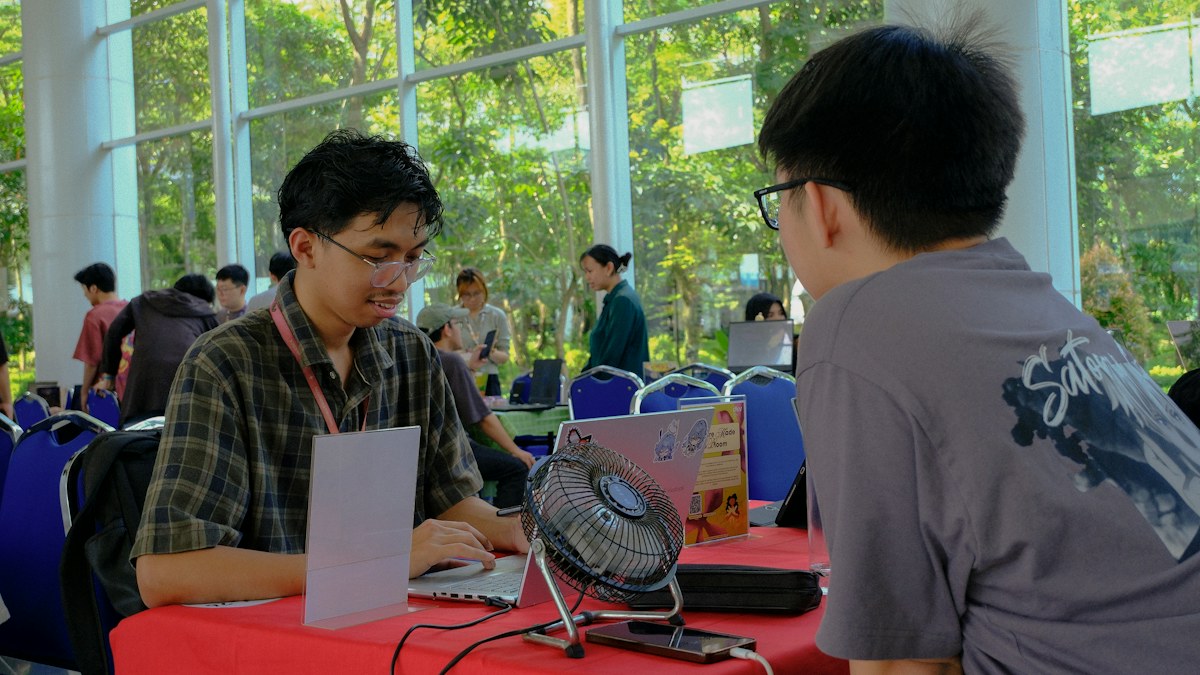
Quick answer: Most LUMS students in Lahore are best served by a 14-inch laptop with 16GB RAM, a 512GB SSD and strong battery life; only CS, engineering and design students really need a dedicated GPU. A tested, off-lease business laptop — ThinkPad, Latitude, EliteBook — meets those targets for far less than a new consumer model.
What LUMS students in Lahore actually need from a laptop, sorted by degree programme — plus why a tested used business machine is often the smarter buy.
Key takeaways
- 16GB RAM and a 512GB SSD is the sensible baseline for almost every LUMS programme today.
- Only CS, electrical engineering and design-heavy work justifies paying extra for a dedicated GPU.
- Business, law and humanities students should prioritise battery life, keyboard quality and weight under 1.7kg.
- Battery health and an unlocked BIOS matter more than the sticker on the lid when buying used.
What LUMS Students Actually Need From a Laptop
The short answer to the best laptop for LUMS, Lahore students is this: a 14-inch machine with 16GB of RAM, a 512GB SSD, a comfortably bright screen and genuine all-day battery. Only computer science, engineering and design-heavy students need to add a dedicated graphics card. The brand on the lid matters far less than whether the machine can survive four years of lectures, group projects and a tote bag.
A university day is long. You arrive in the morning, sit through two or three lectures, work on a group assignment in the afternoon, then stay late to finish a report. A laptop that shuts down at 1 PM, weighs 2.6kg, or has a keyboard that flexes under your fingers will quietly make every week harder. Battery life and weight are not luxuries for a student — they decide whether you actually carry the laptop with you.
The right choice also depends on your programme. A person doing a BSc in accounting and finance lives in Excel, PowerPoint and PDFs. A person doing computer science lives in a code editor, several browser tabs and a virtual machine. Those two students should not buy the same laptop, even if they sit in the same cafeteria. We are not affiliated with the university in any official way — we simply serve students who come to our shop in Hafeez Center, and this guide is based on what they tell us they need.
| Item | Key spec / condition | Price (PKR) |
|---|---|---|
| Lenovo ThinkPad T14 Gen 1 i5-10310U 16GB 512GB Used Laptop Lahore | i5-10310U, 16GB, 512GB NVMe SSD | Rs 98,000 |
| Dell Vostro 3520 i5-1235U 16GB 1TB | i5-1235U, 16GB, 1TB SSD | Rs 126,000 |
| Dell Latitude 7300 i5-8365U 8GB 256GB Used Laptop Lahore | i5-8365U, 8GB, 256GB SSD | Rs 52,500 |
| Acer Aspire 5 (10th Gen) | Intel Core i5-10210U, 8GB, 256GB SSD | Rs 79,500 |
Live prices from nnlaptops.com on 2026-11-03 — subject to stock. WhatsApp 0314 4000131 to confirm.
Have a question about this?
Ask the shop on WhatsApp. We reply with real stock and prices.
Engineering and Computer Science: RAM, GPU and Thermals
Computer science students at LUMS will run a code editor, a browser with many tabs, Docker or a Linux virtual machine, and often a database server at the same time. That combination eats RAM quickly. 16GB is the realistic minimum; 32GB is comfortable if you plan to run virtual machines or train small machine-learning models locally. A dedicated GPU helps for CUDA work, game development courses and anything involving graphics, but many students do their heavy training on a lab machine or a cloud notebook.
Electrical engineering students have a different pattern. Tools like MATLAB, Simulink, Proteus and PCB design software are memory-hungry, and simulation runs can pin every core for twenty minutes. Here a modern quad-core or better CPU matters more than raw clock speed, and cooling matters more than thinness. A laptop that throttles after ten minutes of simulation will make a lab report take twice as long.
For both groups, the practical advice is the same: buy a machine with upgradeable RAM and storage, a keyboard you can type on for hours, and enough ports that you are not permanently attached to a dongle. Business-class laptops from the major manufacturers are built exactly for this — they are designed to be opened, cleaned and upgraded, which is why they last.
Business, Economics, Law and Humanities: Portability Wins
For programmes built around reading, writing and presenting, the priorities flip. You want something light, quiet and cool, with a screen that stays readable in a bright room and a battery that lasts a full day of classes. 16GB of RAM is still worth having because browsers and modern office software are greedy, but a dedicated GPU is money spent on something you will never use.
Keyboard quality deserves more attention than most students give it. If you are writing essays, case briefs or a final-year thesis, you will type hundreds of thousands of words on this machine. A firm keyboard with decent key travel and a proper screen hinge will matter far more than a slightly faster processor. A 13 or 14-inch screen is usually the sweet spot between readability and bag weight.
Battery is the other big one. Expect to charge once a day at most, and check the actual battery health before you buy anything used. We test battery condition on the machines we sell, and we will tell you honestly when a battery is tired and needs replacing rather than quietly hoping you will not notice.
What each budget gets you in our stock today
| Budget band | Listings in stock | Lowest price | Median price (rounded) |
|---|---|---|---|
| Up to Rs 40,000 | 29 | Rs 19,500 | Rs 33,000 |
| Rs 40,001 – 60,000 | 54 | Rs 42,000 | Rs 49,000 |
| Rs 60,001 – 80,000 | 61 | Rs 60,500 | Rs 73,000 |
| Rs 80,001 – 100,000 | 79 | Rs 80,500 | Rs 90,000 |
| Rs 100,001 – 150,000 | 113 | Rs 100,500 | Rs 122,500 |
| Rs 150,001 – 200,000 | 25 | Rs 152,500 | Rs 174,500 |
| Above Rs 200,000 | 221 | Rs 210,000 | Rs 400,000 |
Realistic Spec Targets by Programme
As a rough baseline for most LUMS students, aim for a recent-generation Intel Core i5 or i7, or an AMD Ryzen 5 or 7, with 16GB of RAM and a 512GB NVMe SSD. Add a 1080p IPS screen, a backlit keyboard and a battery that still holds a genuine charge. That specification handles lectures, research, spreadsheets, presentations and most coursework without complaint.
Computer science and engineering students should push toward 32GB RAM where the machine allows it, and consider a workstation-class machine with a dedicated GPU and stronger cooling. Design, media and architecture-adjacent work also benefits from a colour-accurate display and a graphics card. Business, law and humanities students can happily stay with the lighter 13 to 14-inch ultraportable class and put the savings toward a good bag and an external monitor for their room.
You can see which of these configurations we currently have on the shelf in the table below. Stock changes weekly because these are genuine used and new units, not an endless catalogue, so it is always worth confirming availability on WhatsApp before you travel to Hafeez Center.
Why a Tested Used Business Laptop Makes Sense
Large companies lease laptops for three or four years and then replace them in bulk. Those machines — ThinkPad T and X series, Dell Latitude and Precision, HP EliteBook and ZBook — were expensive when new and were built to survive daily corporate travel. When they reach the second-hand market, they often cost a fraction of a new consumer laptop with similar or better internals.
The build quality difference is real. Business machines have metal hinges, spill-resistant keyboards, reinforced chassis and screws you can actually open. RAM and storage are usually accessible, so a laptop you buy today can be upgraded in two years instead of replaced. Parts are widely available in Lahore, which means a keyboard or battery replacement is a same-week job rather than a dead end.
Buying used only works if someone has actually checked the machine. A cosmetic inspection is not enough. We test the screen for dead pixels, run storage health checks, verify battery wear, test every port, confirm the BIOS is not locked with a password, and check that the charger is the correct original or a genuine equivalent. That is the difference between a bargain and a problem you inherit.
A Practical Checklist Before You Pay
Before money changes hands, open the laptop and check the screen at full brightness on a plain white background — dead pixels and pressure marks show up clearly there. Tilt the screen back and forth to see whether the hinge is loose or stiff. Type a full paragraph to feel the keyboard, and press every key once to catch a sticky or dead one. Test each USB port, the headphone jack, the webcam and the Wi-Fi.
Ask about battery health in numbers, not adjectives. Ask whether the SSD is original and how much life it has left. Check that the machine boots into BIOS without a password and that the serial number on the base matches the one in the firmware. If a seller hesitates on any of these, that hesitation is your answer.
Finally, think about what happens after the sale. A laptop should come with a clear warranty and a shop you can walk back into. Our laptops carry a 30-day check warranty and our repairs carry a 30-day warranty as well — not a promise that nothing will ever go wrong, but a fair window to confirm the machine is healthy.
Buying in Lahore: What to Expect at Hafeez Center
Hafeez Center in Gulberg is Lahore's densest laptop market, and that density works in your favour as a buyer — you can compare several machines in one afternoon. Our shop is on the third floor, Shop 66A, and we have been dealing in used and new laptops since 2017. We are open from 10 AM to 10 PM and closed on Sunday, so plan your visit accordingly.
Come with your actual workload in mind, not a fixed model number. Tell us your programme, whether you run any heavy software, how far you commute and whether you plan to use an external monitor. That conversation usually narrows the choice to two or three machines very quickly. You are welcome to test everything on the counter before deciding.
Payment is cash at the shop, bank transfer, JazzCash or Easypaisa. If you are outside Lahore, we can send a laptop by nationwide courier, and we confirm the order and payment details on WhatsApp before dispatch so nothing is left ambiguous. You can reach us on 0314 4000131 with questions, or to check what is currently in stock.
Side-by-side comparison
| Model | Processor | RAM | Storage | Price (PKR) |
|---|---|---|---|---|
| Lenovo ThinkPad T14 Gen 1 i5-10310U 16GB 512GB Used Laptop Lahore | i5-10310U | 16GB | 512GB NVMe SSD | Rs 98,000 |
| Dell Vostro 3520 i5-1235U 16GB 1TB | i5-1235U | 16GB | 1TB SSD | Rs 126,000 |
| Dell Latitude 7300 i5-8365U 8GB 256GB Used Laptop Lahore | i5-8365U | 8GB | 256GB SSD | Rs 52,500 |
| Acer Aspire 5 (10th Gen) | Intel Core i5-10210U | 8GB | 256GB SSD | Rs 79,500 |
Helpful next steps
- Free tool: best laptop under your budget
- Free tool: find my laptop (AI finder)
- Free tool: check a used-laptop deal
- Shop Used Laptops
- Laptop LCD screens — retail & wholesale
- Laptop repair services in Lahore
- Laptops for LUMS students
Shop the NN Laptops range
- Tested used laptops
- New laptops
- Laptop parts — RAM, SSD, batteries, keyboards
- Laptop LCD screens — retail & wholesale for technicians
- Chargers, hubs & accessories
- Free tool: is a laptop price fair?
- Free tool: plan a RAM / SSD upgrade
- Free tool: trade-in value calculator
- Free tool: paste a used-laptop ad and check the deal
- Free tool: how long will your laptop last in load-shedding?
- Free tool: find the right replacement screen (30/40-pin)
Frequently asked questions
Is a MacBook necessary for LUMS students?
No. Most LUMS programmes work perfectly well on Windows, and a few engineering tools are actually easier to run on Windows. A MacBook is a fine choice if you prefer macOS and your software supports it, but it is not a requirement, and a comparable business laptop usually costs less.
Is 8GB RAM enough for a university laptop in 2025?
It will open documents and browse the web, but it becomes frustrating once you have many browser tabs, a video call and a spreadsheet open together. 16GB is the sensible baseline and is often upgradeable on business-class machines.
Do computer science students really need a dedicated GPU?
Not always. Much of the coursework runs fine on integrated graphics, and heavy model training is usually done on lab machines or cloud services. A GPU is worth paying for if you plan to work with CUDA, game development, or graphics-heavy projects locally.
Can I upgrade the RAM and SSD later instead of paying more now?
On most business laptops, yes — ThinkPad, Latitude and EliteBook models usually have accessible RAM slots and a replaceable M.2 SSD. Some thin ultrabooks solder the RAM, so it is worth asking before you buy.
How do I know a used laptop's battery is still good?
Ask for the battery health figure and the design capacity versus current capacity, then test it yourself by unplugging the charger and watching how fast the percentage drops. A tired battery is replaceable, but you should know about it before you pay.
Do you deliver laptops outside Lahore?
Yes, nationwide courier is available. Orders are confirmed on WhatsApp before dispatch, and payment is by bank transfer, JazzCash or Easypaisa. Laptops carry a 30-day check warranty and repairs carry a 30-day warranty.
Visit NN Laptops at Shop 66A, 3rd Floor, Hafeez Center, Gulberg III, Lahore (10 AM–10 PM, closed Sunday), or WhatsApp 0314 4000131. We deliver nationwide by courier.
Cover photo by Evan Marvell on Unsplash.
Talk to us
Questions about anything in this post, or want a personalised recommendation? WhatsApp the shop directly, or browse our laptops in the shop, university laptop guide and laptop delivery in Lahore.
WhatsApp 0314 4000131