Skip to content
N.N Laptop logo
Head-to-head · MacBook

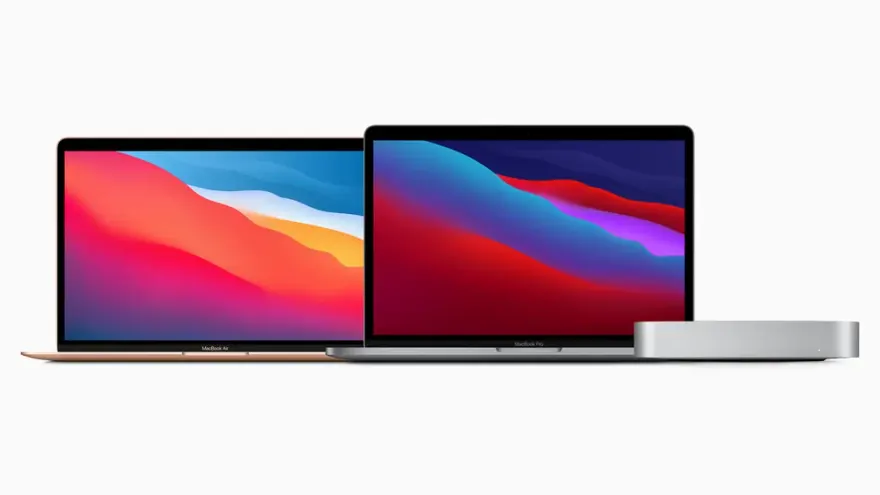
MacBook Air M1 vs MacBook Pro 13 M1

Same M1 chip, different chassis — fan vs fanless, Touch Bar vs none. Is the Pro 13 premium worth Rs. 35,000+ in Pakistan?

Best for

Which laptop wins by use case?

Programming
Apple MacBook Pro 13 2020 M1 Apple M1 8GB 256GB Retina Lahore
Battery life
Apple MacBook Pro 13 2020 M1 Apple M1 8GB 256GB Retina Lahore
Value
Apple MacBook Air 13 2020 M1 8GB 256GB Apple M1 8GB 256GB Used
Portability
Apple MacBook Air 13 2020 M1 8GB 256GB Apple M1 8GB 256GB Used
Pakistan context

How this rivalry plays out in Pakistan.

The MacBook Air vs MacBook Pro 13 M1 question is a daily conversation at our shop, mostly from Pakistani buyers who want a MacBook but are confused by Apple's product positioning. The Pro 13 M1 was Apple's last laptop with the 2016-era chassis (same as Intel MacBook Pro), which means it retained the Touch Bar that Apple discontinued on every other model. This makes the Pro 13 a confusing transitional product — pro silicon in an old body. The Air M1, by contrast, is the laptop that defined Apple Silicon's value proposition: fanless, light, all-day battery, premium for less money than a Pro. In Pakistan's used market, both arrive from US/UK trade-ins, with the Air outnumbering the Pro 13 roughly 3-to-1. Pricing differential is Rs. 35,000-50,000, which is genuinely meaningful for Pakistani buying power. We see roughly 70% of buyers correctly choose the Air after we explain the actual technical differences. The remaining 30% specifically need sustained performance (iOS development, video editing) and correctly pay the Pro premium.

By use case

Which wins for which workflow?

Use caseWinnerReasoning
University students (any program)Apple MacBook Air 13 2020 M1 8GB 256GB Apple M1 8GB 256GB UsedAir M1 saves Rs. 35,000-50,000 for identical performance in student workloads. The savings fund external monitor, mouse, AppleCare-equivalent insurance.
iOS / macOS development (Xcode)Apple MacBook Pro 13 2020 M1 Apple M1 8GB 256GB Retina LahorePro 13's fan sustains peak M1 performance during large Xcode builds. Air M1 throttles after 5-10 minutes of sustained compilation, slowing iteration cycles.
Video editing (Final Cut Pro)Apple MacBook Pro 13 2020 M1 Apple M1 8GB 256GB Retina LahorePro 13's active cooling sustains 1080p/4K Final Cut exports without throttling. Air M1 works for 5-minute clips but slows on longer exports.
Web development (JavaScript, Python)Apple MacBook Air 13 2020 M1 8GB 256GB Apple M1 8GB 256GB UsedWeb dev is burst workload — Air M1 handles VS Code, browser dev tools, Node.js identically to Pro 13 with no thermal issues.
Writers, journalists, content creatorsApple MacBook Air 13 2020 M1 8GB 256GB Apple M1 8GB 256GB UsedAir M1's silent fanless design suits quiet writing environments. 1.29 kg weight is genuinely lighter for daily café/co-working carry.
Music production (Logic Pro)Apple MacBook Pro 13 2020 M1 Apple M1 8GB 256GB Retina LahorePro 13's fan handles 75+ track sessions with virtual instruments. Air M1 hits thermal limits around 50 tracks.
Photography (Lightroom)TiedBoth handle Lightroom RAW culling identically. Pro 13's brighter display helps color grading slightly but Air's screen is fine.
Office worker / corporate userApple MacBook Air 13 2020 M1 8GB 256GB Apple M1 8GB 256GB UsedOffice workflows are burst-load (open Excel, edit, save, switch to email). Air M1 is more than sufficient. Save the premium.
Is the price fair?

Pakistani street-price reality check.

Left option

Apple MacBook Air 13 2020 M1 8GB 256GB Apple M1 8GB 256GB UsedRs. 145,000

MacBook Air M1 at Rs. 130,000-150,000 is the single best laptop value in Pakistan in 2026. You're getting Apple Silicon performance that beats every Intel laptop ever made, 15-18 hour battery, fanless silent operation, premium aluminium chassis, and Retina display — for the price of a mid-tier Windows ultrabook. Pricing reflects 5 years of accumulated supply from US trade-ins. Below Rs. 125,000 suggests iCloud-locked or compromised hardware. Above Rs. 155,000 stock-standard is a markup. The 16GB BTO upgrade at Rs. 175,000-195,000 is worthwhile for power users.

Right option

Apple MacBook Pro 13 2020 M1 Apple M1 8GB 256GB Retina LahoreRs. 145,000

MacBook Pro 13 M1 at Rs. 165,000-195,000 commands a Rs. 35,000-50,000 premium over the Air M1 for marginal improvements: active cooling fan, Touch Bar, brighter display, slightly larger battery. The premium is justified for buyers who specifically need sustained performance (large Xcode builds, Final Cut Pro long exports, Logic Pro heavy sessions). For everyone else, the premium pays for hardware you won't use. The Pro 13 was discontinued by Apple in 2022 because of this poor positioning. If you have Rs. 195,000+ budget, consider the MacBook Air M2 (newer design, MagSafe, brighter display) at similar pricing.

Real buyer profiles

Who we'd recommend each one to.

Lahore freelance web developer

Salman is a freelance React/Node.js developer earning Rs. 200,000+/month. He works from his home office and occasionally cafés. Budget Rs. 145,000. We recommend the MacBook Air M1 — his workflow is burst-load (browser, VS Code, terminal), not sustained-load. The Air's silence suits his quiet home office better than the Pro 13's occasional fan spinup. The Rs. 35,000+ saved funds an external monitor and a year of cloud-service subscriptions.

Karachi iOS developer at a startup

Hamza builds an iOS app at a Karachi fintech startup. His Xcode projects have 50+ Swift packages and build times matter for iteration speed. Budget Rs. 180,000. The Pro 13 M1 wins clearly — large Xcode builds run at sustained peak performance with the fan, vs Air M1 throttling after 5-7 minutes. The Touch Bar customization speeds up some Xcode operations. The Rs. 35,000+ premium pays back in saved build time within 2-3 months.

Islamabad university student

Aisha is a 2nd-year LUMS undergraduate. Budget Rs. 145,000. Her workflow is Office, Zoom, browser-heavy research, occasional Photoshop. The Air M1 is the rational choice — her workloads don't stress the M1, the silent fanless design suits library work, the lighter 1.29 kg weight matters for daily backpack carry. The Rs. 35,000+ saved is genuinely meaningful for a student.

Lahore content creator (Instagram)

Mahnoor edits short-form videos in CapCut for her 50,000-follower Instagram. Budget Rs. 170,000. The Pro 13 M1 wins narrowly — CapCut video exports benefit from sustained performance, the slightly brighter display helps in her well-lit content studio. The Touch Bar provides quick access to brightness during recording. The Rs. 25,000 premium pays back in faster export workflow.

Before you buy

What to check on either of these used.

  • Most important — confirm Activation Lock is OFF on both. Check System Settings → Apple ID for any signed-in account. A locked MacBook is essentially unusable without the original owner's password. We screen every MacBook we sell for this.
  • Both — check battery cycle count in System Report → Power. Under 300 cycles excellent, 300-500 acceptable, 500+ means Rs. 18,000-25,000 battery replacement soon.
  • Pro 13 M1 specifically — verify the Touch Bar works in all areas. Touch Bar repair requires top-case replacement (Rs. 45,000+) so any unresponsive areas are expensive to fix.
  • Air M1 specifically — check for the 'stage light' effect on screen (backlight bleed visible as bright spots on solid black). Some bleed is normal; large 1-inch+ spots indicate damage.
  • Both — verify both USB-C / Thunderbolt 3 ports work for charging AND data with a real Thunderbolt device.
  • Both — run Apple Diagnostics by holding D during boot. Any error code is a hardware flag.
  • Both — verify FaceTime camera works and Touch ID enrollment succeeds in System Settings.
  • Both — confirm original Apple charger is included (30W USB-C for Air, 61W USB-C for Pro 13). Replacement Apple chargers cost Rs. 6,000-9,000 at Hafeez Center.
  • Both — check the keyboard for the 'scissor' Magic Keyboard mechanism (inverted-T arrow keys). Earlier butterfly-mechanism units would have been the older 2018-2019 generation.
  • Pro 13 M1 — listen for fan noise during a 2-minute Cinebench R23 run. A noisy fan indicates dust accumulation or bearing wear (Rs. 8,000-12,000 fan service).
Our take

NN Laptops Hafeez Center — the honest verdict.

Our honest take: for 80% of Pakistani buyers asking 'Air M1 or Pro 13 M1', the Air M1 is the correct choice. The same M1 chip means burst-workload performance is identical, the silent fanless design is a genuine advantage for most environments, the 1.29 kg weight matters for daily carry, and the Rs. 35,000-50,000 saved is real money. The Pro 13 M1 wins only for specific sustained-load workflows: large iOS app development with frequent Xcode builds, video editing with long exports, music production with many tracks. If you do those things daily, the Pro 13's fan justifies the premium. If you don't, save the money. The Touch Bar alone is not a good reason to choose the Pro 13 — Apple itself discontinued it on every other model. For Rs. 195,000+ budget, also consider the MacBook Air M2 (newer chassis, MagSafe, brighter display, more refined). Both Air M1 and Pro 13 M1 carry our 15-day testing warranty with full refund or replacement on genuine fault. We always verify Activation Lock clearance, run battery health diagnostics, and provide written documentation. For consultation, WhatsApp 0314 4000131 — we'll ask about your specific workflow and recommend the rational choice. We sell either with the same margin and no commission incentive.

Full spec comparison

Specs side-by-side

SpecLeftApple MacBook Air 13 2020 M1 8GB 256GB Apple M1 8GB 256GB UsedRightApple MacBook Pro 13 2020 M1 Apple M1 8GB 256GB Retina Lahore
CPU
Apple M1 (5 nm)Apple M1 (5 nm)
Cores / Threads
8 cores (4P + 4E), unified memory8 cores (4P + 4E), unified memory
RAM (default)
8GB unified8GB unified
RAM (max)
16GB unified (soldered, BTO only)16GB unified (soldered, BTO only)
Storage
256GB NVMe SSD256GB NVMe SSD
GPU
Apple M1 7-core or 8-core GPUApple M1 8-core GPU (standard)
Display size
13.3-inch13.3-inch
Display resolution
2560×1600 Retina IPS True Tone2560×1600 Retina IPS True Tone (brighter, 500 nits)
Refresh rate
60 Hz60 Hz
Battery (Wh)
49.9 Wh58.2 Wh
Battery (claimed)
15 to 18 hours mixed use17 to 20 hours mixed use
Weight
1.29 kg1.40 kg
Ports
2× USB-C (Thunderbolt 3), 3.5 mm2× USB-C (Thunderbolt 3), 3.5 mm
Keyboard
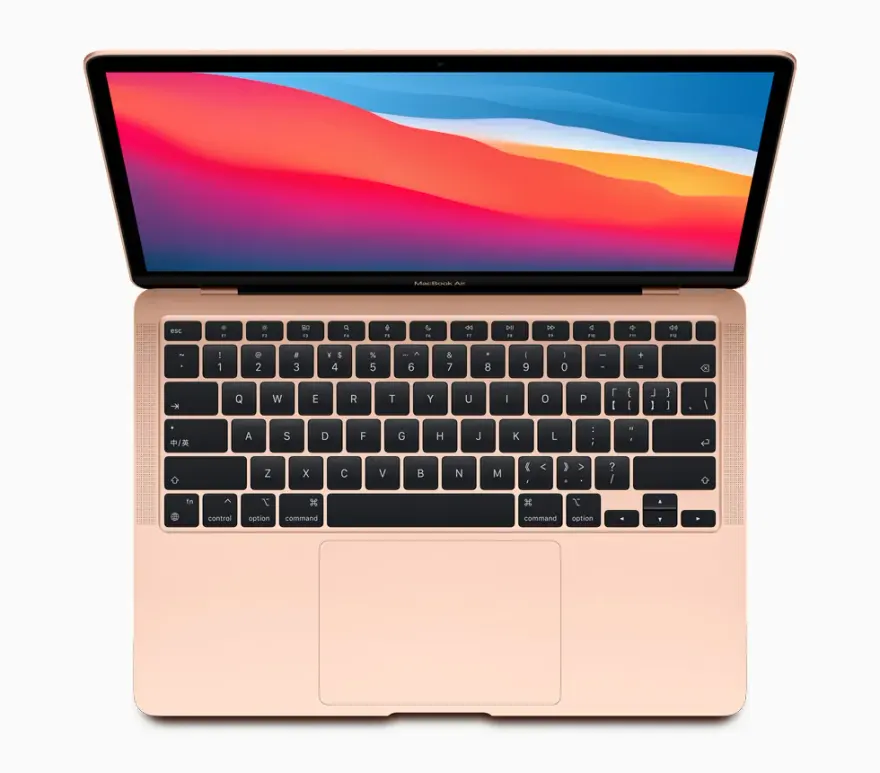
Magic Keyboard, 1.0 mm travel, backlit, no Touch Bar, Touch IDMagic Keyboard, 1.0 mm travel, backlit, Touch Bar + Touch ID
Build
Recycled aluminium unibody, wedge profile, FANLESS silent operationRecycled aluminium unibody, ACTIVE COOLING FAN for sustained workloads
Price (N.N Laptops Lahore)
Rs. 145,000Rs. 145,000
Best for
Students, writers, light coders, anyone valuing silence and batterySustained workloads (compiles, exports), Touch Bar fans, slightly brighter display
Reliability score
9.5 / 109.4 / 10
Our verdict

Which one should you buy?

Both have the identical Apple M1 chip — same CPU cores, same Neural Engine, same memory architecture. The differences come down to the chassis and what it lets the M1 do. The MacBook Air M1 is FANLESS — completely silent, but throttles after sustained high loads (long video exports, big code compiles). The MacBook Pro 13 M1 has an active cooling fan that lets the same chip sustain peak performance indefinitely. In burst workloads (opening apps, browsing, light Photoshop), they perform identically. In sustained workloads (Final Cut Pro 4K export, large Xcode build, Logic Pro session with many plugins), the Pro 13 is 5-15% faster. The Air also lacks the Pro 13's Touch Bar, has a slightly dimmer display (400 nits vs 500 nits), weighs 110 grams less (1.29 vs 1.40 kg), and has a smaller battery (49.9 Wh vs 58.2 Wh) — though battery life is actually similar because the Air doesn't need to power a fan. In Lahore, Air M1 sits at Rs. 130,000-150,000; Pro 13 M1 at Rs. 165,000-195,000. For 80% of Pakistani buyers — students, writers, web developers, office workers — the Air M1 wins on value and silence. The Pro 13 wins for sustained-load workflows (iOS development with large projects, video editing, music production) where the fan matters. Don't pay the Pro premium just for the Touch Bar — Apple itself killed it on every other Mac.

FAQ

MacBook Air M1 vs MacBook Pro 13 M1 — frequently asked

MacBook Air M1 or MacBook Pro 13 M1 for a Pakistani student?

+

MacBook Air M1, almost always. Saves Rs. 35,000-50,000 for the same chip. Student workflows (Office, Zoom, browser, occasional Photoshop) are burst workloads where the Pro 13's fan advantage doesn't matter. The Air is also lighter for daily backpack carrying. Pick the Pro 13 only if the student specifically does iOS development with large Xcode projects or serious video editing.

Why is the MacBook Pro 13 M1 more expensive if it has the same chip?

+

Three reasons: active cooling fan adds cost, Touch Bar adds cost (and complexity), brighter 500-nit display vs Air's 400-nit. The Pro 13 also has a slightly larger battery. For workflows that benefit from sustained performance, these justify the premium. For workflows that don't, you're paying for hardware you won't use.

Is the Touch Bar useful or annoying?

+

Divisive. Some users love it (quick access to brightness, volume, custom shortcuts in apps). Many users hate it (lacks tactile feedback, replaces useful F-keys, distracting). Apple itself discontinued the Touch Bar on every other Mac except the now-discontinued Pro 13 M2 and M1 generation. If you're not sure, you don't need it.

Will I notice the active cooling fan during normal use?

+

Barely. The Pro 13 M1's fan is very quiet during light use (often inaudible). Under heavy load (Final Cut Pro export, sustained compile), the fan spins up audibly but it's still quieter than most Windows laptops. The Air M1's fanless design means absolute silence under any load — a noticeable difference if you work in quiet environments.

Battery life — Air vs Pro 13?

+

Both excellent. Air M1 (49.9 Wh, fanless): 15-18 hours mixed use. Pro 13 M1 (58.2 Wh, with fan): 17-20 hours mixed use. The Pro 13 has slightly more battery and the larger battery offsets the fan's small power draw. Real-world difference is 2-3 hours — meaningful for digital nomads, marginal for office workers.

Will the Air M1 throttle during normal use?

+

Almost never. The Air M1's fanless design throttles only after 5-10 minutes of sustained 100% CPU/GPU load (long video exports, big code compiles, intensive benchmarks). For normal use (browser, Office, Zoom, light coding), no throttling. The throttle, when it happens, drops performance 15-25% — noticeable but not catastrophic.

Can I run both Final Cut Pro and Logic Pro on Air M1?

+

Yes, both run well for moderate projects. Final Cut Pro: 1080p timelines no problem, 4K timelines with simple effects fine. Logic Pro: 50-tracks comfortable, 75-track sessions hit thermal limits. For larger projects in either app, Pro 13 M1 sustains better performance.

Is 8GB RAM enough on either?

+

For browsing, Office, light coding — yes, the unified memory architecture is genuinely more efficient than Windows DDR4. For video editing, large Photoshop files, heavy Xcode projects — no, get the 16GB BTO upgrade. If unsure, get 16GB if affordable.

Display difference — meaningful in real use?

+

Air M1: 400 nits, Pro 13 M1: 500 nits. The Pro is noticeably brighter in bright environments (windows, outdoor work). Indoors at reasonable brightness, both look identical. For Pakistani cafés with bright sun-facing windows, the Pro's brightness helps.

Can I close the lid and use external monitor only?

+

Yes, both support clamshell mode with external monitor + USB-C keyboard/mouse. The Air M1 and Pro 13 M1 both drive one external monitor (M1 limitation — Pro/Max chips support more). For dual external monitors, you need a Display Link adapter (Rs. 12,000-18,000).

Resale value comparison?

+

Pro 13 M1 holds resale slightly better (5-10% at year 2) because pro buyers continue seeking it. Air M1 has higher supply volume so depreciation is slightly faster. Neither holds value as well as the M1 Pro / M1 Max 14-inch which are firmly pro-tier.

Which for graphic design student?

+

Air M1 is sufficient for student-level Adobe Illustrator, Photoshop, InDesign, Figma work. Real-world performance difference in design apps is 5-10% — not enough to justify Pro premium for student. Save the difference for a Wacom tablet or external monitor.

Can I upgrade RAM or SSD later?

+

No on both. Apple Silicon Macs have soldered RAM and soldered SSD. Whatever you buy is what you have for the laptop's life. Choose carefully. We recommend at least 256GB SSD (fills up faster than expected) and 16GB RAM if any heavier workflow.

Browse more

Other comparisons

See all 24
Stock alerts + Pakistani deals

Get an email when fresh stock arrives.

One email per month, max. We tell you what new used laptops just landed at Hafeez Center, with prices. Skip the WhatsApp-spam — read on your own time. Unsubscribe in one click.

Open WhatsApp chat