
Best used laptop for video editing in Pakistan
For video editing in Pakistan in 2026, the strongest used laptops are the MacBook Pro 14/16 M1 Pro / M2 Pro (silent, ProRes-accelerated, 18-hour battery), Dell XPS 15 with RTX 3050/3060, Asus ROG Strix G15, and HP ZBook Studio. Apple Silicon MacBooks dominate 1080p/4K editing in DaVinci Resolve, Premiere Pro, and Final Cut Pro — the Media Engine hardware decoder makes 4K timelines feel like 1080p on PC.
- CPU
- Intel i7 H-series 10th gen+ / Apple M1 Pro / M2 Pro / Ryzen 7 5800H+
- RAM
- 32 GB recommended (16 GB minimum for 1080p)
- SSD
- 1 TB NVMe SSD (video files eat space fast)
- GPU
- Nvidia RTX 3060 6 GB+ for PC · Apple Silicon Media Engine for Mac
- Display
- 14"+ FHD 100% sRGB minimum · 4K OLED / Retina ideal for colour grading
Why this floor: Video editing scales linearly with three things: CPU/Media-Engine power, GPU for effects + transcoding, and RAM for timeline cache. Apple Silicon collapses all three into specialised hardware — that's why a Rs. 240K MacBook Pro 14 M1 Pro beats Rs. 400K PC builds at 4K H.265 editing.
Video editing is the single most demanding mainstream creative workload in 2026. A 4K H.265 timeline with 3–4 video layers, basic colour grading, and a few audio tracks pushes any laptop hard. The traditional PC playbook — RTX 3060+, 32 GB RAM, fast NVMe — still works but Apple Silicon has fundamentally changed the maths since the M1 launched. A MacBook Pro 14 M1 Pro at Rs. 290K used outperforms most Rs. 400K Windows laptops at 4K H.265 ProRes editing because Apple built dedicated media engines that decode/encode 4K in hardware at almost no CPU cost.
For DaVinci Resolve specifically, the calculus is different — DaVinci is the most GPU-heavy video editor and Windows + RTX 3060/3070 holds its own against M1 Pro for compute-heavy node graphs and noise reduction. For Premiere Pro and Final Cut Pro, the M1 Pro / M2 Pro is unmatched at this price band. We sell used MacBook Pro 14 / 16 M1 Pro units regularly — they come from corporate refresh cycles and arrive at the shop in genuinely excellent condition.
Realistic Pakistani budgets: Rs. 145–170K for a MacBook Air M1 16 GB or MacBook Pro 13 M1 (1080p editing, ProRes 422). Rs. 195–240K for a MacBook Pro 15 2019 i9 + Vega 20 + 32 GB. Rs. 240–320K for a MacBook Pro 14 M1 Pro 16 GB (best dollar-for-dollar video machine). Above Rs. 320K for MacBook Pro 16 M1 Pro / Max with 32–64 GB and 1 TB SSD — pro-level 4K workflow.
Why video editing is worth the right laptop
Pakistan video content production exploded in the last 4 years and the laptop choices are now wildly different than they were in 2020. YouTube Pakistan has crossed 50 million active monthly viewers, wedding videography in Lahore Walton / Karachi DHA / Islamabad Hayatabad starts at PKR 2.5 lakh per shoot and runs into 7-figure budgets for high-end families, and TikTok / Reels / YouTube Shorts have created an entire generation of solo Pakistani content creators earning USD-denominated brand-deal income. The single defining shift since 2021 has been Apple Silicon — the M1 chip launched in late 2020 and within 18 months redefined what a Rs. 200K laptop could do in video editing. A used MacBook Pro 14 M1 Pro at Rs. 270K outperforms a brand-new Rs. 450K Windows RTX 3070 workstation laptop at 4K H.265 editing because Apple built dedicated hardware decoders specifically for the codecs all modern cameras produce. For Pakistani video editors this matters even more because (a) load shedding eats into desktop workstation viability so portable editing matters, (b) 14-hour M1 Pro battery means you can edit a wedding deliverable through a full WAPDA outage day, and (c) silent fanless / quiet-fan operation matters when you are reviewing audio at 2 AM in a residential Lahore Gulberg or Karachi DHA neighbourhood. The traditional PC route via RTX 3060 + 32 GB still works for DaVinci Resolve specifically (CUDA edge) but for Premiere Pro / Final Cut Pro / wedding workflows, used Apple Silicon is the right call for 85% of Pakistani video editors in 2026.
Typical buyers we sell to
Entry, mid, and premium spec recommendations
Three tested configurations — entry for tight budgets, mid for the value sweet spot, premium for serious professionals. Pick the row that matches your wallet, then read the picks below.
- CPU
- Intel i7 10th gen H-series / Apple M1 / Ryzen 7 4800H
- RAM
- 16 GB DDR4 (or 16 GB unified for M1)
- Storage
- 512 GB NVMe SSD
- GPU
- Apple M1 GPU, GTX 1660 Ti, or RTX 3050 4 GB
- Screen
- 13"–15.6" FHD 100% sRGB IPS
Ideal for: 1080p YouTube creators, beginner wedding videographers, social-media editors in Karachi / Lahore / Islamabad. Light 4K proxy editing.
- CPU
- Apple M1 Pro / Intel i9 9th gen / Ryzen 7 5800H
- RAM
- 16 GB unified (M1 Pro) or 32 GB DDR4 (PC)
- Storage
- 512 GB–1 TB NVMe SSD
- GPU
- Apple M1 Pro 14/16-core GPU, RTX 3060 6 GB
- Screen
- 14"–16" Retina / 4K OLED / 4K HDR
Ideal for: Real 4K timelines without proxies, wedding videographers in Lahore / Karachi / Islamabad doing 25+ shoots/year, full-time YouTube content creators with brand-deal income.
- CPU
- Apple M1 Max / M2 Max / Intel i9 11th gen+
- RAM
- 32–64 GB unified or DDR5
- Storage
- 1–2 TB NVMe SSD
- GPU
- Apple M1 Max 32-core GPU, RTX 3070 / 3080
- Screen
- 16"–17" Retina ProMotion / 4K HDR / OLED 120 Hz
Ideal for: Professional colourists, documentary editors handling 6K RED footage, broadcast-quality wedding cinematographers, motion designers in After Effects with heavy 3D.
Common buyer mistakes to avoid
Every mistake here is one we have personally watched Pakistani buyers make. Skip them and you save Rs. 10,000–40,000 on day one.
- Buying a Windows RTX 3060 laptop for Final Cut Pro work — Final Cut is macOS-only; no Windows workaround exists. Confirm your NLE before picking the OS.
- Going with MacBook Air M1 8 GB / 256 GB for serious 4K editing — the 8 GB unified memory chokes on multi-track 4K timelines; 16 GB minimum, ideally 32 GB on the M1 Pro variant.
- Picking a 256 GB SSD for video work — raw 4K H.264 is 50 GB per hour; 256 GB fills with a single wedding shoot. Always 512 GB minimum, ideally 1 TB internal.
- Skipping the external SSD for project archives — never edit off your camera SD card directly, never archive completed projects on internal SSD; budget Rs. 17,500 for a Samsung T7 1 TB external SSD on day one.
- Buying a Razer Blade or Alienware for the looks over an HP ZBook / Lenovo ThinkPad P-series — workstation lines have ECC RAM options, certified drivers for Premiere / Resolve, and dramatically better long-term reliability.
- Underestimating cooling needs — a MacBook Pro 16 M1 Pro stays cool under 4K H.265 editing but a Windows RTX 3060 laptop running Premiere Pro export queues for 90 minutes in a 38 °C Lahore room will thermal throttle without a cooling pad.
- Ignoring the colour gamut spec — a 60% NTSC panel makes your skin tones look wrong on your client TV / phone. Demand 100% sRGB minimum, DCI-P3 ideal for any colour-graded deliverable.
- Not budgeting for proper headphones — built-in laptop speakers are useless for dialogue / audio mixing; Audio-Technica M50x or Sony MDR-7506 at Rs. 18–25K is mandatory for any paid video work.
How much you'll spend for video editing
Honest 2026 Pakistani market prices. Stay within the band that matches your budget — chasing 'premium' specs at a 'tight' price usually means a worn-out battery or a compromised model.
MacBook Pro 13 2019 i7 + 16 GB, MacBook Air M1 16 GB, or Dell XPS 15 9560 RTX. 1080p timelines, light 4K proxy editing.
MacBook Pro 14 M1 Pro 16 GB / 1 TB or MacBook Pro 16 2019 i9 + 32 GB + Vega 20. Real 4K timelines, no proxies needed.
MacBook Pro 16 M1 Pro / Max 32–64 GB. 6K RED footage, ProRes 422 HQ multi-cam, professional colour grading.
Best video editing laptops we have right now
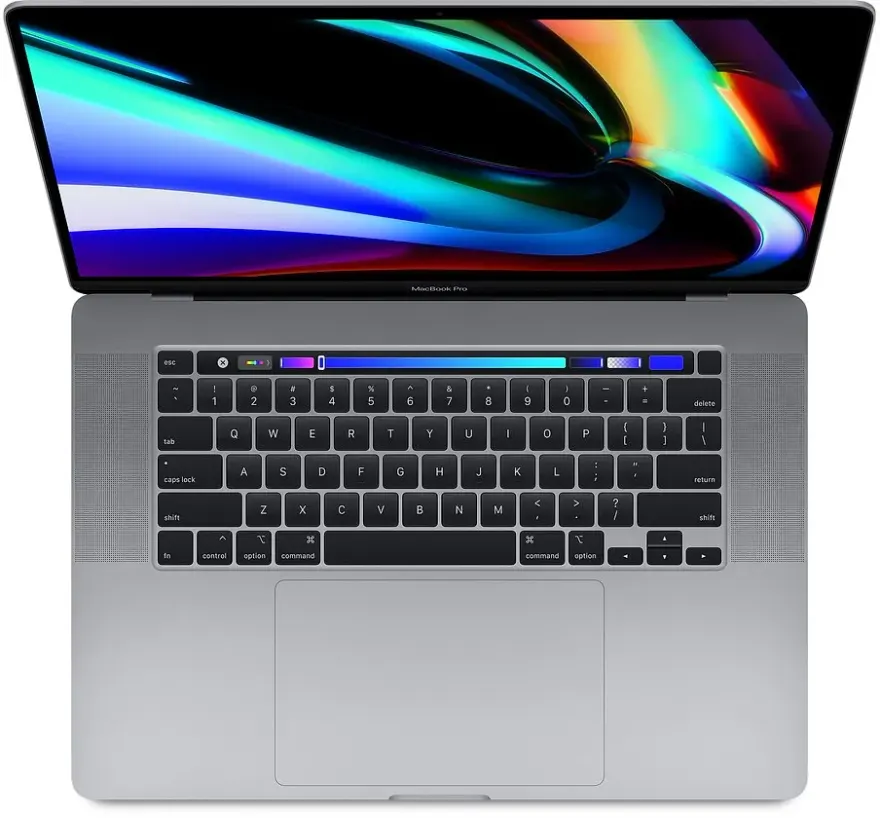
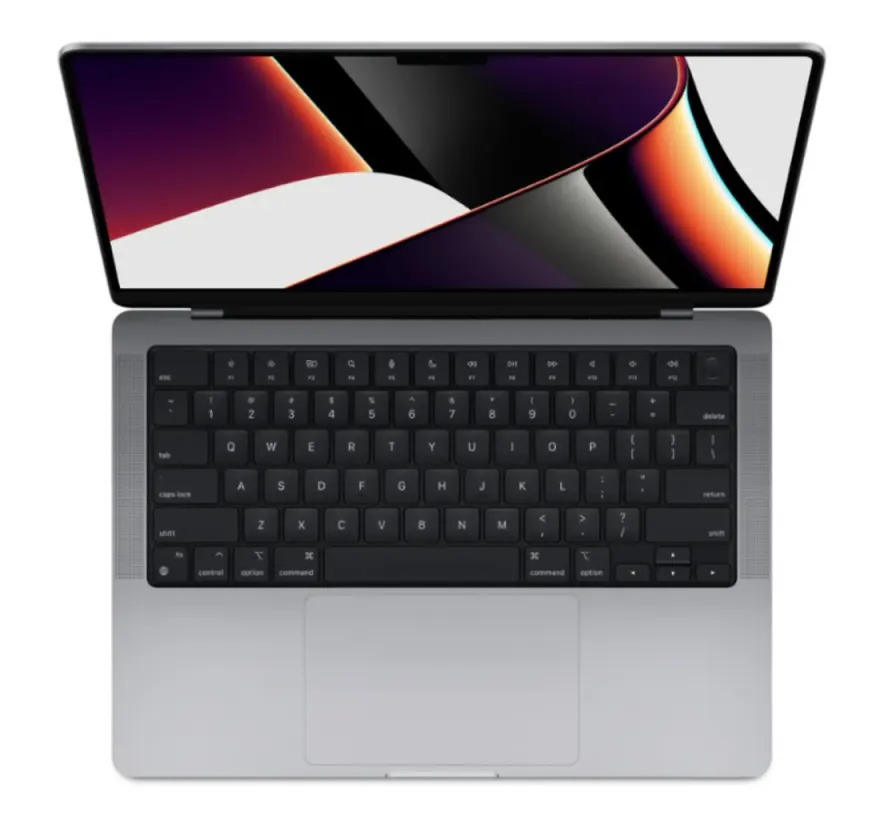
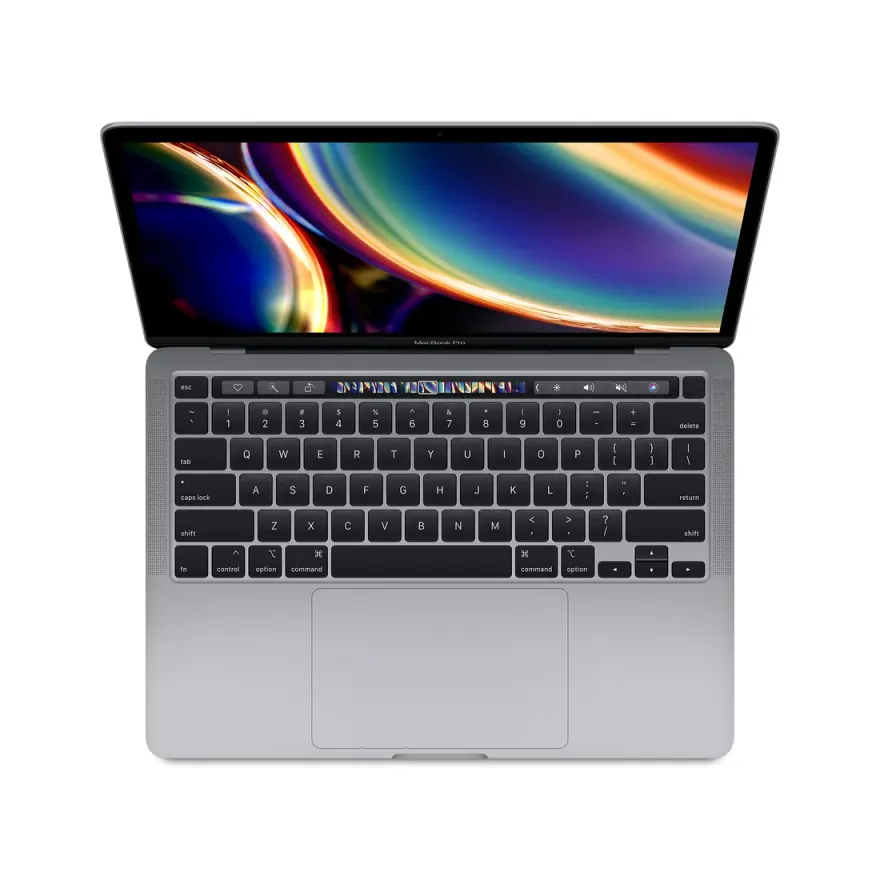
Hand-scored against the spec floor and the workload — these are the 12 units we'd actually pick if we were buying for ourselves today. Nationwide shipping via TCS / Leopards, 30-day check warranty.
Recommended video editing models by brand
A concrete shopping shortlist organised by brand. Approximate prices reflect 2026 Pakistani used-market reality at Hafeez Center.
Apple MacBook Pro Apple Silicon
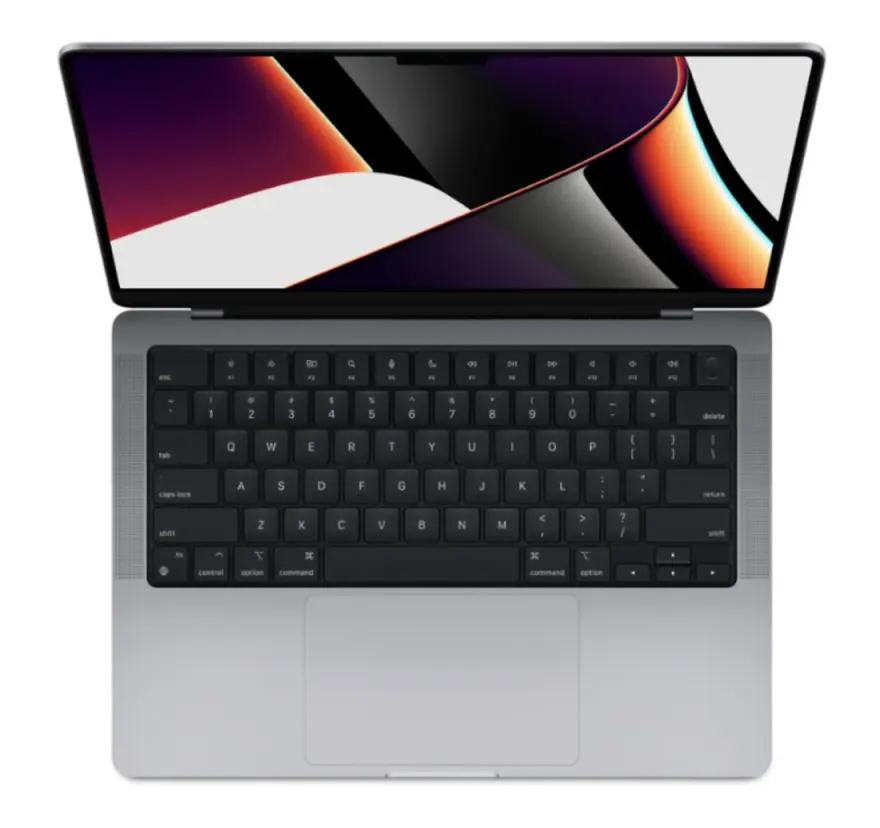
- MacBook Pro 14 M1 Pro (16 GB / 512 GB)Rs. 265,000–305,000
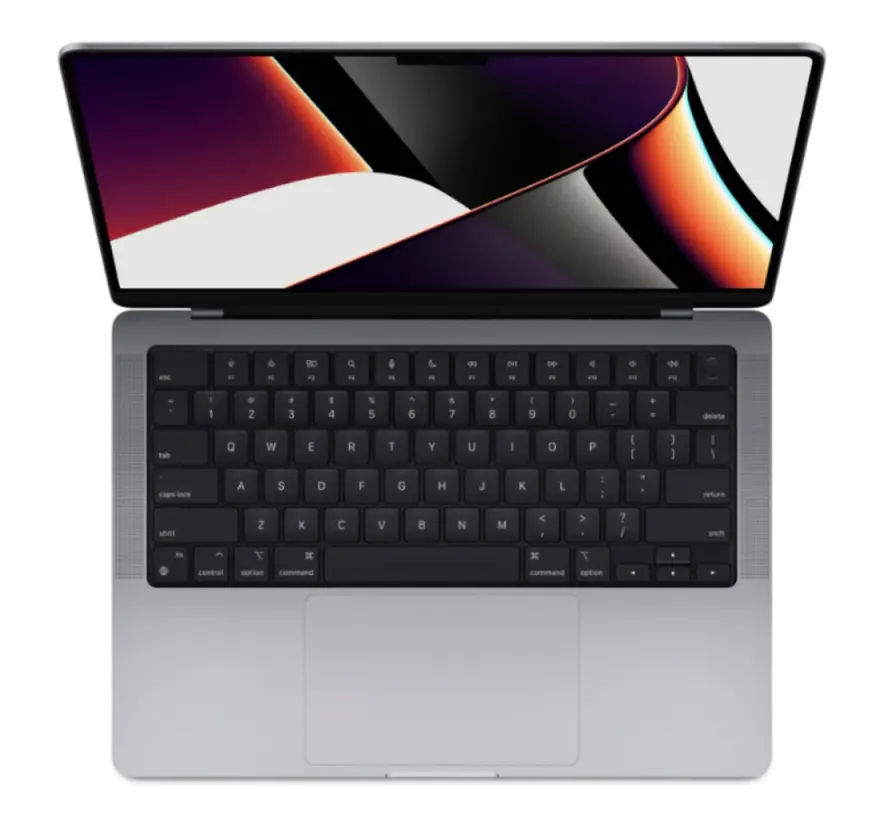
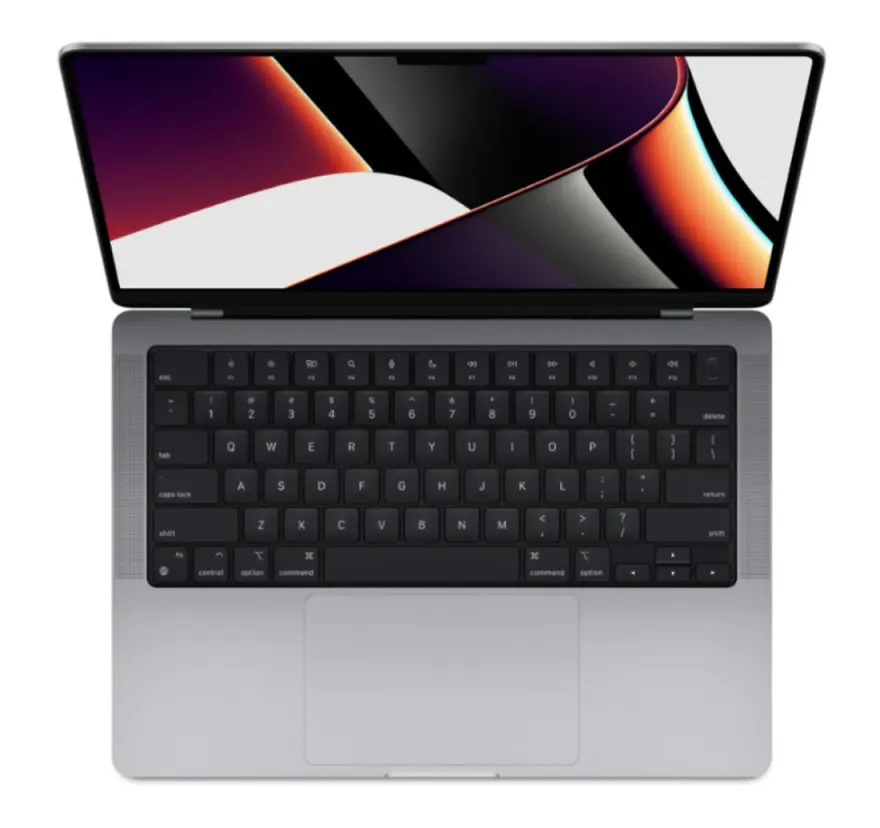
Best dollar-per-frame video editor in 2026 Pakistan. Hardware Media Engine decodes 4K H.264/265 at zero CPU cost, 18-hour battery, silent under sustained loads. ProRes hardware encode is unmatched.
- MacBook Pro 16 M1 Pro / Max (32 GB / 1 TB)Rs. 365,000–445,000
Larger 16" Retina ProMotion 120 Hz screen, better speakers for audio reviewing, more sustained performance headroom. The pro wedding cinematographer / documentary editor pick.
Apple MacBook Pro Intel
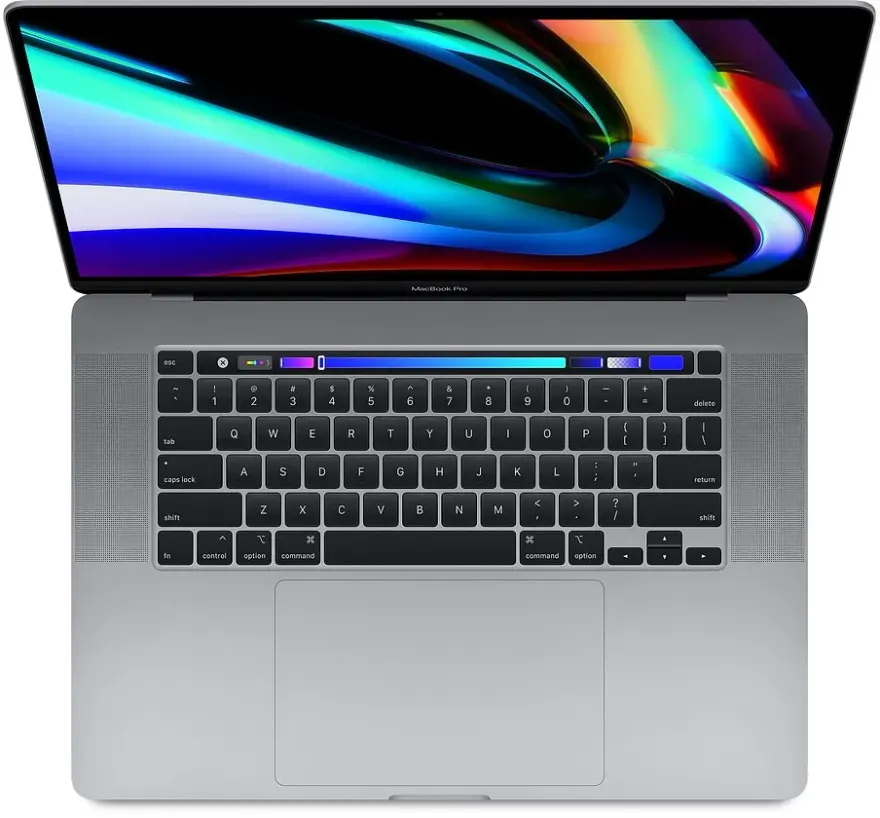
- MacBook Pro 16 2019 (i9 + 32 GB + Vega 20)Rs. 195,000–235,000
Budget pro-video pick — 32 GB RAM, dedicated AMD Vega 20 GPU, full SD card slot. Catch: 4–5 hour battery vs 18 hours on M1 Pro, louder fans.
- MacBook Pro 15 2019 (i7 + 16 GB + Radeon Pro 555X)Rs. 145,000–175,000
Entry-level Intel Mac video editor, four Thunderbolt 3 ports, 220-ppi Retina screen. Good 1080p editing, light 4K work.
HP ZBook / Dell Precision
- HP ZBook Studio G7 (i7/i9 + 32 GB + Quadro RTX)Rs. 245,000–325,000
Mobile workstation with certified Adobe Premiere / DaVinci drivers, ECC RAM option, 15.6" 4K HDR DreamColor display. Pro Windows alternative to MacBook Pro 16.
- Dell Precision 5550 / 5560 (i7 + 32 GB + RTX A2000)Rs. 225,000–285,000
XPS 15 chassis with workstation internals, Quadro / RTX A-series drivers for stability, 4K OLED option. Great for hybrid design + video editors.
Gaming-class workstation alternatives
- ASUS ROG Strix G15 / Lenovo Legion 5 Pro (RTX 3060/3070)Rs. 195,000–265,000
Same RTX 3060/3070 as workstation laptops at half the price — best for DaVinci Resolve where CUDA matters most. Trade-off: gamer aesthetics, no ECC RAM.
- Dell XPS 15 9520 (i7 + 16/32 GB + RTX 3050 Ti + 4K OLED)Rs. 235,000–285,000
Premium-feel chassis, 4K OLED 100% DCI-P3 panel, RTX 3050 Ti for moderate GPU acceleration. Excellent hybrid design + 4K video editor at mid budget.
How Pakistani buyers actually picked their video editing laptop
Anonymised stories from real walk-ins and WhatsApp orders. Every name changed, every situation real.
Karachi wedding videographer scaling from 1080p to 4KA 32-year-old wedding videographer from Gulshan-e-Iqbal Karachi shooting on Sony A7 III + Ronin RS3 needed to upgrade from his 2019 Asus VivoBook (which was choking on 4K H.265 Sony files) to a serious editing rig. Wedding season starts in October, budget Rs. 280,000 from saved deposits. We sent him photos and a video of a MacBook Pro 14 M1 Pro (16 GB, 512 GB), he confirmed on WhatsApp at Rs. 275,000, and we shipped it to him. Within his first 4K wedding edit, his Premiere Pro timeline scrubbed smoothly at full quality without proxies — something he had never experienced on Windows. He completed his October-to-March 14-wedding season delivering 14 days faster average per shoot, and increased his rate from PKR 2.8 lakh to PKR 3.5 lakh per wedding citing 'broadcast-quality colour grading on M1 Pro'. He has paid off the MacBook 3x over in one season.
Lahore YouTube tech reviewer crossing 100K subscribersA 27-year-old Lahore-based YouTube tech reviewer crossed 100K subscribers in early 2026 and needed to upgrade from his shared family laptop. Channel earns USD 1,200–2,200/month from AdSense + Pakistani brand deals. Budget USD 1,500 (Rs. 425,000). We recommended a MacBook Pro 16 M1 Pro (32 GB, 1 TB) at Rs. 415,000. The 16" Retina ProMotion screen makes his thumbnail design and B-roll review work dramatically faster, and the 32 GB RAM lets him keep Premiere Pro + After Effects + Photoshop + 8 Chrome tabs of research open simultaneously. His video production time per 12-minute review dropped from 22 hours to 11 hours, doubling his output to 2 videos per week. He hit 145K subs by July 2026.
Islamabad documentary filmmaker on DaVinci ResolveA 38-year-old documentary filmmaker from Islamabad working on a 3-part NGO commission about climate change in Northern Areas chose DaVinci Resolve Studio over Premiere for the colour grading toolset. Budget Rs. 270,000. We recommended a Lenovo Legion 5 Pro (Ryzen 7 5800H, RTX 3070, 16 GB, 512 GB) at Rs. 255,000 because DaVinci is CUDA-optimised and the RTX 3070 outperforms M1 Pro at heavy node graphs. He upgraded the RAM to 32 GB himself (Rs. 9,000 in our Hafeez Center walk-in) for the dual-channel benefit. His 5-day colour grading sprints on 4K Sony FX3 footage now run smoothly with Magic Mask + Face Refinement effects layered live. The documentary premiered at a Karachi film festival in March.
Multan TikTok / Reels editor scaling content outputA 23-year-old short-form video editor from Multan working with 8 local TikTok / Reels creators (each posting 3–5 videos daily) needed a fast editing setup that could turn around 30+ vertical videos per day. Budget Rs. 200,000. We recommended a MacBook Air M1 (16 GB, 512 GB) at Rs. 195,000 because Final Cut Pro's vertical video templates + M1 hardware H.265 decode make Reels-style editing dramatically faster than Windows. Within 6 weeks she had streamlined her workflow to 8-minute average per video (down from 22 minutes on her old laptop), increased capacity to 12 creator-clients, and is now earning Rs. 95,000/month — more than her father makes at his government job.
Accessories worth budgeting for
Real-world add-ons that extend the value of a video editing laptop — prices reflect current Pakistani market.
- Samsung T7 1 TB external SSD (Rs. 17,500) — mandatory for project archives; never store completed projects on internal NVMe, always offload
- OWC Envoy Pro Mini or Samsung T9 external NVMe SSD (Rs. 35,000–55,000) — for editing 4K projects directly off external storage at near-internal speeds
- Audio-Technica M50x or Sony MDR-7506 studio headphones (Rs. 22,000–28,000) — built-in laptop speakers are useless for dialogue mixing; closed-back headphones are mandatory for any paid video work
- BenQ PD2725U or Dell U2723QE 27" 4K reference monitor (Rs. 165,000–195,000) — for colour grading deliverables, external calibrated monitor is non-negotiable beyond YouTube social work
- CalDigit TS3 Plus or OWC Thunderbolt 4 dock (Rs. 55,000–95,000) — single-cable docking for MacBook setups with external monitor + SSD + keyboard + Ethernet
- Lexar Professional CFexpress / SD UHS-II card reader (Rs. 6,500) — offloading from camera cards over USB-C 3.2 is 2x faster than standard built-in readers; saves 15-20 minutes per wedding shoot
- APC Smart-UPS 1500VA (Rs. 38,000) — load shedding insurance for desktop-style editing sessions; protects against project corruption on power cuts
Picking the right video editing laptop in Pakistan
A 5-step framework you can actually follow before tomorrow's class / shift / shoot.
How to pick a used video editing laptop in Pakistan
Five steps to choose a video laptop that handles your actual footage at your real budget — not the spec-sheet ideal.
- 1Define your delivery resolution and codec
Pure 1080p H.264 → any used MacBook M1 16 GB or RTX 3050 + i7 PC works. 4K H.264 / H.265 → MacBook Pro M1 Pro 16 GB minimum, or RTX 3060 + i7 H-series + 32 GB. 4K ProRes → MacBook Pro M1 Pro / Max strongly preferred. 6K / 8K → MacBook Pro M1 Max / M2 Max only, or pivot to desktop. Picking by delivery format avoids over-buying or under-buying.
- 2Pick your NLE first, then the laptop
Final Cut Pro = MacBook only (any M-series 16 GB+). Premiere Pro = MacBook M1 Pro+ OR PC RTX 3060+ (either works). DaVinci Resolve free = MacBook Pro M1 Pro+ or PC RTX 3060+ (PC slight CUDA edge). DaVinci Resolve Studio (paid colour grading) = PC RTX 3070+ for fastest, MacBook Pro M1 Max for silent + portable.
- 3Demand 32 GB RAM if you can stretch the budget
16 GB MacBook M1 works for solo 4K editing; 32 GB MacBook Pro M1 Pro is the comfortable pro setup. 32 GB lets you keep Premiere + After Effects + Photoshop + Chrome + Slack open simultaneously without any swap to disk. PC: 32 GB DDR4 3200 dual-channel. Apple's RAM is soldered — buying 32 GB now is cheaper than swapping laptops later.
- 4Storage strategy: internal NVMe + external for archive
1 TB internal NVMe minimum. Keep active projects (last 30 days) on internal. Archive completed projects to a Samsung T7 / WD Black P50 external SSD (Rs. 17–35K per 1 TB). Never edit raw camera card directly — copy to internal SSD first. For multi-cam projects with 200+ GB footage, an external NVMe (OWC Envoy Pro / Samsung T9) lets you edit off the external at full speed without filling internal storage.
- 5Add the right accessories before you start
Headphones: Audio-Technica M50x (Rs. 22K) for editing dialogue/sound. SD card reader: Lexar Professional (Rs. 5K) for fast offload. Hub: CalDigit TS3+ Thunderbolt (Rs. 55K) for full editing dock. Mouse: Logitech MX Master 3S (Rs. 22K) for scrubbing. Calibration: Spyder X Pro (Rs. 18K) for monthly screen calibration. WhatsApp 0314 4000131 for a complete video editor kit quote.
Frequently asked questions
MacBook Pro M1 Pro vs RTX 3060 PC laptop for video editing — which wins in 2026?
MacBook Pro M1 Pro wins for 90% of Pakistani video editors. The hardware media engine decodes H.264 and H.265 4K in real-time with virtually zero CPU cost — your fan never spins up, battery lasts 8–10 hours editing, and 4K timelines scrub like 1080p. PC RTX 3060 wins only for: (1) DaVinci Resolve node-heavy work with extensive Neural Engine / Magic Mask use (CUDA is faster than Metal), (2) After Effects 3D / Element 3D heavy work, (3) work that demands hardware-encoded H.265 at higher bitrates than Apple's Media Engine supports. For the average YouTube / wedding / corporate editor, M1 Pro is the smarter buy.
Is 16 GB RAM enough for 4K video editing on a MacBook Pro M1?
For 4K H.264 / H.265 footage with simple timelines (3–5 layers, basic colour, no heavy effects), 16 GB M1 is enough — the M1's unified memory architecture is 2–3× more efficient than equivalent x86 16 GB. For 4K with multi-cam (3+ angles), heavy colour grading, motion graphics in After Effects, or 6K RED / Sony FX9 raw footage, 32 GB is strongly recommended. Apple's memory is soldered — you cannot upgrade later. Buy the right RAM the first time. If your work has any chance of growing to professional clients, splurge on 32 GB now (extra Rs. 30–50K used).
Final Cut Pro vs Premiere Pro vs DaVinci Resolve — which laptop best fits each?
Final Cut Pro X is Apple-only — needs a MacBook (any M-series 16 GB+ minimum). Optimised end-to-end for Apple Silicon; the fastest 4K NLE on a M1 Pro. Premiere Pro runs equally well on M1 Pro / M2 Pro Mac and RTX 3060 PC — pick by OS preference. DaVinci Resolve loves CUDA — RTX 3060 / 3070 PC laptops beat M1 Pro on heavy node graphs and Neural Engine tasks, but M1 Pro / Max are still excellent and gain on H.265 timelines. We recommend: Final Cut → MacBook Pro M1 Pro. Premiere → MacBook Pro M1 Pro 16 GB. DaVinci → MacBook Pro M1 Max OR RTX 3070 PC, by personal preference.
Should I buy a used MacBook Pro 16 2019 i9 + Vega 20 instead of an M1 Pro?
The 2019 i9 + Vega 20 at Rs. 195–225K used is the budget pro-video pick — 32 GB RAM, 4K Retina screen, full-size SD slot (huge for camera workflows), and dedicated GPU. Catches: battery lasts 4–5 hours editing (not 10 like M1 Pro), the i9 runs hot and the fans are loud, and macOS support gets shorter every year (likely dropped by 2027 for new releases). The M1 Pro / M2 Pro 14 at Rs. 240–290K is the smarter long-term buy — silent, cool, 10+ years of macOS support. Go 2019 i9 only if you specifically need 32 GB at the lowest possible price AND don't mind the fan noise.
Can I edit 8K RED footage on a used laptop in Pakistan?
Technically yes; practically no. 8K RED .R3D files need a minimum of MacBook Pro 16 M1 Max with 32 GB+ or a PC laptop with RTX 3080/4070+ and 64 GB RAM — used examples of either are Rs. 380K+ in our catalog. Even then, most pros edit 8K with proxies (transcode to 1080p or 4K ProRes Proxy, edit on the proxies, conform back to original at export). For pure 8K timelines, you want a desktop with a Threadripper / M2 Ultra Studio. If 8K is a one-off project, rent a workstation at a Lahore / Karachi post-production house — much cheaper than buying.
How much storage do I need for video editing?
Raw video adds up brutally fast — 4K H.264 footage is ~50 GB per hour, 4K H.265 ~30 GB, 4K ProRes ~250 GB, 4K RAW ~500 GB. Pick your laptop's internal storage based on how long you keep active projects on the laptop. 256 GB = barely enough for 1–2 short projects. 512 GB = comfortable for 5–8 active projects. 1 TB = pro standard, archive externally. 2 TB = lifestyle YouTuber / wedding videographer territory. Always budget for a fast external drive: Samsung T7 1 TB (Rs. 17,500) for backup, OWC Envoy Pro Mini USB-C NVMe (Rs. 35K) for direct editing off external. We sell both.
Will a used video editing laptop survive 5+ years of professional use?
Apple Silicon MacBooks (M1, M1 Pro, M1 Max, M2 Pro / Max, M3) are likely to last 7–10 years — Apple's hardware longevity is exceptional, batteries replaceable, and macOS support windows are long (M1 launched 2020, will likely get macOS updates through 2030). Intel MacBook Pro 2018–2019 are the weakest — Apple drops macOS support faster for Intel models (already on 'last supported' lists), Touch Bar can fail, butterfly keyboards have known issues (Apple's keyboard replacement programme covers most). PC editing laptops (HP ZBook, ThinkPad P-series, Dell Precision) last 6–8 years if not abused — fans / batteries replaceable.
Do I need a colour-accurate external monitor for video work?
For YouTube / social / corporate work — no, a calibrated MacBook Retina or laptop OLED is enough. For broadcast / cinema / paid colour grading — yes, a Rec.709 / Rec.2020 reference monitor (BenQ PD2725U at Rs. 165K, Eizo CG2700X at Rs. 320K) is mandatory. We can quote any external monitor you want as a bundle — most pro YouTubers in Lahore / Karachi we sell to pair their MacBook with a BenQ PD2700 or Dell U2723QE for grading on a bigger calibrated panel.
Deeper FAQs about video editing laptops in Pakistan
I am a beginner Pakistani YouTuber on a Rs. 200,000 budget — MacBook Air M1 or a Windows RTX 3050 laptop?+
For 1080p YouTube content (most beginner Pakistani YouTubers), the MacBook Air M1 with 16 GB unified at Rs. 188,000–195,000 is the smarter buy by a wide margin. Reasoning: (a) 15-hour battery means you can edit through load shedding without UPS, (b) silent fanless operation means you can record voiceovers without fan noise, (c) Final Cut Pro free with the MacBook trial gives you a professional NLE at no extra cost, (d) M1 hardware H.265 decode handles your phone footage smoothly. A Windows RTX 3050 laptop at the same price (e.g., HP Victus 15) is faster for DaVinci Resolve specifically but loses on battery, noise, and trial software access. For YouTube tech / vlog / education content, MacBook Air M1 is the right call.
Wedding videographers in Lahore / Karachi — how much storage do I really need on the laptop and externally?+
For a Pakistani wedding videographer shooting 20–30 weddings annually with 200–300 GB of raw 4K footage per wedding: laptop internal storage should be 1 TB NVMe minimum (Rs. 245K+ MacBook Pro 14 M1 Pro 1 TB variant). External archive needs 8–12 TB total: combination of a Samsung T7 1 TB (Rs. 17,500) for active project transfer, a 4 TB external HDD like WD My Passport (Rs. 22,000) for medium-term project storage, and a NAS / dual-bay enclosure with two 8 TB WD Red drives (Rs. 110,000) for long-term archive backup. Total accessory budget around Rs. 150K alongside the laptop. We can quote and ship the complete kit — WhatsApp 0314 4000131 with your wedding shoot count and we will size the storage strategy.
Is the MacBook Pro 14 M1 Pro really better than a Windows RTX 3070 laptop for video editing in Pakistan?+
For Premiere Pro and Final Cut Pro — yes, decisively. The M1 Pro Media Engine decodes 4K H.264 and H.265 in dedicated hardware at zero CPU/GPU cost; you can scrub a 4K timeline at full quality with multi-cam angles open at 60 fps fluidity. A Windows RTX 3070 laptop will work but uses CPU + GPU for the same task, generating fan noise, draining battery in 90 minutes, and hitting thermal throttling in summer Pakistani heat. For DaVinci Resolve specifically — the answer flips. DaVinci is CUDA-optimised and RTX 3070 + 32 GB DDR4 outperforms M1 Pro at heavy node graphs, Magic Mask, and Neural Engine tasks. Decision rule: pick MacBook Pro M1 Pro if you primarily use Premiere / Final Cut. Pick Windows RTX 3060/3070 if you primarily use DaVinci Resolve.
Can I edit 4K video on a Rs. 195,000 MacBook Air M1 with 16 GB unified memory?+
Yes — for simple 4K timelines (3–5 video layers, basic colour correction, no heavy effects). The M1 Air handles 4K H.264 / H.265 from Sony / Canon / iPhone cameras smoothly in Final Cut Pro or DaVinci Resolve. Limitations to be aware of: (a) no fan means sustained 30+ minute export queues will throttle slightly, (b) 16 GB unified is tight for multi-cam 4K (5+ angles) or heavy After Effects motion graphics, and (c) you cannot upgrade RAM later (soldered to SoC). For solo YouTuber / TikTok / Reels work — MacBook Air M1 16 GB is enough. For wedding videographers / agency editors handling client deliverables, the MacBook Pro 14 M1 Pro at Rs. 270K is the safer pro buy.
What is the realistic 4K editing workflow during load shedding for a Pakistani video editor?+
Apple Silicon MacBooks (M1, M1 Pro, M2 Pro, M3) deliver 12–18 hours of real-world video editing on battery — which means you can typically edit through a full WAPDA load shedding cycle (4–6 hours peak summer) without interruption. For Windows RTX laptops, expect 90 minutes to 2.5 hours editing battery life — you need a 1500VA UPS (APC Smart-UPS at Rs. 38,000) or backup power source. Most Pakistani professional editors we sell to invest in a small inverter + battery setup (Rs. 65–95K) for desk-based editing during planned outages. Cloud-based editing (Frame.io for review, but not primary editing) is slowly emerging but PTCL / Stormfiber bandwidth in Pakistan still makes local editing the practical default.
Should I buy a used MacBook Pro Intel 2019 i9 + Vega 20 32 GB at Rs. 215K, or wait and save for a MacBook Pro 14 M1 Pro at Rs. 280K?+
Wait and save. The MacBook Pro 14 M1 Pro is decisively the better long-term buy. The Intel 2019 i9 + Vega 20 is genuinely capable today (32 GB RAM is a real advantage) but: (a) Apple has signaled they will drop macOS support for Intel Macs by 2026–2027, meaning no more security updates within 1–2 years, (b) the i9 runs hot and the fans are noticeably loud — bad for residential editing, (c) battery life is 4–5 hours editing vs 18 hours on M1 Pro, and (d) resale value in 2 years will be dramatically worse on Intel. The Rs. 65K saving today becomes a Rs. 100K+ loss in 2 years of value depreciation + macOS abandonment. Save another 6 weeks if needed, buy M1 Pro.
Tailored picks for your field
Field-specific shortlists with the software, spec floors, and budgets that matter for your line of work.
Other use cases we have guides for
Ready to pick one?
WhatsApp 2–3 catalog URLs you're considering + your city. We've physically seen every unit — we'll tell you which one has the cleanest condition and dispatch same-day.