
Best used laptop for programming students in Pakistan
For programming in Pakistan, buy a used Intel i5 8th-gen or newer laptop with 16 GB RAM and a 512 GB SSD — typically Rs. 60,000–95,000 at N.N Laptops. The Dell Latitude 7490, Lenovo ThinkPad T480/T490, and HP EliteBook 840 G6 are the strongest picks for FAST, LUMS, UET, NUST, and COMSATS CS students running VS Code, Docker, Android Studio, or JetBrains IDEs daily.
- CPU
- Intel i5 8th gen / Ryzen 5 3500U or newer
- RAM
- 16 GB DDR4 (or 8 GB upgradeable)
- SSD
- 256 GB NVMe SSD minimum (512 GB recommended)
- GPU
- Integrated is fine (Intel UHD 620 / Iris Xe)
- Display
- 14" FHD 1080p IPS — anti-glare preferred
Why this floor: 16 GB RAM is the single most important spec — it's the difference between a laptop that lasts 4 years of CS coursework and one that crawls by semester 3. Integrated graphics handle every CS-program workload (the GPU only matters if you're doing ML / 3D / game dev — separate use case).
A programming laptop has different priorities than a gaming or general-use machine. You spend 6–10 hours a day typing, running compilers, spinning up Docker containers, and switching between an IDE, a browser with 40 tabs, and a Slack window. That workload demands a comfortable keyboard, 16 GB of RAM minimum (so the JVM, your Chrome tabs, and a Postgres container don't choke each other), a fast NVMe SSD (your `npm install` and `cargo build` times depend on it), and 6–10 hours of battery life so you can code through a lecture without hunting for outlets.
Pakistani CS programs at FAST, LUMS, UET, NUST, COMSATS, GIKI, NED, and QAU lean heavily on Java, Python, JavaScript, C++, and lately Rust and Go — all of which run comfortably on a used Intel i5 8th-gen or newer business laptop. We don't recommend gaming laptops for programming (heavy, loud fans, terrible battery) or i3 / 4 GB RAM machines (you'll outgrow them in week 3 of OOP).
Every laptop on this page has been tested in our Hafeez Center workshop — battery cycle counted, SSD health checked with CrystalDiskInfo, RAM stress-tested with MemTest86, keyboard hammered key-by-key. We ship nationwide to every Pakistani city with a 30-day check warranty — and before dispatch we send clear photos and a video of your exact unit.
Why programming is worth the right laptop
Programming is the single most career-changing skill a Pakistani student or working professional can build today, and the laptop you pick on day one shapes the next 4–6 years of your output. Pakistan's software exports crossed USD 3.2 billion in 2024, and Lahore, Karachi, and Islamabad now have over 4,500 active software houses, freelance studios, and product companies — every one of them hiring developers who can ship code without their machine getting in the way. A weak laptop means waiting 90 seconds for a Next.js dev server to start, hot reload that takes 8 seconds, Android Studio that consumes your entire 8 GB RAM and pushes the rest of your workflow to swap. Multiply that by 6–8 hours a day for 4 years of CS coursework and you have lost weeks of productive time to a Rs. 30,000 saving on the original purchase. Pakistani realities make this worse — load shedding in summer cuts an unplugged work session short on a worn battery, monsoon humidity in Karachi corrodes consumer-grade hinges, and 42 °C Lahore June heat makes thin consumer laptops throttle constantly. Business-class used laptops (ThinkPad T-series, Dell Latitude 7000, HP EliteBook 800) were engineered for global corporate fleets that demand 5–7 years of 8-hour daily abuse. Buying one used at 35–45% of original retail is the smartest financial move a Pakistani CS student or early-career developer can make.
Typical buyers we sell to
Entry, mid, and premium spec recommendations
Three tested configurations — entry for tight budgets, mid for the value sweet spot, premium for serious professionals. Pick the row that matches your wallet, then read the picks below.
- CPU
- Intel i5 8th gen (i5-8250U / 8350U) or Ryzen 5 3500U
- RAM
- 8 GB DDR4 (with one free SODIMM slot for upgrade)
- Storage
- 256 GB NVMe SSD
- GPU
- Integrated Intel UHD 620 / Vega 8 (no discrete GPU needed)
- Screen
- 14" FHD 1080p IPS, anti-glare
Ideal for: First-year CS students at FAST, COMSATS, UMT, BZU, GIKI on a tight family budget — plan to upgrade RAM to 16 GB by month 6.
- CPU
- Intel i7 8th–10th gen (i7-8650U / 10610U) or Ryzen 7 4750U
- RAM
- 16 GB DDR4 (dual-channel preferred)
- Storage
- 512 GB NVMe SSD
- GPU
- Integrated Iris Xe / Vega 10 is fine; discrete optional
- Screen
- 14" FHD IPS or 15.6" FHD IPS
Ideal for: Working web developers in Lahore / Karachi software houses, FAST or LUMS juniors running Docker + Postgres + Next.js, MERN bootcamp graduates landing first jobs.
- CPU
- Apple M1 / M2 / M3, Intel i7 11th gen+, Ryzen 7 5800U+
- RAM
- 16 GB unified (Mac) or 32 GB DDR4 (PC)
- Storage
- 512 GB–1 TB NVMe SSD
- GPU
- Apple Silicon GPU, or integrated Iris Xe; RTX 3050+ only for ML workloads
- Screen
- 13"–14" Retina / IPS / OLED
Ideal for: Senior engineers earning USD-denominated freelance income, AI / ML researchers at NUST / LUMS / IBA, dev leads at fintech / e-commerce startups in Lahore, Karachi, Islamabad.
Common buyer mistakes to avoid
Every mistake here is one we have personally watched Pakistani buyers make. Skip them and you save Rs. 10,000–40,000 on day one.
- Buying a 4 GB RAM laptop because the listing says 'i7 processor' — the RAM is the bottleneck, not the CPU; you will outgrow 4 GB by week 3 of any real coursework.
- Choosing a 'gaming laptop' for programming because it sounds powerful — gaming chassis are 2.5 kg heavy, scream when fans spin, last 2 hours unplugged, and the dedicated GPU is wasted on VS Code.
- Picking a consumer line (Dell Inspiron, HP Pavilion, Lenovo IdeaPad) at the same price as a used business laptop — consumer hinges fail by year 2, soldered RAM in newer models kills the upgrade path.
- Trusting OLX / Daraz private sellers without battery-cycle or SSD-health proof — sellers regularly hide 1,200+ cycle batteries and dying SATA SSDs that fail within 2 months.
- Buying a model without two SODIMM slots, then realising the soldered 8 GB is forever — always check user-replaceable RAM before paying.
- Picking a 1366×768 HD display to save Rs. 8,000 — your eyes pay the cost daily for 4 years; FHD 1080p is non-negotiable for code reading.
- Skipping the NVMe upgrade and staying on a 5-year-old SATA SSD — npm install / docker pull / yarn build are 5x faster on NVMe; the Rs. 8,000 upgrade pays back in weeks of saved waiting time.
- Buying a MacBook M1 with only 8 GB / 256 GB because the headline price looks attractive — by semester 3 you will hit the swap-to-SSD wall and there is no upgrade path.
How much you'll spend for programming
Honest 2026 Pakistani market prices. Stay within the band that matches your budget — chasing 'premium' specs at a 'tight' price usually means a worn-out battery or a compromised model.
Dell Latitude 7490 / Lenovo ThinkPad T480 / HP EliteBook 840 G5 — i5 8th gen, 8 GB upgradable to 32 GB, 256 GB SSD
ThinkPad T490 / Latitude 7400 / EliteBook 840 G6 — i7 + 16 GB + 512 GB SSD, 5–7h battery, best keyboard
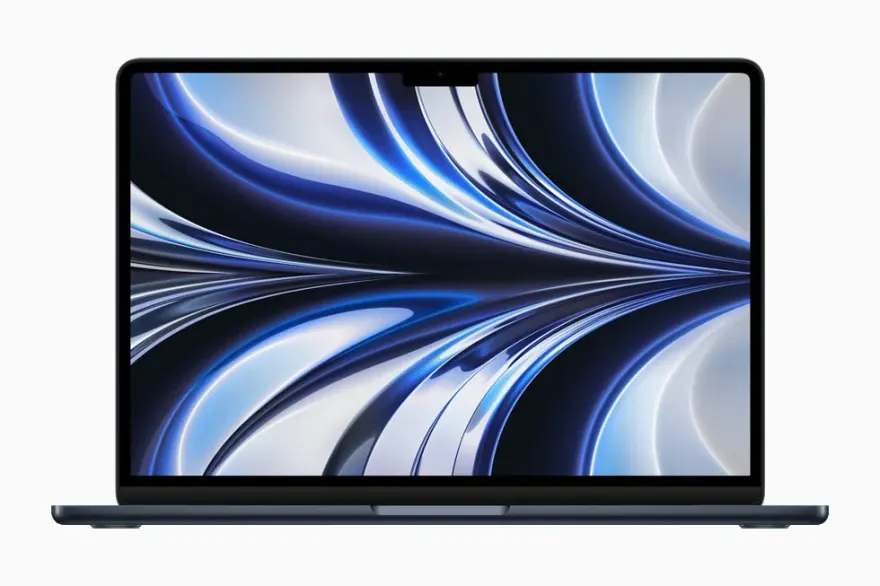
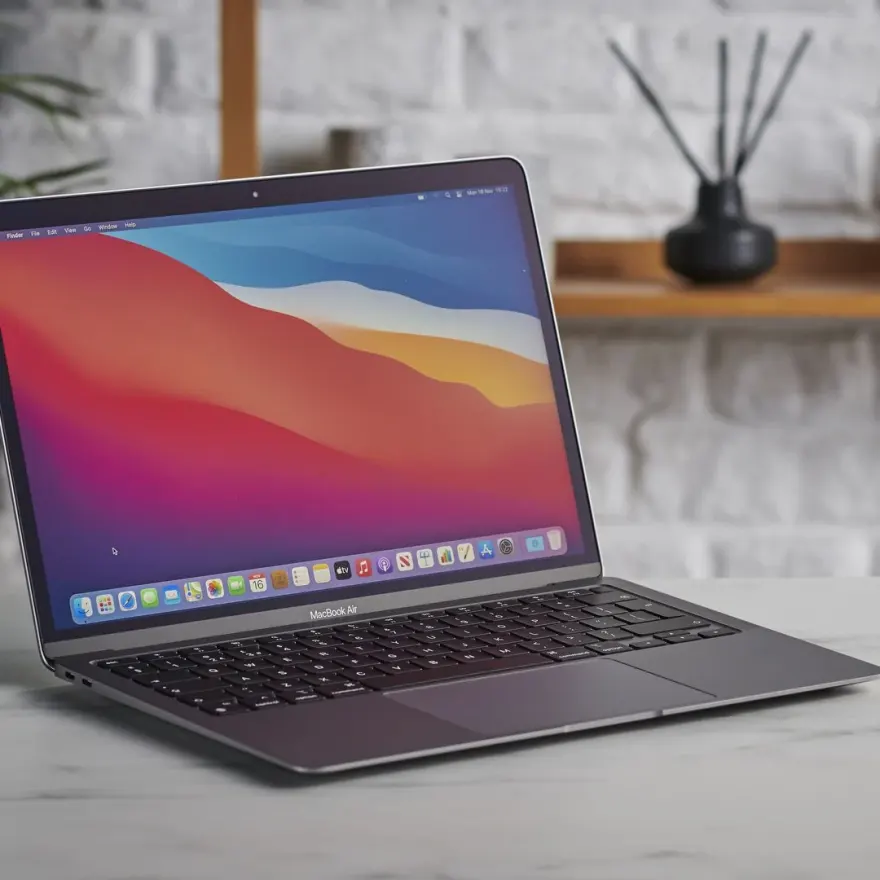
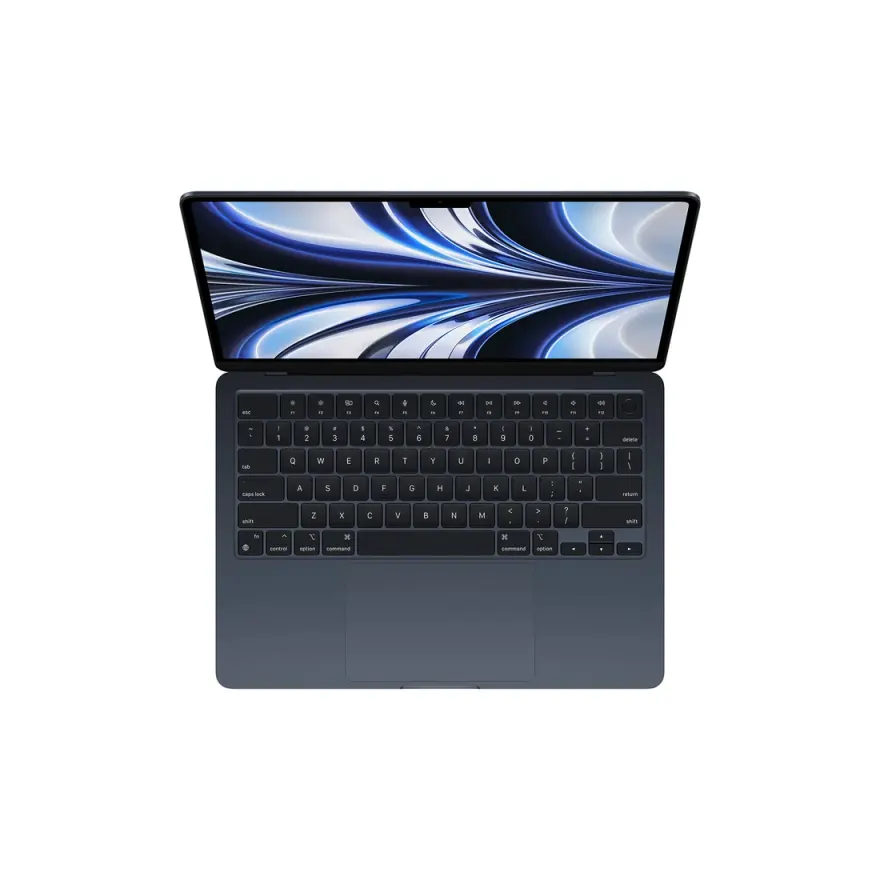
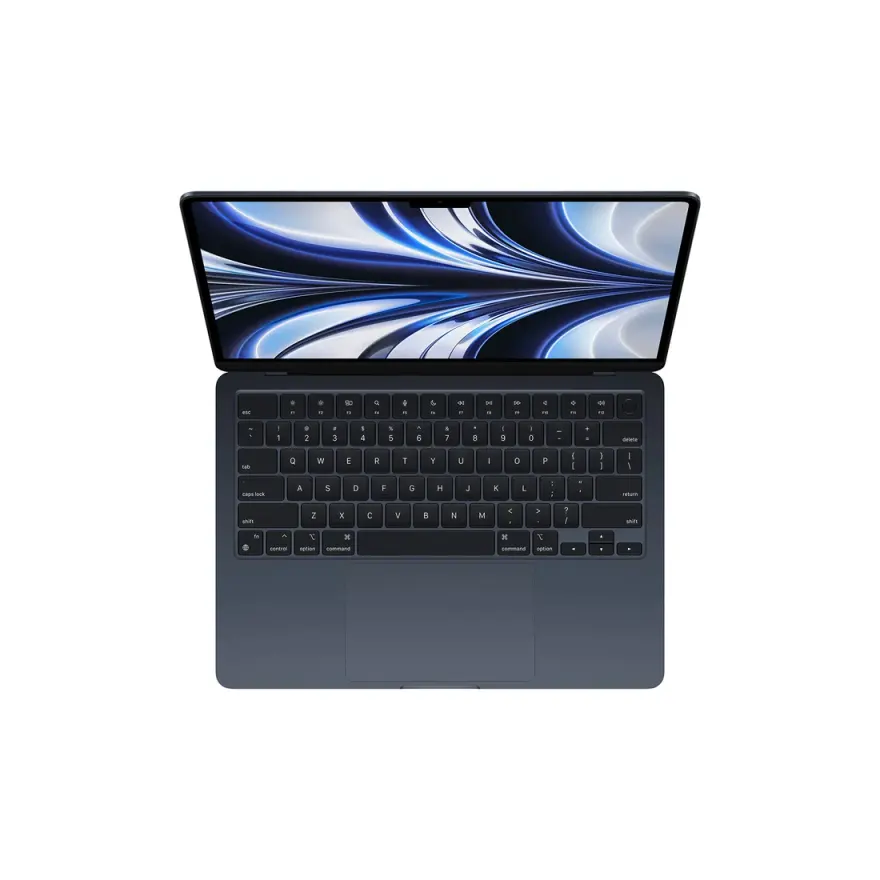
MacBook Air M1 / Pro M1 / XPS 13 9310 — Apple Silicon = 12h battery, silent fans, perfect for Node / Python / Rust
Best programming laptops we have right now
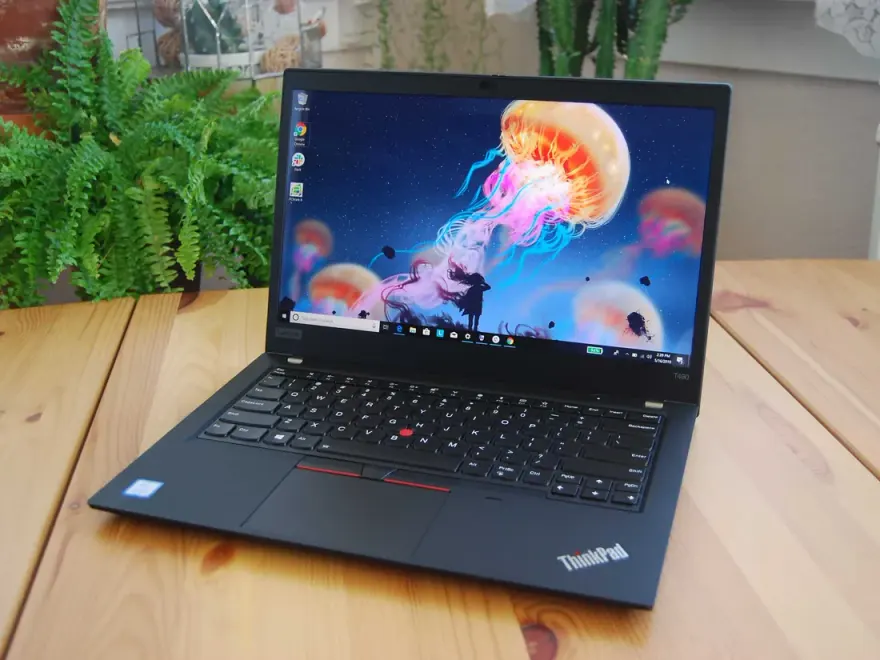
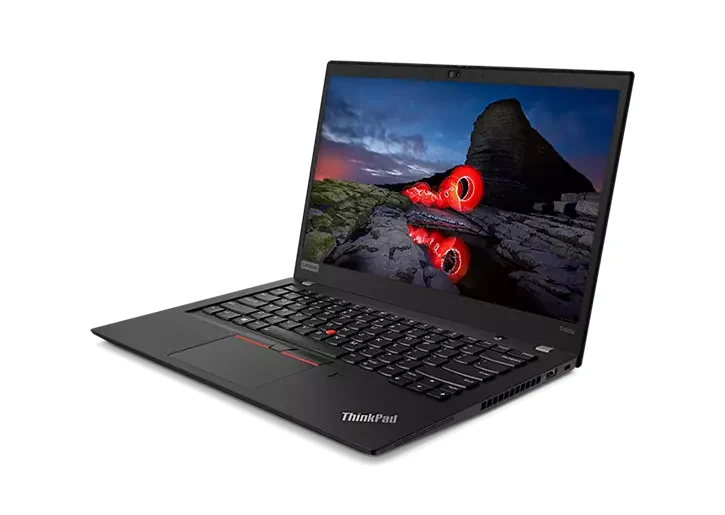
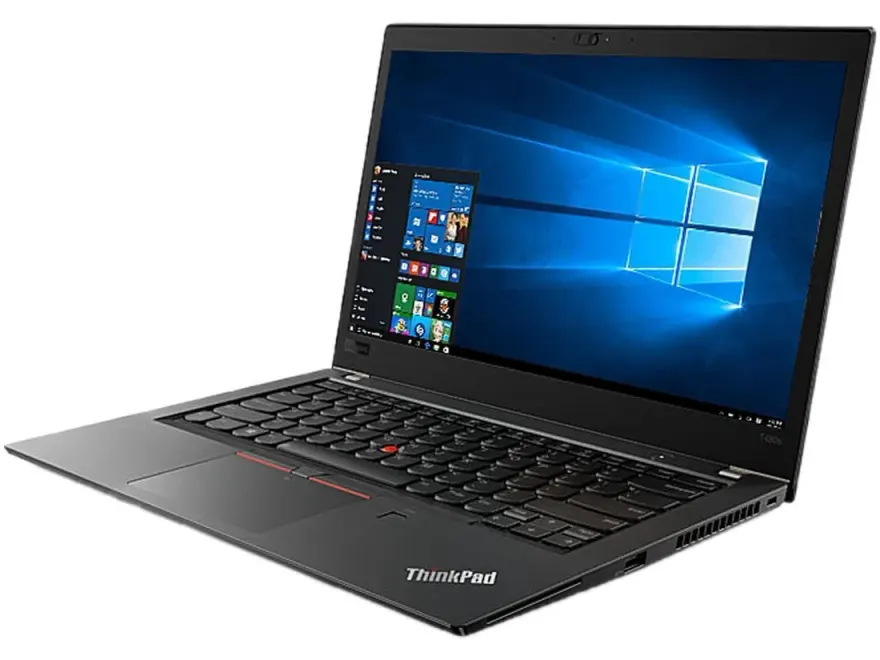
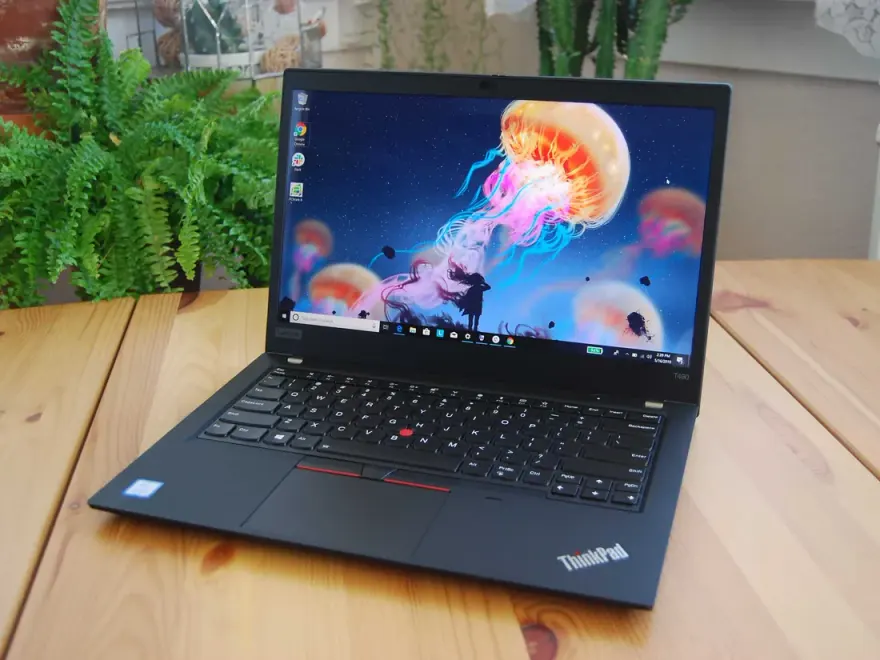
Hand-scored against the spec floor and the workload — these are the 12 units we'd actually pick if we were buying for ourselves today. Nationwide shipping via TCS / Leopards, 30-day check warranty.
Recommended programming models by brand
A concrete shopping shortlist organised by brand. Approximate prices reflect 2026 Pakistani used-market reality at Hafeez Center.
Lenovo ThinkPad
- ThinkPad T480Rs. 62,000–78,000
Best keyboard on any laptop sold under Rs. 75,000 — full-travel scissor mechanism, TrackPoint, dual-battery hot-swap design, two SODIMM slots upgrading to 32 GB. The default pick for FAST / COMSATS CS students.
- ThinkPad T490 / T490sRs. 85,000–110,000
i5/i7 8th gen, USB-C charging, lighter than T480, premium Whiskey Lake CPU runs Docker + Postgres + Next.js without thermal throttle. T490s for the slim variant.
Dell Latitude
- Latitude 7490Rs. 78,000–98,000
Carbon-fibre lid, magnesium chassis, 14" FHD IPS, i7-8650U, two SODIMM slots, 7+ hours unplugged. Pakistani developers favourite — cleanest premium feel under Rs. 100K.
- Latitude 7400 / 7420Rs. 95,000–125,000
i7 + 16 GB + Thunderbolt 3, premium build, brilliant 1080p panel with 400-nit option. Great for working devs at Hafeez Center software houses.
HP EliteBook
- EliteBook 840 G5Rs. 60,000–75,000
Cleanest 14" FHD IPS panel in this band, i5/i7 8th gen, two SODIMM slots, SureView privacy screen optional, comfortable backlit keyboard. Strong COMSATS / Punjab University student pick.
- EliteBook 840 G6 / 845 G7Rs. 82,000–105,000
Whiskey Lake / Renoir Ryzen Pro variants, 16 GB-ready, often ships with a fingerprint reader and IR camera. Excellent for remote-work developers needing Windows Hello compliance.
Apple MacBook
- MacBook Air M1 (16 GB / 256 GB)Rs. 165,000–195,000
Apple Silicon eats Node, Python, Go, Rust workloads for breakfast. 15-hour battery survives a full Lahore load-shedding day. Silent, fanless — perfect for hostel and library work.
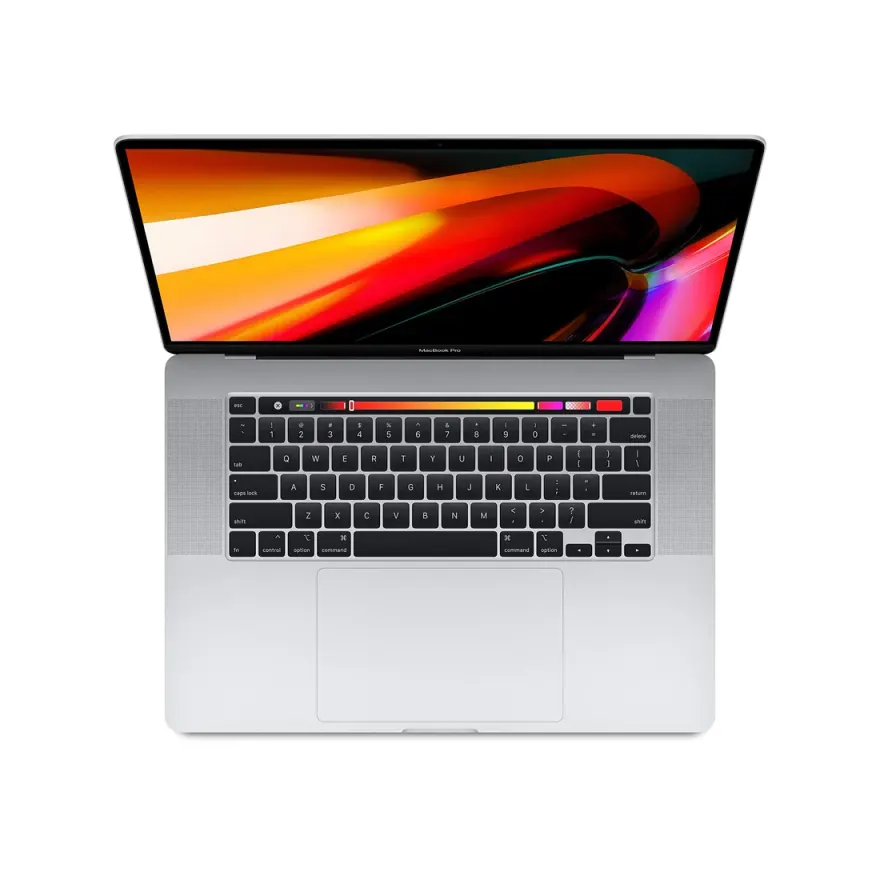
- MacBook Pro 13 M1 / M2Rs. 185,000–235,000
Adds a fan for sustained compile / Docker workloads, brighter Retina display, TouchID. The right pick if you do Android Studio or Xcode regularly.
How Pakistani buyers actually picked their programming laptop
Anonymised stories from real walk-ins and WhatsApp orders. Every name changed, every situation real.
FAST Lahore CS sophomore upgrading mid-degreeA second-year BS-CS student at FAST Lahore (CFD campus) WhatsApped us in February 2026 after his Dell Inspiron 3593 with 4 GB RAM crashed for the third time during an OOP project deadline. Family budget was Rs. 70,000 hard limit. We helped him pick a Lenovo ThinkPad T480 (i5-8350U, 8 GB + a free slot, 256 GB NVMe) for Rs. 64,500 with the 5% student discount — and shipped a 16 GB Crucial DDR4 SODIMM (Rs. 4,500) bundled in the same TCS box. He installed the RAM himself watching a YouTube video, total spend Rs. 69,000. Three semesters later he is running IntelliJ IDEA + Postman + Postgres in Docker + Chrome with 30 tabs without a stutter, and the ThinkPad keyboard has changed his typing speed in his FYP write-ups.
Karachi MERN bootcamp graduate landing first jobA 24-year-old from Korangi finished a 6-month MERN stack bootcamp at SMIT and got a junior developer offer at a Karachi e-commerce SaaS startup paying Rs. 75,000/month. His personal laptop was a 2014 Asus consumer machine on its last legs. He came to our Hafeez Center storefront in March 2026 with a Rs. 95,000 budget — left with a Dell Latitude 7490 (i7-8650U, 16 GB, 512 GB NVMe) at Rs. 91,000. Six months in, he tells us the Latitude has outlasted three of his colleagues consumer-grade laptops and he uses the saved Rs. 4,000 weekly across his commute fuel costs. He has since referred two bootcamp batchmates to us.
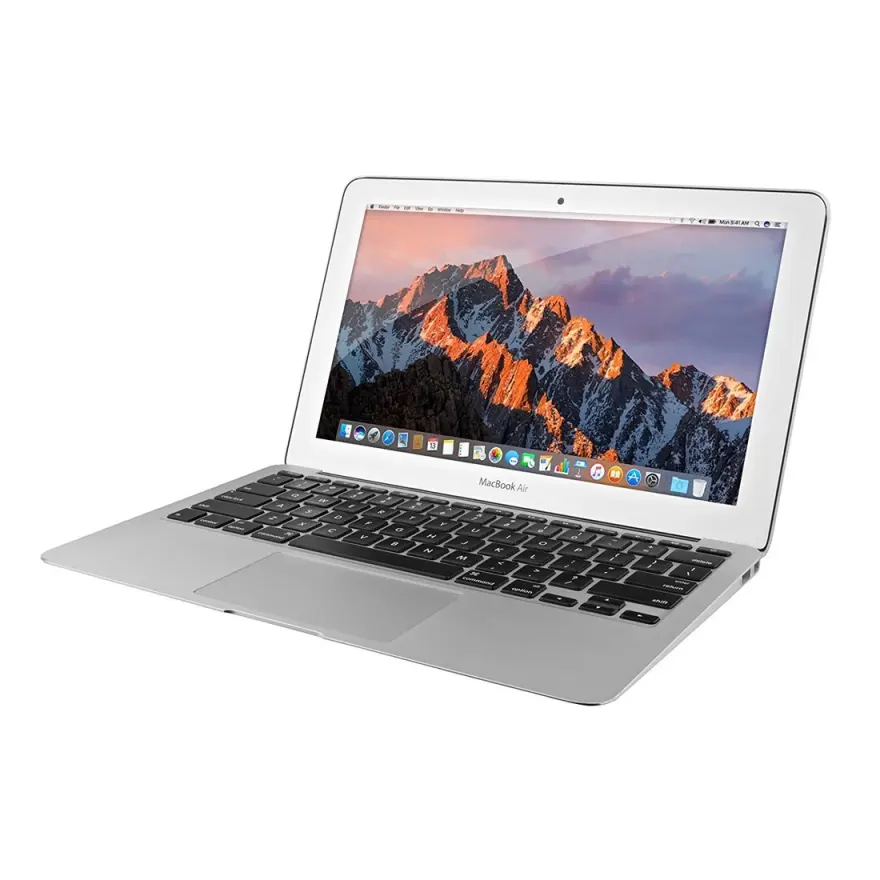
LUMS final-year doing FYP in Rust and WebAssemblyA LUMS senior building a WASM-based PDF reader as his FYP found his 2020 MacBook Air (8 GB / 256 GB) hitting the swap wall every time he opened Rust Analyzer + Chrome + the WASM build pipeline. Parents agreed to upgrade. He came to us looking for a 16 GB MacBook M1 specifically — we sourced a CPO MacBook Air M1 16 GB / 512 GB through our Dubai contact for Rs. 215,000 (vs Rs. 320K+ new at Hafeez retail). 15-hour battery means he can work through full LUMS load-shedding cycles without the AC, and his Rust compile times dropped from 47 seconds to 14 seconds. His FYP supervisor now recommends used MacBook Airs to incoming CS sophomores.
Self-taught dev from Multan switching from teachingA 29-year-old former school teacher from Multan saved Rs. 80,000 over a year to make a career switch into web development through freeCodeCamp + The Odin Project. He WhatsApped us in November 2025, asked for the single best Rs. 80K laptop for a self-taught dev. We sent him photos and a video of a refurbished HP EliteBook 840 G5 (i7-8650U, 16 GB, 512 GB NVMe), he confirmed on WhatsApp at Rs. 76,500, and we shipped via TCS to Multan. He passed his first paid Upwork project (a Tailwind landing page) in February 2026 and now earns USD 600–900/month part-time alongside his teaching job. The EliteBook is his lifeline — the keyboard, he says, made him want to keep typing.
Accessories worth budgeting for
Real-world add-ons that extend the value of a programming laptop — prices reflect current Pakistani market.
- Logitech MX Master 3S wireless mouse (Rs. 18,500–22,000) — long coding sessions need a proper mouse, not a trackpad alone
- Keychron K2 / Logitech MX Keys mechanical or low-profile keyboard (Rs. 12,500–28,000) — external keyboards save your laptop keys and improve typing comfort
- Dell / HP USB-C docking station with dual monitor support (Rs. 18,000–35,000) — single cable for home office setup with external monitor + keyboard + mouse + Ethernet
- 24" or 27" FHD IPS external monitor — Dell P2422H or HP V24i (Rs. 28,000–45,000) — a second screen doubles real-world developer productivity
- Crucial / Kingston 16 GB DDR4 SODIMM upgrade RAM (Rs. 4,500–6,500) — the single highest-ROI upgrade for any 8 GB laptop
- K-CLAY laptop stand or Rain Design mStand clone (Rs. 2,500–4,500) — saves your neck during 8-hour coding marathons, especially in summer heat where laptop airflow matters
- APC Back-UPS BX1100C-IN UPS (Rs. 13,500) — load shedding insurance for desktop-style usage; protects work-in-progress when WAPDA decides to test you
Picking the right programming laptop in Pakistan
A 5-step framework you can actually follow before tomorrow's class / shift / shoot.
How to pick the right used programming laptop in Pakistan
A 5-step framework for choosing a used laptop that survives 4 years of CS coursework or 4 years of dev work without slowing you down.
- 1Lock 16 GB RAM as your non-negotiable
16 GB is the single spec that separates a usable programming laptop from a frustrating one in 2026. JVM + Chrome + Docker + IDE happily eat 12 GB on a normal workday. If your budget is tight, pick a model with 8 GB + two SODIMM slots (Latitude 7490, ThinkPad T480) and plan to upgrade to 16 GB for Rs. 4,500 in month 2. Skip soldered-RAM 8 GB models — you'll regret them within a semester.
- 2Pick a business line, not a consumer line
Stick to Dell Latitude 5000 / 7000, Lenovo ThinkPad T-series / X-series, HP EliteBook 800 series, MacBook Pro / Air. Avoid Dell Inspiron, HP Pavilion, Lenovo IdeaPad, Asus VivoBook — the consumer lines have weaker hinges, plastic chassis, and often soldered everything. Business laptops are designed for 8h/day, 5 years; consumer laptops for 2h/day, 2 years.
- 3Choose i5 8th gen as your CPU floor
Intel i5-8250U / 8350U / 10210U or Ryzen 5 3500U is the practical minimum for 2026. Older 6th–7th gen (i5-6300U, i5-7300U) still works but feels noticeably slower on modern web tooling and Docker. i7 8th gen and newer is sweet for power users. Skip i9 for programming — the thermal throttling under sustained load makes it slower than a well-cooled i7.
- 4Demand an SSD — preferably NVMe
Any laptop without an SSD in 2026 is unfit for programming, full stop. A 256 GB NVMe SSD makes `npm install`, `cargo build`, `mvn package`, and `pip install -r requirements.txt` 5–10× faster than a SATA SSD and 30× faster than an HDD. Most business laptops we sell already have NVMe; if a listing shows SATA SSD, plan a Rs. 8,000–12,000 NVMe upgrade.
- 5WhatsApp us your top 3 — we pick the cleanest one
Send 0314 4000131 with up to 3 catalog URLs + your city + your year of study. We've physically seen every unit, so we can tell you which of the three has the cleanest condition (battery cycle, hinge wear, screen quality) and the best long-term outlook. Before dispatch we send clear photos and a video of your exact unit; you settle the details with us on WhatsApp, and we dispatch the same day via TCS / Leopards with a 30-day check warranty. Most students decide and order within 10–20 minutes.
Frequently asked questions
Is 8 GB RAM enough for programming in 2026?
For very light coding — a single VS Code window, a few Chrome tabs, no Docker — 8 GB still works. The moment you add Android Studio, IntelliJ IDEA, a database container, or 30+ browser tabs (every dev's reality), 8 GB becomes painful. We recommend 16 GB minimum for any CS student or working developer in 2026. The good news: most business laptops we sell (ThinkPad T-series, Dell Latitude 5000/7000, HP EliteBook 800 series) have two SODIMM slots — buy at 8 GB now and upgrade for Rs. 4,500–7,500 later. Soldered-RAM models (XPS 13, MacBook Air) must be bought at the final spec.
MacBook M1 or a used ThinkPad / Latitude for programming in Pakistan?
MacBook Air M1 (16 GB, 256 GB) at Rs. 145,000–170,000 is the single best programming laptop you can buy used in Pakistan today — 12–15 hours of battery, silent fans, Apple Silicon eats Node, Python, Rust, and Go for breakfast, and macOS is a Unix-like environment so your local dev mirrors production Linux servers. The catch: 8 GB / 256 GB base model gets cramped fast, you need 16 GB minimum, and Docker / virtualization is weaker on ARM. If you specifically need x86 (legacy .NET, Windows-only tooling, gaming on the side), a ThinkPad T490 or Dell Latitude 7400 with i7 + 16 GB at Rs. 85,000–105,000 wins on price and Linux compatibility.
Which laptop do FAST / LUMS / UET / NUST CS students actually buy?
Based on our actual sales data from 600+ Pakistani CS students since 2017: ThinkPad T470 / T480 / T490 is #1 (the keyboard, period). Dell Latitude 7490 / 7400 / 7420 is #2 (lighter, premium feel). HP EliteBook 840 G5 / G6 is #3 (cleanest 14" FHD display). MacBook Air M1 has climbed to #4 since 2022 — students who don't need Windows-only software love it. The unholy trinity to avoid: HP Pavilion, Lenovo IdeaPad, Dell Inspiron — consumer-grade plastic, weak hinges, soldered RAM in newer models. Stick to business lines (Latitude, ThinkPad T, EliteBook 800).
Do I need a dedicated GPU (RTX / GTX) for programming?
No — for 99% of programming tasks, integrated graphics (Intel UHD 620, Intel Iris Xe, AMD Radeon Vega) are more than enough. VS Code, JetBrains IDEs, browsers, terminals, and Docker don't use the GPU. You only need a dedicated GPU if you're doing: (a) machine learning / AI model training (then go RTX 3060+ with 6 GB VRAM and look at our gaming-laptop picks), (b) 3D graphics programming / game dev, or (c) running multiple VMs with GPU passthrough. For Web dev, mobile dev, data engineering, DevOps, embedded — integrated GPU is fine and saves 30–40% on laptop cost and 50% on battery drain.
What about Android Studio specifically — it's so RAM-hungry?
Android Studio in 2026 needs 16 GB RAM minimum to be usable. With 8 GB the emulator alone consumes 4–5 GB and the IDE swaps to disk constantly — builds take 3–5× longer. For Android development we strongly recommend: Dell Latitude 7490 / 7400 / 7420 with i7 + 16 GB, ThinkPad T490 with i7 + 16 GB, or MacBook Air M1 16 GB (the M1 emulator is dramatically faster than any x86 laptop in the same price band — Apple Silicon's hardware virtualization is unmatched). Avoid 8 GB models unless you can upgrade to 16 GB on day 1.
Is a Lenovo ThinkPad really worth it for programming, or is that just hype?
It's mostly real, partly hype. The hype: ThinkPad T-series keyboards are genuinely the best on any laptop sold today — full-travel, scissor mechanism, perfectly weighted, and the TrackPoint nub (the red dot) is a productivity multiplier once you learn it. Real: mil-spec build, two SODIMM slots, easy bottom-cover access for upgrades, 5–8 year hardware longevity. The hype: ThinkPad fans treat any non-ThinkPad like a Chromebook — modern Dell Latitudes and HP EliteBooks are 95% as good. Bottom line: if you type 6+ hours a day, the ThinkPad keyboard pays for itself in wrist health. Otherwise Latitude / EliteBook are fine.
Can I do machine learning / AI training on a used laptop in Pakistan?
Light ML — tabular data with scikit-learn, small neural nets with PyTorch CPU, fine-tuning small models with LoRA — works fine on any i7 + 16 GB laptop. Serious ML (training BERT-size models, computer vision, larger LLM fine-tuning) needs a dedicated NVIDIA GPU with 6 GB+ VRAM — see our gaming-laptop picks (HP Omen, Lenovo Legion, MSI GE with RTX 3060/3070). For really heavy work, rent A100s on RunPod / Lambda Labs at $1–2/hour instead of buying a Rs. 250,000 laptop — much better economics. Used MacBook Pro M1 Max 32 GB is also surprisingly capable for inference and small training jobs.
How long will a used programming laptop last me through a 4-year CS degree?
A 5-year-old business laptop (ThinkPad T480, Latitude 7490, EliteBook 840 G5) bought from us with a clean bill of health typically lasts another 4–6 years if you stick to the basics: keep it under 35 °C ambient (matters in Lahore / Karachi summers), don't carry it in a flimsy bag, replace the battery once at year 3 (Rs. 5,000–8,000), and clean dust from the fan every year. Logic boards on properly-spec'd ThinkPads and Latitudes are essentially indestructible — we've sold T420s from 2011 still running fine in 2026 on a fresh SSD and battery.
Deeper FAQs about programming laptops in Pakistan
Which laptop should I buy if I am starting BS-CS at FAST Lahore in 2026 and my family budget is exactly Rs. 70,000?+
The cleanest answer is a Lenovo ThinkPad T480 (i5-8350U, 8 GB + free slot, 256 GB NVMe) at Rs. 62,000–66,000 with the 5% FAST student discount applied. Plan a Rs. 4,500 RAM upgrade to 16 GB in semester 2 when CS-202 Data Structures + Object-Oriented Programming start hammering RAM. The T480 has dual batteries (one internal, one removable) so you can hot-swap during a long FAST library session — uniquely useful during load shedding. If you want a slightly lighter / thinner alternative at the same budget, look at the Dell Latitude 7490 in 8 GB / 256 GB trim at Rs. 70,000.
I am at NUST H-12 campus studying CS — what is the dorm-friendly setup most students settle on?+
The most common NUST H-12 CS-student setup we ship is: ThinkPad T490 or Dell Latitude 7400 (i7, 16 GB, 512 GB) at Rs. 95,000–110,000, paired with a Crucial MX500 1 TB external SATA SSD in a Rs. 1,500 enclosure for FYP backups, and a Klim Pure cooling pad (Rs. 4,500) for hot Islamabad April–June months when dorm AC fights a losing battle. Many NUST seniors also pair this with a portable HDMI monitor (Rs. 22,000) so they can run a multi-window workflow in cramped dorm rooms. Total setup around Rs. 122,000 — survives 4 years of CS coursework comfortably.
Is Linux installation a problem on these used business laptops in Pakistan?+
Absolutely not — Dell Latitude, ThinkPad T-series, and HP EliteBook 800-series are the most Linux-friendly laptops on Earth because they ship to enterprise fleets that often run Ubuntu / RHEL. Every laptop we sell at NN Laptops boots Ubuntu 22.04 LTS or Linux Mint 21 cleanly out of the box — Wi-Fi, audio, fingerprint reader, webcam, suspend/resume, brightness keys all work without manual driver hunts. We will install Ubuntu, Pop!_OS, Fedora, or Arch alongside Windows for you free of charge if you tell us at order time. Most of our backend-developer customers run Ubuntu or WSL2-Ubuntu hybrid setups.
What is the difference between a ThinkPad T480, T480s, T490, T490s, and T495 — they all look similar on Daraz?+
T480 = the classic upgrade-friendly workhorse with two SODIMM slots and removable rear battery (best for hackers / long-term tinkerers). T480s = slim variant, soldered 8 GB + one slot, lighter at 1.32 kg. T490 = updated i5/i7 8th gen Whiskey Lake, USB-C charging, single internal battery, two SODIMM slots, IR camera. T490s = slim T490, soldered 8 GB + one slot. T495 = AMD Ryzen Pro variant of T490, often better single-thread performance per rupee. For pure value the T480 wins; for thinness the T490s wins; for budget the T495 wins. Avoid sellers who blur these model numbers — each is meaningfully different.
Do you ship to Quetta, Gilgit, Skardu — and how does payment work for remote areas?+
Yes — we ship to all 280+ cities and towns TCS and Leopards cover, which includes Quetta, Gilgit, Skardu, Chitral, Hunza, Gwadar, and Turbat. Before dispatch we send clear photos and a video of your exact unit, you settle the details with us on WhatsApp, and we then dispatch with full tracking. For remote destinations you can also have the parcel sent to your nearest TCS / Leopards office for self-pickup. WhatsApp 0314 4000131 with your delivery PIN code and we will confirm exactly what is possible to your address within 10 minutes.
Can I run AI/ML workloads — fine-tuning LLMs with LoRA, training small vision models — on these laptops?+
For light ML — scikit-learn, PyTorch CPU, fine-tuning sub-7B-parameter models with LoRA at small batch sizes, OpenAI / Anthropic API-based agents, embedding generation — yes, any i7 + 16 GB laptop on this page handles it. For serious training (computer vision from scratch, BERT-size fine-tuning), you need NVIDIA GPU with 6 GB+ VRAM — see our gaming laptop picks with RTX 3060 6 GB at Rs. 175,000–200,000. For really heavy work, the smarter Pakistani play is renting A100 / H100 GPUs on RunPod / Lambda / Vast.ai at USD 1–3 per hour during your training run — far cheaper than a Rs. 350K laptop sitting idle 90% of the time. MacBook M1 Pro / M2 Pro with 16+ GB unified memory is surprisingly capable for inference and small training jobs via MLX.
I will graduate in 2 years and start applying to jobs in Karachi / Lahore / Islamabad — will this laptop still look professional in an interview?+
If you buy a business-class laptop (ThinkPad T-series, Latitude 7000, EliteBook 840 series, MacBook Air / Pro), absolutely yes — these are exactly the laptops your future tech-lead and CTO will be using themselves. We see job interviews held over Zoom on ThinkPad T480s where both interviewer and candidate are on identical machines. The black-on-black professional look of these laptops is significantly more respected by Pakistani hiring managers than a flashy gaming laptop or a flimsy consumer machine. Many of our customers have used the same ThinkPad they bought at FAST orientation through their first 3 years of employment at Systems / Afiniti / Careem.
I work at a Lahore software house and we are buying 8 laptops for a new team — do you do business bulk orders?+
Yes, with significant discounts. 5–9 unit orders get 8% off list, 10–19 unit orders get 12% off, 20+ orders get 15% off — and we will source matched units (same model, same RAM, same SSD) within 5–10 working days so your IT team has a single image / SOP. We also offer Windows 11 Pro pre-installation with your company group policy joined, free Microsoft 365 trial activation, and on-site delivery in Lahore (anywhere from Gulberg / DHA / Bahria / Johar Town to Township / Kasur). Standard 30-day check warranty applies per laptop. WhatsApp 0314 4000131 with the spec + count for a same-day quotation.
Tailored picks for your field
Field-specific shortlists with the software, spec floors, and budgets that matter for your line of work.
Other use cases we have guides for
Ready to pick one?
WhatsApp 2–3 catalog URLs you're considering + your city. We've physically seen every unit — we'll tell you which one has the cleanest condition and dispatch same-day.