Laptop RAM & SSD Upgrade Prices in Pakistan (2026)
N.N Laptop Team — N.N Laptops Team
Wondering what it costs to upgrade your laptop's RAM or SSD in Pakistan this year? Get honest advice from NN Laptops, Lahore, and check our price list for current rates.
Prices & stock referenced were checked at our shop on — current prices at nnlaptops.com/shop.
Wondering what it costs to upgrade your laptop's RAM or SSD in Pakistan this year? Get honest advice from NN Laptops, Lahore, and check our price list for current rates.
Key takeaways
- DDR5 RAM and NVMe SSD prices have risen in 2026 due to global supply and manufacturing pressures.
- Most everyday users need 8GB RAM and a 256GB SSD; gamers and editors should consider 16GB RAM and 512GB+.
- NN Laptops in Hafeez Center, Lahore provides on-the-spot upgrades with data cloning and compatibility checks.
- Upgrades carry a 15-day service warranty; laptops have a 30-day check warranty at our shop.
Should You Upgrade Your Laptop in 2026?
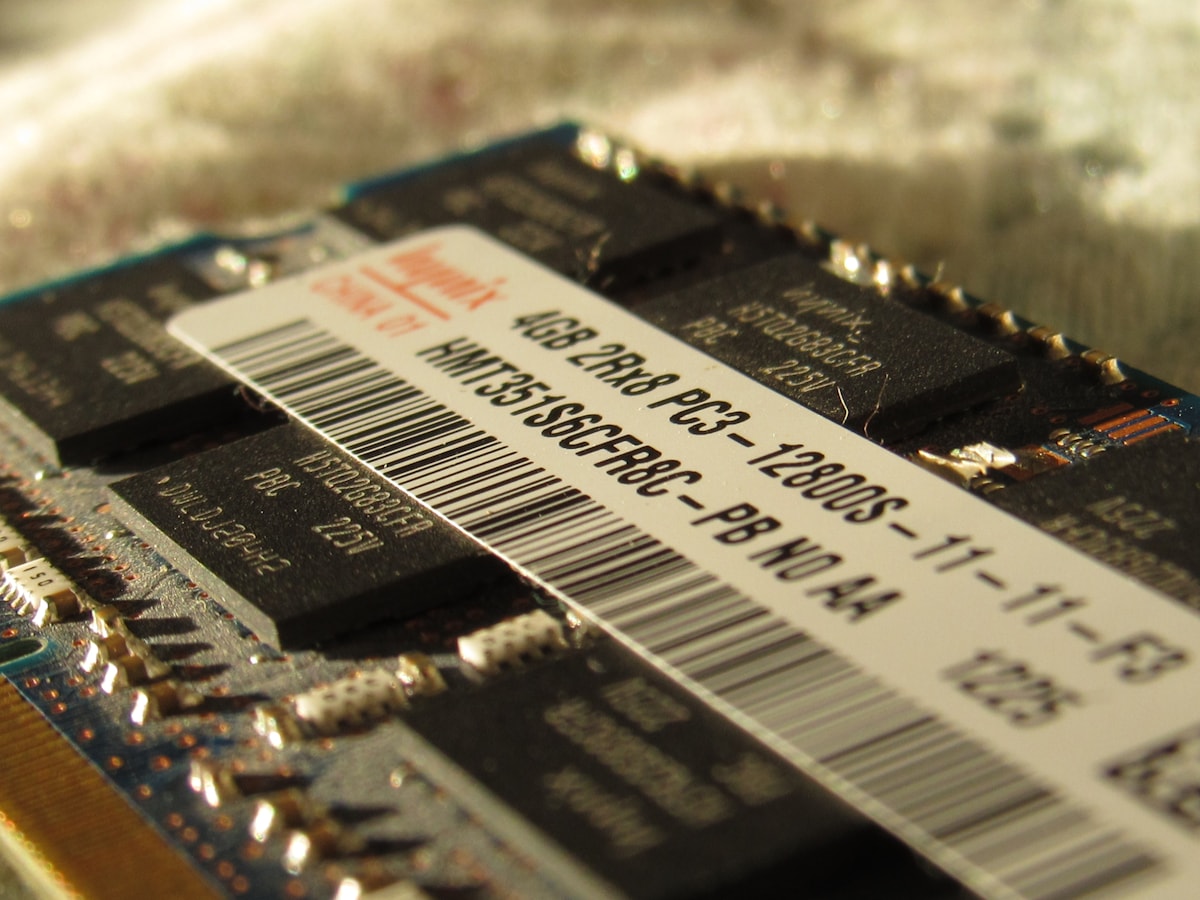
If your laptop has started lagging, taking forever to boot, or struggling with multiple tabs, a RAM or SSD upgrade is often the smartest fix. In 2026, memory and storage prices have climbed, especially for newer DDR5 RAM and NVMe SSDs. But don't let that scare you – a well-chosen upgrade can extend your laptop's life by years, and it's far cheaper than buying a new machine.
At NN Laptops, located inside Hafeez Center on the 3rd floor in Gulberg III, Lahore, we've been helping customers upgrade their laptops since 2017. We work on all major brands and models. The real price list below shows what we are charging today – take a look and see what fits your budget.
| Item | Key spec / condition | Price (PKR) |
|---|---|---|
| Samsung 980 PRO 1TB Gen4 NVMe SSD — 7000 MB/s Laptop Upgrade | 1TB | Rs 48,599 |
| Samsung 980 PRO 2TB Gen4 NVMe SSD — 7000 MB/s Laptop Upgrade | 2TB | Rs 103,299 |
| Samsung 990 PRO 1TB Gen4 NVMe SSD — 7450 MB/s Laptop Upgrade | 1TB | Rs 60,000 |
| Samsung 990 PRO 2TB Gen4 NVMe SSD — 7450 MB/s Laptop Upgrade | 2TB | Rs 113,699 |
| Samsung 980 500GB Gen3 NVMe SSD — 3100 MB/s Laptop Upgrade | 500GB | Rs 28,000 |
| Samsung 980 1TB Gen3 NVMe SSD — 3500 MB/s Laptop Upgrade | 1TB | Rs 46,000 |
| Samsung 9100 PRO 2TB Gen5 NVMe SSD — 14800 MB/s Laptop Upgrade | 2TB | Rs 164,399 |
| Samsung PM9A1 512GB Gen4 NVMe SSD — 6900 MB/s Laptop Upgrade | 512GB | Rs 25,499 |
| Samsung PM9A1 OEM 1TB Gen4 NVMe SSD — 7000 MB/s Laptop Upgrade | 1TB | Rs 43,099 |
| WD Black SN770 1TB Gen4 NVMe SSD — 5150 MB/s Laptop Upgrade | 1TB | Rs 42,299 |
| WD Black SN770 2TB Gen4 NVMe SSD — 5150 MB/s Laptop Upgrade | 2TB | Rs 91,999 |
| WD Black SN850X 1TB Gen4 NVMe SSD — 7300 MB/s Laptop Upgrade | 1TB | Rs 50,699 |
Live prices from nnlaptops.com on 2026-08-07 — subject to stock. WhatsApp 0314 4000131 to confirm.
Why DDR5 RAM and NVMe SSD Prices Rose in 2026
You may have noticed that DDR5 RAM and NVMe SSD prices have gone up this year. There are a few reasons. First, DDR5 has now become standard in newer laptops, which means demand is higher than ever. Manufacturing these advanced chips is also more expensive, and global supply chain issues have not fully eased.
NVMe SSDs, especially the faster PCIe Gen4 and Gen5 models, are also facing price increases. They use newer memory technology (like TLC and QLC) that is costlier to produce. In short, if you're looking to upgrade in 2026, you're paying more than last year – but the performance gain is still worth it.
We're not here to give you a history lesson, just to be honest: if you need an upgrade, the sooner you do it, the better. Waiting doesn't usually bring prices down in this market.
How Much RAM and SSD Do You Actually Need?
The right amount depends on how you use your laptop. For basic tasks like browsing, MS Office, and YouTube, 8GB of RAM is enough. Pair that with a 256GB SSD for smooth everyday performance. It keeps your system responsive without spending too much.
If you are a student who runs many programs at once, or a professional using Excel, Photoshop, or light coding, then 16GB RAM is a safer choice. For storage, 512GB gives you room for files and software.
Gamers, video editors, and heavy multitaskers should seriously consider 32GB RAM. Games and editing software eat up memory quickly. For storage, a 1TB NVMe SSD is ideal – you can store large games and video projects without running out of space. Check the price list below to see which of these fits your budget.
Getting Your Upgrade Done at NN Laptops, Hafeez Center
When you bring your laptop to our shop, we first check the exact model and confirm which type of RAM and SSD it supports. Not every laptop can take DDR5 – many older ones use DDR4, and some have soldered memory. We make sure compatible parts are installed safely.
Our technicians fit the RAM or SSD right in front of you. For SSD upgrades, we can also clone your existing drive to the new one, so you keep your Windows and files. We handle the transfer carefully, but we do not promise that a repair will always be successful – data loss and hardware issues happen. That's why we recommend you back up important files before coming.
All our work carries a 15-day service warranty. If something goes wrong with the upgrade within that time, bring it back and we will sort it out. The laptop itself also comes with a 30-day check warranty if you are buying a used laptop from us. And remember, our shop is strictly cash-only – we do not offer installments or financing. You can pay in cash and take your upgraded laptop home the same day.
Helpful next steps
Frequently asked questions
Will my old laptop support DDR5 RAM?
Not necessarily. DDR5 only works with newer Intel 12th-gen and AMD Ryzen 6000 series or later motherboards. Older laptops use DDR4 or DDR3. Bring your laptop to us and we'll check the exact spec before recommending anything.
Do I need an NVMe SSD or is a regular SATA SSD fine?
NVMe SSDs are much faster than SATA SSDs and are the best choice for a system drive. However, if your laptop only has a SATA slot, a regular SSD is still a huge upgrade over a hard drive. We will check which one your laptop supports and show you the price list.
Can you transfer my old data to the new SSD?
Yes, we can clone your entire drive to the new SSD, so you don't lose Windows, programs, or files. It takes a bit of time, and we always advise backing up important data yourself before the upgrade, just in case.
Is there a warranty on the upgrade work?
Yes. We give a 15-day service warranty on any RAM or SSD installation. If the part becomes faulty or the installation causes an issue within that period, we will repair or replace it as per our policy. Our used laptops also carry a 30-day check warranty.
Visit NN Laptops at Shop 66A, 3rd Floor, Hafeez Center, Gulberg III, Lahore, or WhatsApp 0314 4000131 — we reply within 30 minutes during shop hours (Mon–Sat, 10 AM–10 PM).
Cover photo by Andrey Matveev on Unsplash.
Talk to us
Questions about anything in this post, or want a personalised recommendation? WhatsApp the shop directly.
WhatsApp 0314 4000131