Core i5 vs Core i7 Laptop for Students: An Honest 2026 Guide
N.N Laptop Team — N.N Laptops Team
A plain-English comparison of Core i5 vs Core i7 laptops for Pakistani students in 2026 — where the gap is real, where it is invisible, and which one suits your degree.
Prices & stock referenced were checked at our shop on — current prices at nnlaptops.com/shop.

Quick answer: For most students, a Core i5 laptop is the smarter buy. Everyday study work, browsing, online classes and light coding rarely use an i7's extra cores. The i7 makes sense for heavy programming, virtual machines or creative rendering. Generation, RAM amount and SSD matter more than the badge on the lid.
A plain-English comparison of Core i5 vs Core i7 laptops for Pakistani students in 2026 — where the gap is real, where it is invisible, and which one suits your degree.
Key takeaways
- For normal study work, an i5 and i7 of the same generation feel almost identical in daily use.
- Generation and the U or H suffix matter more than whether the sticker says i5 or i7.
- 16GB RAM and a fast SSD usually improve student experience more than stepping up to an i7.
- An i7 earns its keep with virtual machines, large compiles, and video or 3D rendering.
Core i5 vs Core i7 laptop for students: the short answer
Choosing between a Core i5 vs Core i7 laptop for students is simpler than the sticker suggests. In most cases, buy the Core i5 and spend the difference on 16GB of RAM, a bigger SSD or a better screen. Students spend their day in Chrome, Word, PDFs, Zoom and a code editor. None of those tasks care much about the extra cores an i7 brings.
The Core i7 becomes the right choice when your degree genuinely asks for sustained CPU work. That means running Docker or multiple virtual machines, compiling large projects, editing video, or rendering in Blender. It also makes sense when a good used i7 and a similar i5 are sitting close together in price on the shelf — that is where the table below helps.
One warning before anything else: generation beats the badge. A newer Core i5 will often beat an older Core i7 in both speed and battery life. So when you are shopping in Hafeez Center, ask which generation the chip is from and check whether it is a low-power U-series or a higher-power H-series part. Those two details tell you more than the word after "Core".
At NN Laptops we have been selling used and new laptops in Lahore since 2017, and the pattern is consistent. Most students who insist on an i7 are really trying to solve a slow laptop. Often the real culprit is 8GB of soldered RAM and a tired hard drive, not the processor.
| Item | Key spec / condition | Price (PKR) |
|---|---|---|
| Dell Latitude 5490 i5 i5-8250U 8GB 256GB Used Laptop Lahore | i5-8250U, 8GB, 256GB SSD | Rs 62,000 |
| Dell Latitude 7480 i7-7600U 16GB 512GB Used Laptop Lahore | i7-7600U, 16GB, 512GB SSD | Rs 60,000 |
| Dell Latitude 7420 i5-1145G7 16GB 512GB Used Laptop Lahore | i5-1145G7, 16GB, 512GB SSD | Rs 90,000 |
| Dell Latitude 7290 i7-8650U 16GB 1TB SSD Used Laptop Lahore | i7-8650U, 16GB, 1TB SSD | Rs 90,000 |
| Microsoft Surface Laptop 3 | Intel Core i5-1035G7, 8GB, 256GB NVMe SSD | Rs 132,000 |
| Lenovo ThinkPad X1 Carbon Gen 6 | Intel Core i7-8550U, 16GB, 512GB NVMe SSD | Rs 132,000 |
Live prices from nnlaptops.com on 2026-11-01 — subject to stock. WhatsApp 0314 4000131 to confirm.
Have a question about this?
Ask the shop on WhatsApp. We reply with real stock and prices.
What actually changes when you move from i5 to i7
Within the same generation and the same family, an i7 usually offers more cores and threads, higher boost clocks and a larger cache. Some i7 chips add vPro management features, which matter to IT departments rather than students. On paper the i7 is always ahead. In your hand, on a thin laptop, the gap is often much smaller than the spec sheet suggests.
The reason is power and heat limits. Slim consumer laptops run their processors at modest power budgets so they stay cool and quiet. Both the i5 and i7 in that chassis are held to roughly the same budget, so the i7 can only stretch its legs in short bursts. Its advantage shows up in long jobs — a compile, an export, a batch of photo edits — not in opening twelve browser tabs.
The suffix matters just as much as the number. A U-series chip is built for thin-and-light machines and battery life. An H-series chip is built for gaming and creator laptops, drawing far more power. Comparing an i5 H-series against an i7 U-series and expecting the i7 to win is a common and expensive mistake.
Generation is the other half of the story. Intel has changed core counts, cache sizes and the whole core layout across generations. Two laptops labelled i5 and i7 can be three or four generations apart. Always judge a specific model, not a family name.
Real-world student workloads: where you will and won't feel it
For assignments, research, online classes and entertainment, you will not feel the difference. Word, PowerPoint, PDF reading, WhatsApp Desktop, YouTube and Zoom all run comfortably on a modern i5. Even a fairly old i5 with an SSD feels responsive because none of this work is processor-bound.
Programming is where the conversation changes. Writing code is light; compiling big projects, running Android Studio with an emulator, spinning up Docker containers or a couple of Linux virtual machines is heavy. Here an i7 with more cores helps, and it helps most when you also have 16GB of RAM. Without that RAM, the i7 spends its time waiting on the disk instead.
For light creative work — Photoshop edits, Illustrator layouts, 1080p video in Premiere Pro, beginner Blender scenes — the i7 shortens exports and preview renders. But the graphics chip and RAM usually decide whether the experience is pleasant at all. A well-cooled i5 with a decent discrete GPU will often beat a hot, thin i7 with integrated graphics.
Heavy sustained jobs like long video exports or dataset work are the clearest i7 territory. Even then, look at the cooling. A thin laptop that throttles after ten minutes never delivers the headline speed, while a slightly chunkier business laptop holds its clocks for the whole task.
Where Core i5 and Core i7 laptops sit in our stock
| Budget band | Listings in stock | Lowest price | Median price (rounded) |
|---|---|---|---|
| Up to Rs 40,000 | 23 | Rs 19,500 | Rs 30,000 |
| Rs 40,001 – 60,000 | 53 | Rs 42,000 | Rs 49,000 |
| Rs 60,001 – 80,000 | 57 | Rs 60,500 | Rs 73,000 |
| Rs 80,001 – 100,000 | 76 | Rs 80,500 | Rs 90,000 |
| Rs 100,001 – 150,000 | 110 | Rs 100,500 | Rs 122,500 |
| Rs 150,001 – 200,000 | 20 | Rs 152,500 | Rs 175,000 |
| Above Rs 200,000 | 97 | Rs 220,000 | Rs 386,000 |
Battery life, heat and fan noise
At idle and during ordinary browsing, an i5 and i7 of the same generation draw similar power, so battery life is close. Under load the i7 boosts higher and consumes more, which drains the battery faster and warms the chassis sooner. If you sit through long lectures on battery, that difference is real, though rarely dramatic.
Heat is the bigger practical issue. Thin consumer laptops with i7 chips often run warm near the hinge and keyboard, and the fan becomes audible in a quiet classroom or library. Business-class machines generally handle the same chip more calmly because their cooling and chassis are designed for longer duty cycles.
On a used laptop, battery health matters more than the processor badge. A worn battery in an i5 machine is a worse study companion than a healthy one in an i7. Ask the shop to show battery wear, test the fan, and check that both RAM slots and the storage drive are what they claim to be.
Sensible habits help too. Use the balanced or power-saving mode when unplugged, avoid soft surfaces that block vents, and keep the fan and heatsink clean. Every laptop we sell carries a 30-day check warranty, so test battery, heat and noise properly in the first week.
Build, keyboard, screen and upgradeability: what to check instead
The processor badge tells you nothing about build quality. Student life means backpacks, crowded desks and long typing sessions. A used business series laptop — ThinkPad T or L, EliteBook, Latitude, ProBook — usually survives that better than a slim consumer model with a nicer sticker.
Check the keyboard first. You will type thousands of words on it. Look for firm key travel, no shiny worn caps and a working backlight if listed. Then the screen: sit with it, check for bright spots, dead pixels, backlight bleed at the edges, and whether the viewing angles let two people read along.
Upgradeability is where students save the most money later. Prefer laptops with SODIMM slots rather than soldered RAM, and check whether memory runs in dual channel. A single stick of 8GB soldered RAM is a trap. Confirm the SSD type and whether there is a second M.2 slot, plus an easy path to clean the fan.
At our counter in Hafeez Center, Gulberg III, you can open the laptop, look at the slots, test the ports and check the battery report before deciding. Ports still matter in Pakistan — HDMI for a projector, USB-A for a mouse and a flash drive, and a headphone jack that actually works.
The used market in Lahore and how resale behaves
Most laptops sold in Hafeez Center are imported used units, and the i7 badge carries a premium that is often larger than the real-world gain. That is exactly why an i5 with 16GB RAM and a 512GB SSD frequently beats a similarly priced i7 with 8GB RAM when both are sitting side by side.
On resale, i7 models hold value slightly better because buyers search for the badge. But condition, battery health, RAM, storage and generation dominate the final price. A clean, well-specced i5 sells quickly; a battered i7 with a weak battery sits. Buy the machine you can use well for three years, not the one you hope to flip.
Be realistic about the shopping process too. Payment at NN Laptops is cash at the shop, bank transfer, JazzCash or Easypaisa, and delivered orders are confirmed on WhatsApp before dispatch. Nationwide courier is available, and laptops carry a 30-day check warranty while repairs are covered for 30 days.
Ask for the exact model number, not just "Core i7". Search that model before you pay, check the generation, and confirm what is soldered and what is not. A ten-minute check prevents most of the regrets students bring to us later.
The verdict, buyer by buyer
School, college and general university students: buy the Core i5. Put the saved money into 16GB RAM, a 512GB SSD and a screen you enjoy reading. Your workload is browsing, documents, classes and streaming, and an i7 changes none of it visibly.
Office and business users: an i5 is enough for email, Excel, invoicing and presentations. Step up to an i7 only if you live in heavy spreadsheets, keep many applications open, or handle large data files daily — and pick a business chassis with good cooling.
Computer science and engineering students: start with a recent i5, at least 16GB of RAM and a fast SSD. Choose the i7 when you know you will run virtual machines, Android emulators, Docker or large builds. In those cases the extra cores are genuine, not cosmetic.
Light creative students — design, media, architecture basics — should look at the graphics chip and RAM before the processor name. If two machines are close in price, take the one with the better GPU and cooler chassis. When the difference is small, the i7 is a fine bonus; otherwise the i5 plus upgrades is the honest buy. Visit us at Shop 66A, 3rd Floor, Hafeez Center, or message 0314 4000131, and we will show you both so you can compare in person.
Side-by-side comparison
| Model | Processor | RAM | Storage | Price (PKR) |
|---|---|---|---|---|
| Dell Latitude 5490 i5 i5-8250U 8GB 256GB Used Laptop Lahore | i5-8250U | 8GB | 256GB SSD | Rs 62,000 |
| Dell Latitude 7480 i7-7600U 16GB 512GB Used Laptop Lahore | i7-7600U | 16GB | 512GB SSD | Rs 60,000 |
| Dell Latitude 7420 i5-1145G7 16GB 512GB Used Laptop Lahore | i5-1145G7 | 16GB | 512GB SSD | Rs 90,000 |
| Dell Latitude 7290 i7-8650U 16GB 1TB SSD Used Laptop Lahore | i7-8650U | 16GB | 1TB SSD | Rs 90,000 |
| Microsoft Surface Laptop 3 | Intel Core i5-1035G7 | 8GB | 256GB NVMe SSD | Rs 132,000 |
| Lenovo ThinkPad X1 Carbon Gen 6 | Intel Core i7-8550U | 16GB | 512GB NVMe SSD | Rs 132,000 |
Helpful next steps
- Free tool: find my laptop (AI finder)
- Free tool: check if a laptop price is fair
- Free tool: RAM & SSD upgrade advisor
- Shop Used Laptops
- Compare laptops side by side
- Laptop LCD screens — retail & wholesale
- Laptop repair services in Lahore
- Laptop guide for Uet Lahore students
Shop the NN Laptops range
- Tested used laptops
- New laptops
- Laptop parts — RAM, SSD, batteries, keyboards
- Laptop LCD screens — retail & wholesale for technicians
- Chargers, hubs & accessories
- Free tool: is a laptop price fair?
- Free tool: plan a RAM / SSD upgrade
- Free tool: trade-in value calculator
- Free tool: paste a used-laptop ad and check the deal
- Free tool: how long will your laptop last in load-shedding?
- Free tool: find the right replacement screen (30/40-pin)
Frequently asked questions
Is Core i7 always faster than Core i5?
No. It is usually faster within the same generation and same power class, but a newer i5 can beat an older i7, and a well-cooled machine can beat a thinner one with a better chip. Generation, cooling and RAM matter as much as the badge.
Which is better for a computer science student, i5 or i7?
A recent i5 with 16GB RAM and a fast SSD handles coursework comfortably. Choose the i7 if you will run virtual machines, Docker or Android emulators regularly, since those tasks benefit from extra cores.
Does a Core i7 drain the battery faster?
Under heavy load, yes, because it boosts higher and draws more power. At idle and during normal browsing the difference is small. Battery health on a used unit affects your day more than the processor model.
Should I buy an older i7 or a newer i5?
Generally the newer i5. Newer generations bring better efficiency, better integrated graphics and longer battery life. Compare the exact model numbers rather than the family name.
Can I upgrade RAM and storage later?
Only if the laptop has SODIMM slots and an accessible M.2 slot. Many thin models solder the RAM permanently. Check the slots before buying, since post-purchase upgrades are the cheapest way to make a laptop feel new.
Do you deliver laptops outside Lahore?
Yes, nationwide courier is available and delivered orders are confirmed on WhatsApp before dispatch. Payment is cash at the shop, bank transfer, JazzCash or Easypaisa, and laptops carry a 30-day check warranty.
Visit NN Laptops at Shop 66A, 3rd Floor, Hafeez Center, Gulberg III, Lahore (10 AM–10 PM, closed Sunday), or WhatsApp 0314 4000131. We deliver nationwide by courier.
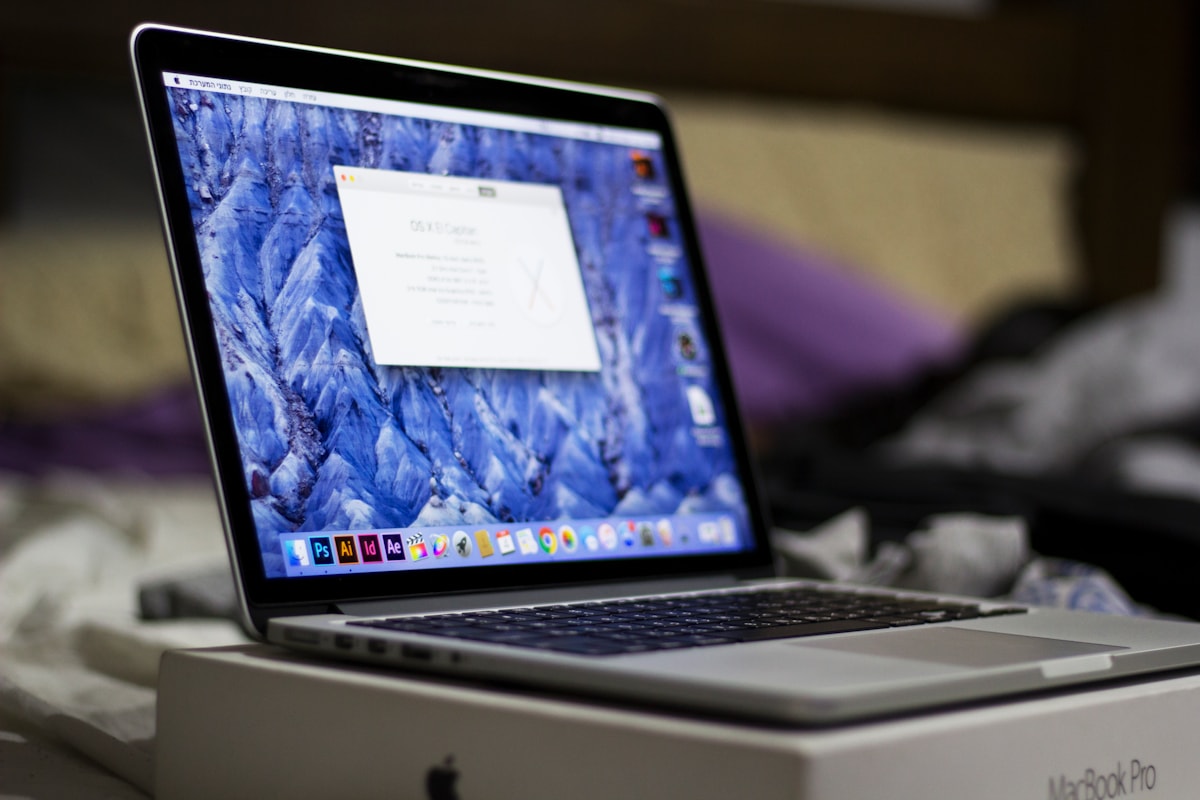
Cover photo by Ceyda Çiftci on Unsplash.
Talk to us
Questions about anything in this post, or want a personalised recommendation? WhatsApp the shop directly, or browse our laptops in the shop, university laptop guide and laptop delivery in Lahore.
WhatsApp 0314 4000131