Pakistani Content Creator / YouTuber Laptop Guide 2026 — From Beginner to Pro
N.N Laptop Team — N.N Laptops Team
Tier-by-tier laptop guide for Pakistani YouTubers, TikTokers, and Instagram creators — from Rs. 100k beginner setups to Rs. 350k+ pro 4K editing rigs.
Prices & stock referenced were checked at our shop on — current prices at nnlaptops.com/shop.

For Pakistani YouTubers and content creators in 2026, laptop choice depends entirely on which tier you are in. Beginner tier (Rs. 100,000-150,000): used HP Pavilion 15, ASUS VivoBook S15, or Dell Inspiron 7000 with i5-10th/11th gen and 16GB RAM handles DaVinci Resolve free tier and Premiere Elements for 1080p YouTube content. Mid tier (Rs. 200,000-300,000): used MacBook Air M2 16GB or Dell XPS 15 9520 i7 with 16GB RAM and dedicated GPU handles full Premiere Pro and Final Cut Pro at 1080p with smooth timeline scrubbing. Pro tier (Rs. 350,000+): used MacBook Pro 14" M1 Pro / M2 Pro with 16-32GB RAM, or used Razer Blade 15 with RTX 3070-4070, handles 4K editing and multi-cam productions without complaints. Apple Silicon dominates this segment in Pakistan because of unmatched thermal headroom for long video renders.
The Pakistani YouTube, TikTok, and Instagram creator economy has grown substantially through 2024-2025-2026. We see new creators upgrading from phones to dedicated content-creation setups every month at our shop in Hafeez Center. The questions we get are different from typical student questions: how much horsepower do I need for editing, will my laptop survive 4-hour render queues during Karachi summer, is the MacBook hype real, can I actually do 4K with a Windows machine. Below is the honest tier-by-tier breakdown based on hundreds of Pakistani creator setups we have helped configure.
Understand What You Actually Edit Before Buying
Before any spending decision, define your real workflow. Be honest with yourself about what you actually need versus what looks impressive on benchmark charts.
1080p Single-Camera Talking-Head Videos
This is where 80% of Pakistani YouTubers start: a single camera on a tripod, you talking to it, occasional B-roll cutaways. Edit complexity is low — cuts, simple titles, background music, basic colour correction. Any modern laptop with 16GB RAM handles this. Render time for a 15-minute video is 5-15 minutes on decent hardware.
1080p Multi-Camera or Heavy B-Roll Productions
Two or three camera angles, more cuts, more colour work, sometimes simple motion graphics. Heavier on RAM and somewhat heavier on CPU. 16GB RAM is the minimum; 32GB is comfortable. A modest dedicated GPU (RTX 3050, GTX 1650, Apple M1/M2 base) accelerates exports.
4K Single-Camera Content
This is where hardware demands climb sharply. 4K video files are roughly 4x the data of 1080p. Timeline scrubbing requires either proxy editing (working with low-resolution copies) or significant compute. Real 4K work needs 32GB RAM, a fast NVMe SSD with 512GB+ free space, and either Apple Silicon (M1 Pro and up) or a dedicated GPU (RTX 3060/4060 and up).
4K Multi-Camera or Heavy Motion Graphics
Cinema-style production, multiple angles, After Effects compositions, advanced colour grading in DaVinci Resolve, 3D titles. This is professional-grade work. 32-64GB RAM, RTX 4070+ or Apple M1 Pro/Max/Ultra, large fast SSD storage. Most Pakistani creators do not need this; if you do, you are spending Rs. 400,000+ on the laptop alone.
Beginner Tier: Rs. 100,000-150,000
For Pakistani creators just starting their YouTube channel, TikTok feed, or Instagram Reels production, the right approach is to buy a capable but not exotic laptop that handles 1080p editing comfortably and lets you grow into your craft. Spend extra on a good camera (which actually affects video quality) rather than over-spending on the laptop.
Software for This Tier
DaVinci Resolve (free version) handles essentially all 1080p editing needs. Adobe Premiere Elements (one-time purchase around Rs. 18,000-25,000) is a simpler alternative for beginners. CapCut (free) works for short-form TikTok and Reels content. Filmora and HitFilm are middle-ground options.
Recommended Laptops
- Used HP Pavilion 15 (i5-10th/11th gen, 16GB / 512GB NVMe): Rs. 95,000-125,000. Decent display, adequate keyboard, runs DaVinci Resolve 18 fine for 1080p. Battery is mediocre (5-6 hours under editing load).
- Used ASUS VivoBook S15 (i5-10th gen / Ryzen 5 4500U, 16GB / 512GB): Rs. 90,000-115,000. Lighter than the Pavilion, better display options on some configs. Same editing capabilities.
- Used Dell Inspiron 15 7000 (i7-10th gen, 16GB / 512GB): Rs. 105,000-130,000. Solid build, decent display, marginally better cooling than the Pavilion or VivoBook.
- Used HP Pavilion Gaming 15 (i5-10300H + GTX 1650, 16GB / 512GB): Rs. 115,000-140,000. The GTX 1650 helps DaVinci Resolve export times. Heavier and louder.
- Used Lenovo IdeaPad Gaming 3 (Ryzen 5 5600H + GTX 1650, 16GB / 512GB): Rs. 120,000-145,000. Similar to the HP Pavilion Gaming. Decent value.
Realistic Performance Expectations
15-minute 1080p single-camera video render in DaVinci Resolve free: 8-15 minutes on these laptops. Timeline scrubbing is smooth with proxies enabled; can be choppy at native resolution with heavy effects. Export to YouTube 1080p H.264 is straightforward.
What does not work at this tier: full 4K editing without proxies (will be painful), heavy After Effects work (will slow down), motion graphics templates with 3D layers (will struggle).
Mid Tier: Rs. 200,000-300,000
This is the tier where Pakistani creators serious about growing a channel start investing. You are doing 1080p reliably, occasionally dipping into 4K, exporting daily or every other day. Software shifts to Adobe Premiere Pro full subscription (around Rs. 4,500-6,500 per month for Creative Cloud) or DaVinci Resolve Studio (one-time around Rs. 75,000-95,000), Final Cut Pro on Mac (one-time around Rs. 60,000-85,000), or remains on free DaVinci Resolve with smoother performance.
Recommended Laptops
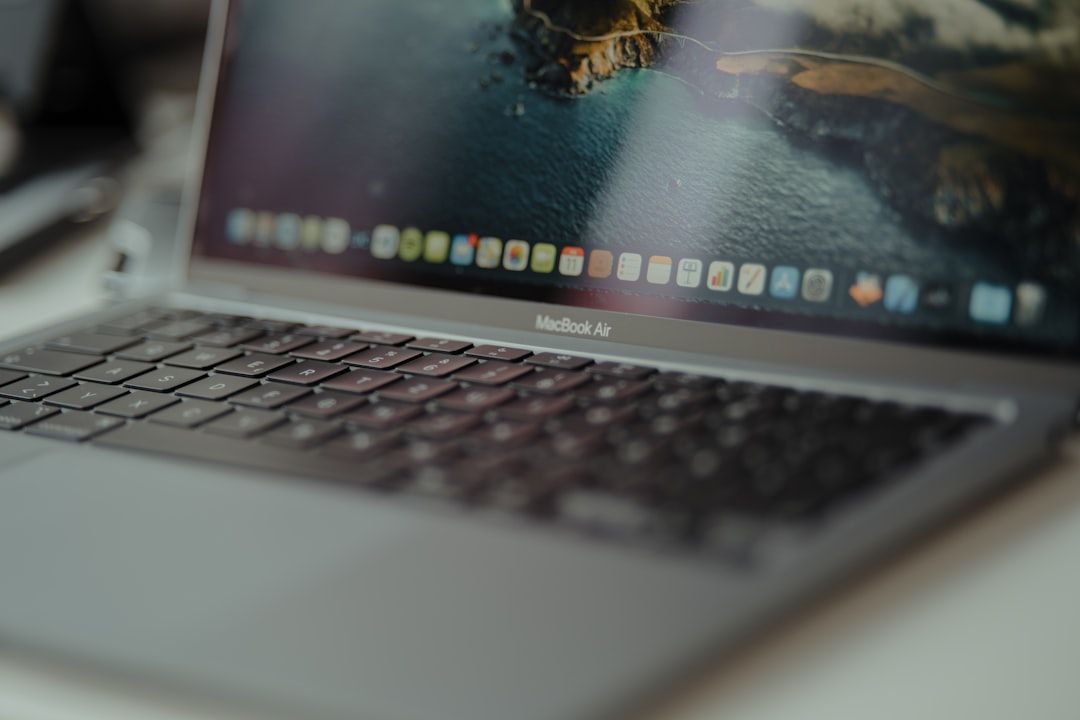
- Used MacBook Air M2 (16GB / 512GB): Rs. 195,000-235,000. The under-the-radar champion of this tier. Apple Silicon handles 1080p Final Cut Pro and Premiere Pro export with extraordinary efficiency. 4K editing works with proxies. Fanless, silent, 12-15 hour battery, beautiful Retina display. Build quality and longevity are excellent. Why we sell more of these to creators than any other model in this tier.
- Used MacBook Pro 13" M2 (16GB / 512GB): Rs. 215,000-255,000. The MacBook Pro 13" M2 has a fan, which lets it sustain longer renders without thermal throttling. For creators doing 30+ minute exports daily, this matters. Otherwise the Air M2 is the better value.
- Used Dell XPS 15 9520 (i7-12700H + RTX 3050 Ti, 16GB / 512GB): Rs. 230,000-275,000. Premium Windows option. 15.6" InfinityEdge OLED display is excellent for colour grading. Solid Premiere Pro and DaVinci Resolve performance. Battery is shorter (4-6 hours under editing).
- Used HP Spectre x360 15 (i7-11th gen + MX450, 16GB / 1TB): Rs. 215,000-265,000. 2-in-1 form factor with a beautiful OLED display. Slightly weaker GPU than XPS 15. Useful if you also annotate or sketch.
- Used ASUS ZenBook Pro 15 (Ryzen 9 / i7 + RTX 3050, 16GB / 1TB): Rs. 220,000-270,000. Strong value Windows option. Good for Adobe Creative Cloud work.
Realistic Performance Expectations
15-minute 4K single-camera video render in Premiere Pro (M2): 6-12 minutes. 15-minute 1080p multi-camera edit in DaVinci Resolve (M2): 4-8 minutes. Timeline scrubbing in 4K with effects is smooth at native resolution on the MacBook Air M2. The XPS 15 with RTX 3050 Ti is similar with proxies enabled, slightly slower at native 4K.
Pro Tier: Rs. 350,000+
This is where you stop worrying about hardware limits and start spending creative energy on content. You are doing 4K reliably, possibly 4K multi-cam, regular After Effects work, advanced colour grading. Software is full Premiere Pro + After Effects subscription, or Final Cut Pro on Mac, or DaVinci Resolve Studio. Render queues run overnight without you babysitting them.
Recommended Laptops
- Used MacBook Pro 14" M1 Pro (16GB / 512GB): Rs. 245,000-285,000. The mid-Pro champion. 8 or 10 CPU cores, 14 or 16 GPU cores, M1 Pro chip is genuinely fast for video work. ProMotion 120Hz mini-LED Liquid Retina XDR display is excellent for colour grading. 12+ hour battery during editing. Best balance of price and capability at this tier.
- Used MacBook Pro 14" M2 Pro (16GB / 512GB): Rs. 290,000-345,000. 15-20% faster than M1 Pro for video work. Otherwise similar package. Worth the premium if you can stretch budget; M1 Pro is still excellent value.
- Used MacBook Pro 16" M1 Pro (16GB / 1TB): Rs. 285,000-340,000. Larger 16" display is a real productivity advantage for editing. Otherwise similar to 14" M1 Pro.
- Used MacBook Pro 16" M1 Max (32GB / 1TB): Rs. 345,000-410,000. M1 Max chip with 24 or 32 GPU cores. Handles 4K multi-cam and After Effects compositions without complaint. The serious creator's tool. For studio-grade work, look at this and the M1 Max 64GB variants when available.
- Used Razer Blade 15 (i7-12700H + RTX 3070 Ti, 16GB / 1TB): Rs. 295,000-355,000. Best premium Windows option for content creation. Strong sustained performance with RTX 3070 Ti for After Effects and CUDA-accelerated workflows. Compact build for a high-power machine. Worse battery than MacBooks (3-5 hours under editing).
- Used Dell XPS 15 9530 (i7-13700H + RTX 4060, 16GB / 1TB): Rs. 305,000-370,000. Refreshed XPS 15 with 13th gen Intel and RTX 4060. Excellent OLED option. Premium Windows pick.
- Used ASUS ROG Strix Scar 15/17 (i9 + RTX 3080, 32GB / 1TB): Rs. 320,000-385,000. Cooling is best-in-class among Windows laptops. RTX 3080 handles serious GPU-accelerated workflows. Heavy (2.4-2.6 kg) and not the most portable, but for a studio-bound creator's workstation, very capable.
Realistic Performance Expectations
15-minute 4K multi-camera edit render on M1 Pro: 4-8 minutes. 30-minute 4K talking-head video on M1 Pro: 8-15 minutes. After Effects composition with 5-10 layers and effects renders at 8-12 fps on M1 Pro real-time preview. ProRes 422 timeline scrubbing in Final Cut Pro is smooth at native 4K with effects.
Why Apple Silicon Dominates This Segment in Pakistan
If you have spent any time in Pakistani YouTube comment sections or asked around in creator WhatsApp groups, you have noticed that MacBook recommendations are everywhere. There is a legitimate reason for this concentration beyond pure brand loyalty.
Native Performance Without Thermal Throttling
Apple's M1, M2, M1 Pro, M2 Pro, M1 Max, and M2 Max chips are designed for sustained creative workloads. They run efficiently at low temperatures, do not throttle during long video renders, and use significantly less power per unit of work compared to Intel and AMD H-series CPUs.
In Pakistani summer ambient (38-42 C), a Dell XPS 15 with RTX 3050 Ti can thermal-throttle during a 30-minute 4K render — losing 15-25% of its performance to heat management. A MacBook Pro M1 Pro under the same conditions sustains its full clock speed because Apple Silicon generates so much less heat to begin with.
This is not theoretical. We have measured render times of the same project on equivalent-spec Windows and Apple Silicon laptops in our shop's air-conditioned and non-air-conditioned conditions. The Windows laptop renders consistently slower in summer ambient; the MacBook is essentially unaffected.
Final Cut Pro and Logic Pro Software
Apple's Final Cut Pro (one-time purchase, around Rs. 60,000-85,000 retail in Pakistan, sometimes available at lower used-license prices) is genuinely fast on Apple Silicon — many creators report Final Cut renders 30-50% faster than Premiere Pro on the same hardware. Logic Pro for audio is similarly optimised. For creators committed to the Apple ecosystem, the software-hardware integration is real.
Resale Value Holds Strong
A used MacBook Pro 14" M1 Pro you buy at Rs. 285,000 in 2026 will sell for Rs. 200,000-230,000 in 2029. A used Razer Blade 15 at the same starting price will sell for Rs. 140,000-180,000 in 2029. The MacBook depreciation curve is consistently better.
Battery During Mobile Editing
If you edit on the go — coffee shop, airport, hotel during travel for content — a MacBook will edit for 8-10 hours on battery. A high-performance Windows laptop will give you 2-4 hours under editing load. For travelling creators, this is decisive.
When Windows is the Right Call for Creators
Despite the Apple Silicon dominance, there are real reasons to pick Windows.
- You already own Adobe Creative Cloud subscriptions tied to your Adobe ID and want to keep using Premiere Pro / After Effects. These work on Mac too, but transition friction is real.
- You play games as a hobby alongside content creation. The RTX 4060/4070/4080 in Windows laptops gives you a dual-purpose machine. Apple Silicon Macs have a limited gaming library.
- You use specific Windows-only software: certain music production plugins, gaming-overlay capture tools (OBS works on Mac but with limitations), Windows-only motion graphics tools.
- Your budget tops out below Rs. 200,000. At this budget, used Windows laptops give you a meaningfully better spec sheet than what Apple Silicon offers used.
- You need an Nvidia GPU specifically for AI-accelerated workflows: Stable Diffusion for thumbnail generation, AI-powered noise reduction, specific motion graphics templates that target CUDA.
External Storage Strategy for Video Creators
Video files are large. A 30-minute 4K video raw file can be 8-15GB. A week of shoots can fill a 1TB SSD quickly.
Practical storage strategy:
- Laptop SSD: 512GB-1TB internal for OS, applications, and current-project working files.
- External Thunderbolt or USB-C SSD: 1-2TB for active projects you can scrub from while editing. Brands like Samsung T7, Crucial X9, Sandisk Extreme Pro at Rs. 12,000-25,000 for 1TB.
- External HDD or NAS: 4-8TB for archived projects, raw footage backups. WD Elements, Seagate Backup Plus at Rs. 18,000-32,000 for 4TB.
- Cloud backup: Backblaze or paid Google Drive / OneDrive tier for off-site backup of finished videos and critical raw footage.
Display Considerations for Colour Work
Editing colour requires a calibrated, colour-accurate display. Different displays will make the same video look different on your screen versus your audience's screens.
Display options ranked for colour-critical work:
- MacBook Pro 14"/16" mini-LED Liquid Retina XDR: Best laptop display available for video work. Wide P3 colour gamut, true HDR, 120Hz ProMotion.
- Dell XPS 15 OLED: Excellent OLED. 100% DCI-P3 coverage. Slightly less peak brightness than the MacBook Pro.
- HP Spectre x360 15 OLED: Similar to XPS 15 OLED.
- MacBook Air M2: Standard Retina, not HDR. Sufficient for most YouTube work but not for cinema-grade colour.
- Razer Blade 15 OLED variant: Excellent. Verify the OLED variant when shopping used.
For Pakistani creators serious about colour work, plan to invest in an external calibrated monitor eventually (a 27" 4K IPS at Rs. 60,000-95,000) and possibly a hardware colour calibrator (SpyderX or Calibrite ColorChecker, around Rs. 18,000-28,000).
Audio Considerations
Built-in laptop microphones are universally inadequate for content recording. Plan to budget for a dedicated USB microphone:
- Entry: Boya BY-M1 lavalier (Rs. 1,500-2,500). Audio Technica ATR2100x USB/XLR (Rs. 18,000-23,000).
- Mid: Rode NT-USB+ (Rs. 22,000-30,000). Shure MV7 (Rs. 38,000-48,000).
- Pro: Rode NT1 5th gen (Rs. 28,000-38,000) with an audio interface like Focusrite Scarlett Solo (Rs. 22,000-28,000).
The MacBook Pro M1 Pro / M2 Pro 14" has a genuinely excellent three-microphone array — the best built-in laptop microphones available in 2026. For voice-over and talking-head recording without an external mic, it is good enough. Other laptops will need an external mic from day one.
Cooling Pad and Sustained Render Thermals
For Windows laptops doing sustained renders in Pakistani summer, a cooling pad is mandatory equipment. Drops temperatures 5-8 C and prevents thermal throttling during long export queues.
For Apple Silicon MacBooks, a cooling pad is not necessary — these chips run cool enough that thermal throttling is rarely an issue even in Pakistani summer.
Frequently Asked Questions
Is 16GB RAM enough for content creation?
For 1080p YouTube work, yes. For occasional 4K, 16GB on Apple Silicon is genuinely enough (unified memory architecture is unusually efficient). On Windows, 16GB is the floor for 4K work; 32GB is much more comfortable. We strongly recommend 32GB on Windows machines for any serious creator work.
Should I get DaVinci Resolve or Premiere Pro?
DaVinci Resolve free version is genuinely powerful and free. Premiere Pro requires a Creative Cloud subscription (Rs. 4,500-6,500 monthly in Pakistan via Adobe's regional pricing). For new creators on budget, DaVinci Resolve is the smart starting point. Many Pakistani creators stay on DaVinci Resolve free indefinitely. Premiere Pro is the industry-standard if you might collaborate with other editors or follow tutorial workflows.
How important is the dedicated GPU on Windows laptops?
For 4K editing, important. For 1080p single-camera, not critical. For After Effects compositing or DaVinci Resolve Studio with heavy effects, important. The RTX 3050 Ti or RTX 4050 mobile is the entry to "real" GPU acceleration; below that (MX series, integrated graphics), GPU acceleration is limited.
Can I do 4K editing on a MacBook Air M1 or M2?
Yes, with proxies. Native 4K timeline scrubbing on M1 Air with 8GB RAM gets choppy; on M2 Air with 16GB RAM it is workable but not luxurious. For comfortable 4K work, step up to MacBook Pro 14" M1 Pro or M2 Pro. The M1 Air can handle 1080p 4-cam comfortably; 4K it can edit but you will feel the limits.
What about gaming laptops for content creation?
They work, with caveats. Gaming laptops with RTX 3060/4060 and up have plenty of GPU power. The downsides are weight (2.0-2.7 kg), battery life (3-5 hours under editing), and thermals (will throttle in Pakistani summer without cooling pad). For stationary studio use, gaming laptops are reasonable. For travel and field work, they are less ideal.
How do I check if a used MacBook is genuinely working for video editing?
Before buying any used MacBook for editing: check battery cycle count (under 600 ideal), verify all four ports work, run a sample render of a 5-minute 1080p export from DaVinci Resolve (should complete without errors), check screen for dead pixels and uniformity in dark and bright scenes. We do all of these checks before any sale at our shop. See our broader buyer guide at how to spot fake or stolen MacBooks.
What about external GPU (eGPU) setups for content creation?
Technically possible on Thunderbolt-equipped Windows laptops (XPS 15, EliteBook 840 G7/G8 with Thunderbolt, etc.). Pakistani import cost of a Razer Core X enclosure plus a desktop GPU makes the total roughly equal to buying a real high-spec laptop. Not worth the complexity for most creators.
Do you accept trade-ins on creator laptops?
Yes. We accept trade-ins of working MacBooks, Dell XPS, HP Spectre, Razer Blade, and gaming laptops toward upgrade purchases. WhatsApp 0314 4000131 with your current laptop model, condition, and the upgrade you want for a buy-back quote. See our trade-in guide for the full process.
Bottom Line for Pakistani Creators
Match your laptop to your actual content tier rather than your aspirations. A beginner doing 1080p talking-head videos does not need a Rs. 350,000 MacBook Pro. A serious creator doing daily 4K multi-cam work needs more than a Rs. 100,000 used Inspiron. Be honest about your workflow and your willingness to invest creative time before throwing money at hardware.
For specific advice based on your channel niche, your editing software, your shooting setup, and your budget, WhatsApp 0314 4000131. We have helped Pakistani vloggers, gaming streamers, tech reviewers, lifestyle content creators, food YouTubers, and product-review channels find the right machine. Browse current stock at video editing laptop picks, Apple laptops, options under Rs. 200,000, or higher-tier picks under Rs. 300,000.
Talk to us
Questions about anything in this post, or want a personalised recommendation? WhatsApp the shop directly.
WhatsApp 0314 4000131