Used Apple Laptops in Pakistan: How to Spot a Fake or Stolen MacBook Before You Buy
N.N Laptop Team — N.N Laptops Team
Real Pakistan-specific guide to checking Activation Lock, verifying serial, reading cycle count, and spotting counterfeit MacBooks before money changes hands.
Prices & stock referenced were checked at our shop on — current prices at nnlaptops.com/shop.
Before buying any used MacBook in Pakistan in 2026, do these four checks in person: (1) verify iCloud Activation Lock is OFF by booting to the setup screen or checking Settings > Apple ID; (2) cross-reference the serial number on checkcoverage.apple.com to confirm authenticity and warranty/coverage status; (3) read battery cycle count via About This Mac > System Report > Power — under 600 is healthy for most models; (4) confirm physical authenticity (correct screen quality, correct keyboard feel, correctly embossed Apple logo, original Apple charger). If a seller refuses any of these checks, walk away — every legitimate seller will allow them.
The Pakistani used Mac market has more risk than the used Windows-laptop market because (a) MacBook prices are high enough that stolen units are aggressively trafficked, (b) high-quality counterfeit MacBooks exist now and have improved significantly in the last few years, (c) iCloud Activation Lock means a "working" MacBook can be a bricked paperweight depending on the previous owner's setup. Here's how to protect yourself, with the specific checks we do at our own shop intake.
Check 1: iCloud Activation Lock (The Biggest Risk)
Activation Lock is Apple's anti-theft feature. If the previous owner had "Find My Mac" enabled (which is on by default for anyone signed into iCloud), the MacBook is locked to their Apple ID. Without that Apple ID and password, the machine cannot be reactivated after a factory reset — making it effectively useless.
This is the single most common scam in the Pakistani used Mac market: seller does NOT factory reset the machine before sale; they sign you in as a "second user" or hand it over with their account still logged in; buyer takes it home, factory resets it thinking that's standard procedure, and discovers it's Activation Locked. The seller is unreachable. The MacBook is now worth almost nothing.
How to Check Activation Lock Before You Buy
There are three reliable methods. Use at least two of them.
Method A: Setup Screen Check (Most Reliable)
- Ask the seller to fully shut down the MacBook (Apple menu > Shut Down, not sleep).
- Hold Option + Command + R while pressing the power button. This boots to macOS Recovery (Internet Recovery on older models).
- If Activation Lock is enabled, you'll see a screen requesting the Apple ID and password of the previous owner BEFORE you can proceed with anything.
- If you see the standard Recovery utility window (Disk Utility, Reinstall macOS, etc.) without an Apple ID request, the MacBook is NOT Activation Locked.
This is the absolute confirmation. Sellers may say "trust me, it's unlocked" — don't trust, verify.
Method B: Settings > Apple ID Check (Quick, In-Use)
- On the running MacBook, click Apple menu > System Settings (or System Preferences on older macOS).
- At the top, you'll see either the seller's name + Apple ID, OR "Sign in to your Apple Account."
- If it shows the seller's name, ask them to sign out: System Settings > [Their Name] > Sign Out. macOS will require their Apple ID password to remove Find My Mac and complete sign-out. If they can sign out cleanly in front of you, the lock is being properly released.
- If the MacBook says "Sign in to your Apple Account" (no one is signed in), check that no Apple ID is associated with iCloud by going to System Settings > Apple ID (or absence thereof) and confirming no account is linked.
Method C: Apple Self-Service iCloud Status (Online)
Apple removed the public iCloud Lock check page some years back, but you can still verify a MacBook's status through the official Apple Check Coverage site (checkcoverage.apple.com). Enter the serial number — you can see whether the MacBook is currently linked to an Apple ID requiring activation. This is less reliable than the in-person methods but useful as a second confirmation.
What to Do If a Seller Won't Let You Run These Checks
Walk away. There's no legitimate reason for a seller to refuse a 5-minute Activation Lock check. A seller who refuses is either selling stolen goods, selling a unit they don't know is Activation Locked (which means you're inheriting a problem), or hoping you'll discover the lock only after payment.
Check 2: Serial Number Verification
Every genuine MacBook has a unique serial number that Apple's systems recognise. Counterfeit MacBooks usually have fake or recycled serials that don't validate on Apple's official tools.
Finding the Serial Number
Three ways:
- Physically: printed on the bottom case of the MacBook (under the rear feet area, very small print). On 2016+ MacBook Pros and 2018+ MacBook Airs, also etched in tiny lettering near the hinge edge.
- In macOS: Apple menu > About This Mac > More Info > scroll to "Serial Number" (Apple Silicon Macs) or click "System Report" > Hardware Overview > Serial Number.
- In Recovery: Boot to Recovery (Command + R) > Apple menu at top > About this Mac > Serial Number.
Note: the physical serial and the software-reported serial MUST match. If they don't match, the chassis has been swapped or the logic board has been swapped — both are red flags worth pausing on.
Verifying the Serial on Apple's Official Site
- Go to checkcoverage.apple.com or checkcoverage.apple.com (Apple's official tools).
- Enter the serial number.
- If valid: you'll see the MacBook model, original purchase date (sometimes), warranty/AppleCare status, and the country of original sale.
- If invalid: "We're sorry, but this is not a valid Apple serial number." This is a counterfeit unit OR the seller mistyped — verify by retyping carefully. If still invalid, do not proceed.
- If the model that comes up doesn't match what the seller is selling you (e.g., the seller says "MacBook Air 2020 M1" but the serial returns "MacBook Air 2017"), the seller is misrepresenting the unit OR the chassis was swapped.
Apple's tool also tells you the original country of sale. A US-spec MacBook in Pakistan is fine (most are imports), but it's worth knowing — a unit sold originally in the UAE or Saudi Arabia is more typical for Pakistani gray-market imports than a unit sold originally in Brazil or Mexico.
Check 3: Battery Cycle Count and Health
Battery cycle count is the single best indicator of how heavily a MacBook has been used.
How to Read Cycle Count
- Apple menu > About This Mac.
- Click "More Info" (Apple Silicon) or "System Report" (Intel).
- In the left sidebar, click "Power."
- Under "Health Information," find "Cycle Count" and "Condition."
What's a Healthy Cycle Count?
Apple rates MacBook batteries for ~1000 cycles before they're considered consumed (down to 80% of original capacity). In practice:
- Under 200 cycles: Like-new battery. Premium pricing justified.
- 200-500 cycles: Lightly used. Healthy. Normal for a 2-3 year old machine.
- 500-800 cycles: Moderate use. Still has good life ahead. Normal for a 4-5 year old daily-driver MacBook.
- 800-1000 cycles: Heavy use. Battery replacement is on the horizon. Acceptable but factor in Rs. 18,000-35,000 replacement cost.
- Over 1000 cycles: Battery is past its rated life. You'll need a replacement soon. Quote should reflect this.
Also check "Condition" — it should say "Normal." If it says "Service Recommended" or "Service Battery," the battery is beyond healthy life regardless of cycle count.
Cross-Reference Age vs. Cycle Count
A 2020 MacBook Air with 50 cycle count in 2026 is suspicious — that's almost no use for a 6-year-old machine. Either the seller is genuine and the laptop sat unused (possible but rare), OR the battery was recently replaced (legitimate but should be disclosed), OR the cycle count was reset by software (a known scam — third-party tools can reset the visible cycle count but actual battery wear is unchanged). If you see suspiciously low cycle count on an older machine, ask the seller directly about battery history.
Check 4: Spotting Counterfeit MacBooks
Counterfeit MacBooks have improved a lot in 2023-2025. Today's fakes can have realistic-looking chassis, plausible weight, working keyboards, and even a fake macOS skin running on a Windows or Android base. Here's what to check.
Screen Quality and Resolution
Real MacBook screens have a distinctive sharpness from Retina pixel density (220+ pixels per inch). Open Safari or Finder and look closely at the text. On a real MacBook, text is razor-sharp with no visible pixelation. On most counterfeits, text shows visible pixels at normal viewing distance — usually because the counterfeit uses a 1366x768 or 1920x1080 panel masquerading as Retina.
Open a high-resolution image in Preview and zoom in. Real MacBook displays render colour with deep blacks and bright whites. Many counterfeits show washed-out colours and uneven backlight.
Keyboard Feel and Layout
The current MacBook Magic Keyboard has a very specific tactile feel — scissor switches with shallow but precise actuation, 1mm travel, distinct click. Counterfeits often use cheap rubber dome or low-quality scissor switches that feel mushy and inconsistent.
Layout: the real MacBook layout includes a fingerprint-reader Touch ID power button (2018+ Pro, 2020+ Air). The function row may be a Touch Bar (2016-2021 Pro models) or physical F-keys with media controls. Verify against the model the seller claims.
Apple Logo Embossing
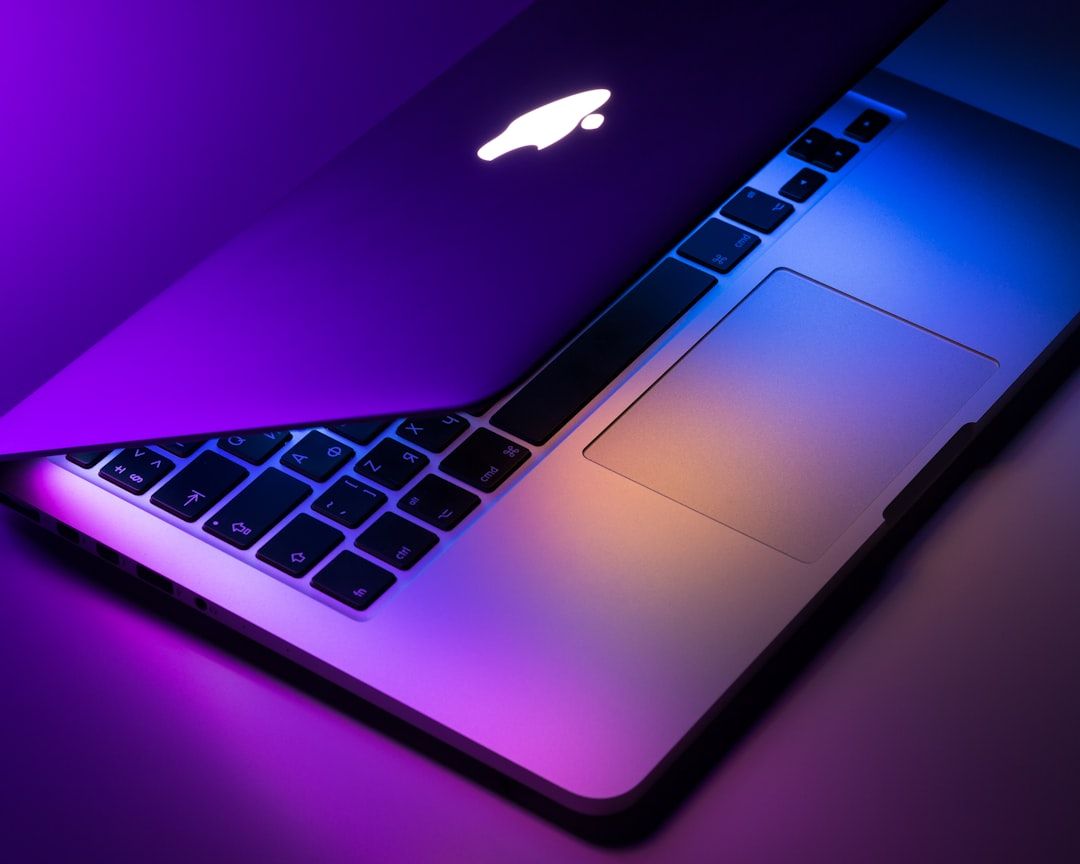
The Apple logo on the lid of a real MacBook (2016+) is laser-etched and embossed precisely — sharply defined edges, perfect circle, depth that catches light at specific angles. Counterfeit logos are usually printed (no depth), or poorly stamped (visible roughness on edges), or sized incorrectly.
On older MacBooks (2015 and earlier), the logo was backlit. If the seller claims a 2015 or earlier model but the logo doesn't light up when the laptop is on, that's a red flag — but verify against the actual model, because Apple stopped backlighting the logo in 2016.
Charging Port
Different MacBook generations use different ports:
- MagSafe 1: 2006-2012 (small T-shaped magnetic connector)
- MagSafe 2: 2012-2016 (wider, thinner magnetic connector)
- USB-C: 2015-2017 MacBook (single port), 2016+ MacBook Pro (2-4 USB-C / Thunderbolt 3 / Thunderbolt 4 ports)
- MagSafe 3: 2021+ MacBook Pro 14"/16" (new magnetic connector, distinct shape)
If the seller claims a "2020 MacBook Pro" but it has MagSafe 1, the machine is older than claimed — or it's a counterfeit using a wrong port type.
The Original Apple Charger
Original Apple chargers have specific markings: the Apple logo embossed on the brick, model number printed clearly (A1719 for 87W USB-C, A1947 for 96W USB-C, etc.), and a clean Apple-branded cable. Counterfeit chargers often have slightly off Apple logos, incorrect model numbers, or wrong cable colour/quality. A unit sold with a counterfeit charger doesn't necessarily mean the MacBook is counterfeit — but it's a flag worth noting.
Boot and macOS Authenticity
Boot the MacBook from cold. The Apple logo should appear cleanly with a progress bar (Intel) or just the logo (Apple Silicon). macOS should boot to the lock screen or login screen.
Once in macOS, check Apple menu > About This Mac. Real Macs show specific hardware details (chip model, RAM, serial). Counterfeits often show generic information, wrong RAM amounts, or details that don't match the claimed model.
Open Activity Monitor and look at CPU/Memory tabs. Real Macs report Apple CPU/chip names. If the CPU shows something like "Intel Atom" or a generic ARM chip name, the unit is a counterfeit running macOS-skin on non-Apple hardware.
Check 5: Reporting and Verifying Stolen Units
Stolen MacBooks are a real issue in Pakistan, especially around DHA Lahore, Defence Karachi, and the F-7/F-8 areas of Islamabad — areas where MacBook ownership concentrates and theft incidents are more common.
What to Do If You Suspect a Unit Is Stolen
- If the seller can't pass Activation Lock checks AND the price is suspiciously low (>30% below market), assume stolen and walk away.
- If you're uncertain, ask the seller for the original purchase receipt. Original buyers can almost always produce a receipt (digital or paper). Multi-hand resellers may not, but should at least know the chain of custody.
- Run the serial number through Apple's coverage check. Stolen units sometimes show "Apple Limited Warranty - Activation Lock" status, which indicates Find My is on without the seller having unlocked it.
- Check the FBR Customs Database (cs.fbr.gov.pk) for IMEI/serial verification on phones — for MacBooks specifically, this is less commonly used but the option exists.
- If you've already bought a unit and suspect it's stolen, file an FIR at your local police station with the serial number and seller details. The unit can be returned if the previous owner reports it stolen.
PTA Database for Mobile Devices (Reference)
For iPhones and cellular iPads bought used, the PTA DIRBS system (dirbs.pta.gov.pk) lets you verify IMEI legitimacy. MacBooks don't have IMEIs (no cellular radio on most models), so this doesn't apply. The Apple serial check on checkcoverage.apple.com is the equivalent.
Why Hafeez Center Physical Inspection Beats Buying on OLX
OLX and Facebook Marketplace listings can show beautiful photos of MacBooks at competitive prices. The problem with online-only MacBook purchases:
- You can't run Activation Lock checks until the unit arrives — by which point the seller is often unreachable.
- Photos can hide serious cosmetic damage (cracked screen edges, hinge damage, dent on the bottom).
- "Sealed box" listings are sometimes refurbished units in resealed packaging.
- The seller's claim of cycle count and battery health can't be verified until you have the machine.
- If anything is wrong, returning the unit means dealing with logistics and potentially losing money on shipping.
Hafeez Center physical inspection takes 15-20 minutes and resolves all of these questions before money changes hands. Whatever Rs. 5,000-10,000 you'd save buying online from an anonymous OLX seller is rarely worth the risk of a Rs. 150,000 Activation Lock paperweight.
How Our Shop Handles MacBook Intake
When we accept a used MacBook for resale at our shop, here's the verification process we run before stocking it:
- Activation Lock check via Setup Screen and Settings > Apple ID: Both must show no associated Apple ID.
- Serial verification on Apple's coverage tool: Model and details must match the physical unit.
- Cycle count check: Under 600 for most resale stock; up to 800 acceptable for older models priced accordingly.
- Factory-fresh macOS install: Every accepted MacBook is wiped and the latest compatible macOS is reinstalled clean — no third-party software, no previous user accounts, clean Disk Utility verification.
- Activation test post-wipe: After clean reinstall, we boot to the setup screen and confirm no Activation Lock prompt appears.
- Hardware diagnostic: Apple Diagnostics tool (Hold D at boot) or third-party hardware test to verify CPU, GPU, RAM, storage, screen, keyboard, trackpad, ports, and wireless are all working.
- Cosmetic grading: A/B/C grade is assigned and reflected in the asking price.
Customers buying from us can verify any of these checks in person at the shop. We encourage it.
Realistic Used MacBook Prices in Pakistan (May 2026)
If a price is dramatically lower than these ranges, be cautious — it's often the seller pricing low because they know there's a problem (Activation Lock, swollen battery, screen damage, etc.):
- MacBook Air M1 (2020), 8GB / 256GB: Rs. 135,000 - Rs. 150,000
- MacBook Air M1 (2020), 16GB / 512GB: Rs. 175,000 - Rs. 195,000
- MacBook Air M2 (2022), 8GB / 256GB: Rs. 165,000 - Rs. 185,000
- MacBook Pro 13" M1 (2020), 8GB / 256GB: Rs. 155,000 - Rs. 175,000
- MacBook Pro 13" 2018 i5 Touch Bar, 8GB / 256GB: Rs. 75,000 - Rs. 95,000
- MacBook Pro 13" 2017 i5 Touch Bar, 8GB / 256GB: Rs. 60,000 - Rs. 75,000
- MacBook Pro 14" M1 Pro (2021), 16GB / 512GB: Rs. 245,000 - Rs. 285,000
- MacBook Air 2017 i5, 8GB / 128GB: Rs. 45,000 - Rs. 58,000
- MacBook Air 2015 i5, 8GB / 128GB: Rs. 28,000 - Rs. 38,000
Frequently Asked Questions
What if I already bought an Activation Locked MacBook?
If the seller is reachable, ask them to remove the device from their iCloud account (iCloud.com > Find My > select device > Remove from Account). If they're unreachable, your options are limited. Apple does not have a process to bypass Activation Lock for buyers without proof of original purchase. Some local shops claim they can "unlock" Activation Locked Macs — these methods are unreliable and sometimes involve hardware-level modification that voids functionality. Avoid them.
Can the seller transfer their Apple ID to me?
No. Apple IDs are personal accounts and not transferable. The seller must sign out of their Apple ID completely (which removes Find My Mac and Activation Lock), and you then set up the MacBook with your own Apple ID after factory reset.
I see a MacBook listed "sold as is, no questions" — is that a red flag?
Yes. Any seller refusing basic in-person verification (Activation Lock check, serial verification, battery cycle count) is hiding something. The vast majority of legitimate sellers welcome these checks because they prove the unit's value.
Are refurbished MacBooks from "Apple Authorised Resellers" in Pakistan safe?
There's no Apple Authorised Reseller for refurbished products in Pakistan. Apple's own refurbished store doesn't ship to Pakistan. Any seller claiming "Apple Certified Refurbished" status in Pakistan is using the term loosely — verify the actual refurbishment process and warranty.
What MacBook generations are best for the Pakistani used market?
For value and longevity: MacBook Air M1 (2020) and MacBook Pro 13" M1 (2020) are the best value Apple Silicon machines in 2026. They run modern macOS without issue, have excellent battery, and have years of useful life ahead. Intel MacBooks from 2018-2020 are reasonable budget picks but be aware Apple will eventually stop providing macOS updates for them (likely 2027-2028).
Should I buy a MacBook from "imported from Dubai/USA" sellers?
Most legitimate Pakistani MacBook supply comes through imports, so "imported" is normal. What matters is the same checks above — Activation Lock, serial verification, condition. The country of original sale is shown on Apple's coverage tool; common imports are US, UAE, UK, Saudi.
How can I check Activation Lock if the seller refuses to boot the laptop?
You can't. A seller refusing to even power on a MacBook is refusing the most basic verification — walk away. There is no legitimate reason to refuse a 5-minute Activation Lock check, and the seller's refusal is itself the answer to your question.
Does the same advice apply to used iPads and iPhones?
Same principles apply (Activation Lock check, serial verification, battery cycle count or maximum capacity %). For iPhones specifically, also verify IMEI on dirbs.pta.gov.pk to confirm PTA-approved status — non-PTA-approved iPhones face SIM blocking after 60 days in Pakistan.
Buy From Verified Sellers
If you'd rather skip the verification anxiety entirely, buy your used MacBook from a verified physical shop. At our shop in Hafeez Center, every MacBook we sell has gone through the seven-step intake process described above. We're open for in-person verification, we run the checks in front of you, and we offer a 30-day check warranty on every unit. Visit our Apple laptops collection, see broader options for Lahore-area buyers at used laptops Lahore, or browse freelancer laptop recommendations. For any specific MacBook query or to schedule a unit inspection, WhatsApp 0314 4000131. Our FAQ and about page cover the rest of how we work.
Talk to us
Questions about anything in this post, or want a personalised recommendation? WhatsApp the shop directly.
WhatsApp 0314 4000131