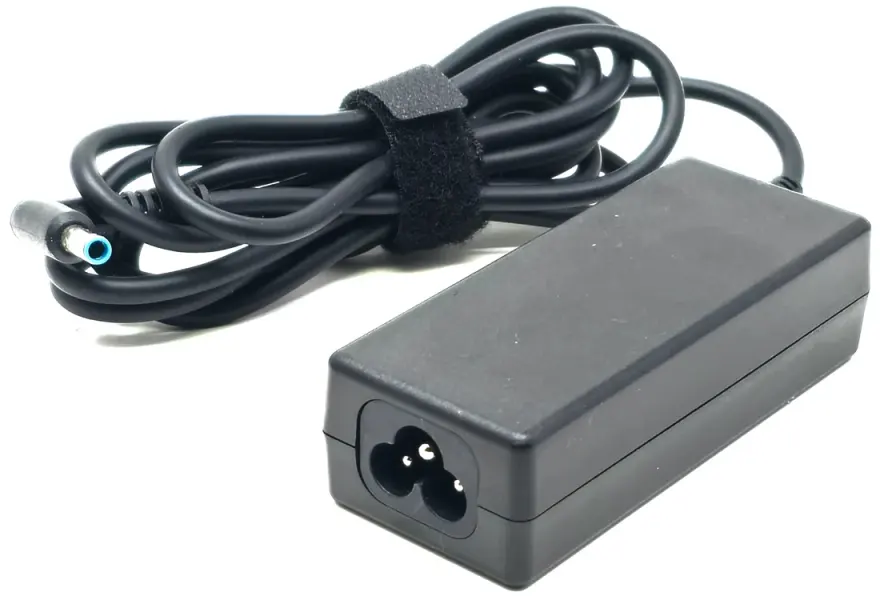
Genuine HP EliteBook DC Jack – Reliable Power Connection for Your Laptop
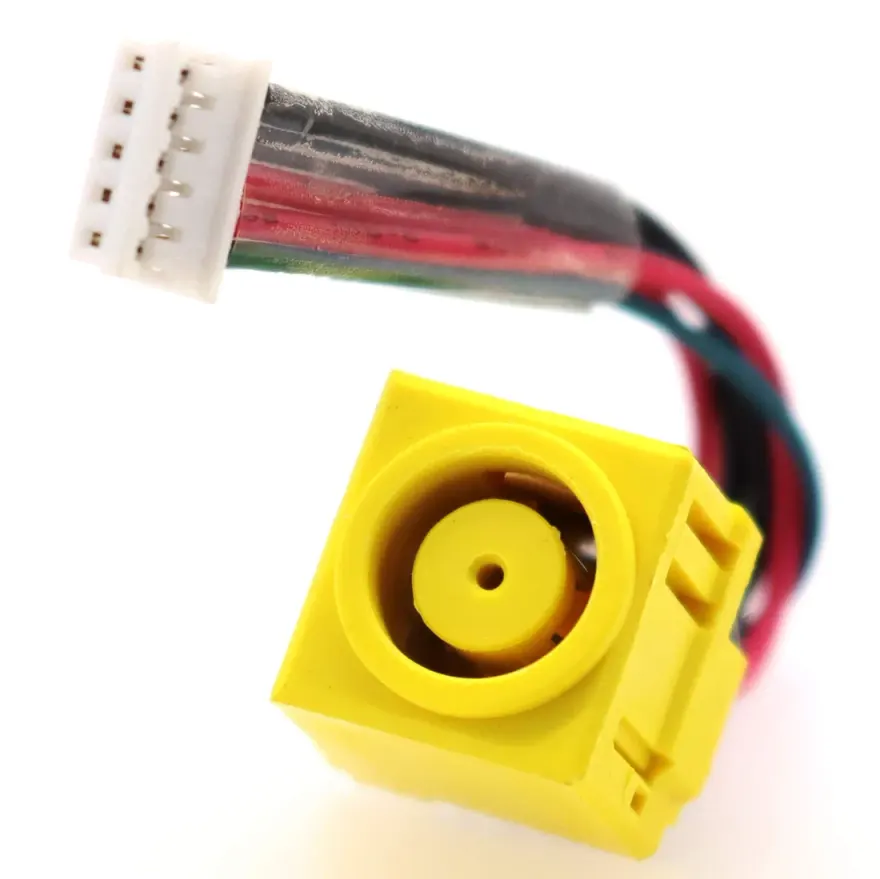
The HP EliteBook Blue Smart Pin DC Jack with Cable Harness (4.5mm) is a factory-original replacement part designed specifically for popular HP business laptops. If your EliteBook 840 G3, G5, G6 or ProBook 450 G5, G6 is experiencing intermittent charging or a loose charger connection, this genuine OEM jack is the permanent solution. Every unit from our shop is quality-checked before listing, ensuring perfect conductivity and no short circuits. Available at N.N Laptops, Hafeez Center, Gulberg III, Lahore, and delivered across Pakistan via TCS / Leopards with tracking.
Why Choose This Genuine HP Part Over Aftermarket?
Non-original DC jacks often use thinner wires and lower-grade plastic, leading to overheating and premature failure. This HP part features 22 AWG copper wiring (heavier than generic 24 AWG), a precision-moulded 4.5mm Smart Pin female connector, and a keyed JST motherboard connector that guarantees a correct, secure fit. We've seen many laptops saved by this exact part – it's the same jack used in HP's own service centres. The cable harness length of approximately 6-8 cm is designed to reach the motherboard connector without excess slack, and the reinforced solder tabs withstand thousands of plug-unplug cycles.
Real-World Benefits & Use Cases
- Perfect for IT departments maintaining fleets of EliteBooks – restore charging functionality without motherboard replacement.
- Ideal for remote workers who rely on a stable connection; no more searching for the perfect angle to charge.
- Cost-effective repair – replacing the DC jack is far cheaper than a new logic board.
- Compatible with standard HP 4.5mm Smart Pin chargers – no adapter needed.
Delivery & Support Across Pakistan
We offer same-day delivery within Lahore. For customers in Karachi, Islamabad, Rawalpindi, Faisalabad, Multan, Peshawar, Sialkot and all other cities, we ship via TCS or Leopards with tracking. Before ordering, you can WhatsApp Sayam at 0314 4000131 for live photos, stock confirmation, or compatibility check – send a picture of your old jack and we'll verify in seconds. Our 30-day check warranty gives you peace of mind; if the part fails due to a defect within 30 days, we replace it without hassle.
For the full original listing with step-by-step installation guide and detailed compatibility, see below.
HP EliteBook Blue Smart Pin DC Jack with Cable Harness (4.5mm) — quick answer
The HP EliteBook Blue Smart Pin DC Jack with Cable Harness (4.5mm) is a replacement HP DC power jack with pre-attached cable harness available at N.N Laptops, Hafeez Center, Lahore for Rs. 2,099. It's the OEM-spec 4.5mm Smart Pin female female jack for EliteBook 840 G3, EliteBook 840 G5, EliteBook 840 G6. Plug-in installation (no soldering on the cable side), backed by our 30-day check warranty and nationwide.
Full specifications
| Brand | HP |
|---|---|
| Connector Type | 4.5mm Smart Pin female |
| Cable Length | ~6-8cm pigtail with motherboard connector |
| Compatible Models | EliteBook 840 G3, EliteBook 840 G5, EliteBook 840 G6, ProBook 450 G5, ProBook 450 G6 |
| Installation | Plug-in (no soldering on harness side) |
| Condition | Genuine — New service part |
| Warranty | 30-day check warranty |
Compatibility — which laptops does this DC jack fit?
This 4.5mm Smart Pin female female DC jack with pre-attached cable harness fits:
- EliteBook 840 G3
- EliteBook 840 G5
- EliteBook 840 G6
- ProBook 450 G5
- ProBook 450 G6
Match the connector type on your existing charger before ordering. If your laptop charges via a 4.5mm Smart Pin female barrel, this part is the correct fit — no other variant of jack will physically mate with the OEM charger.
Common DC jack failure symptoms
If any of these match your laptop, the jack is the likely culprit:
- Charger LED is on, but laptop only charges if you wiggle the cable at a specific angle
- Battery indicator on screen flickers between 'charging' and 'not charging' randomly
- You feel the jack move when you push on the charger plug
- The plug feels loose; the connection isn't snug like it used to be
- Charging suddenly cuts out when you bump the laptop
If two or more of these match, the internal jack solder pads have likely cracked from years of plug-in / plug-out stress. Replacing the harness is a permanent fix.
Installation — step by step
Most modern laptops use a cable-harness jack like this one (rather than a board-soldered jack), so installation is screwdriver-only:
- Power off laptop, remove AC and battery
- Unscrew bottom panel (8-12 Phillips, sometimes Torx T5)
- Locate old DC jack pigtail connector on motherboard
- Unlatch ribbon / unplug 2-pin connector
- Remove old jack from chassis (1-2 screws, sometimes glued — gently pry)
- Seat new jack into the same recess, screw down
- Plug new harness into motherboard connector
- Reassemble, test with charger before fully closing
Total time: 20-30 minutes for someone comfortable with laptop teardown. We do free installation in shop if you bring the laptop to Hafeez Center.
Build quality & why we sell this specific part
OEM-grade plastic body with proper metal contacts for the centre-pin and outer-barrel return. The wire harness uses heavier 22 AWG copper than no-name aftermarket parts — important because a EliteBook 840 G3 charger draws up to 4-6A and thinner copper would heat up under load. The motherboard-side connector is the correct keyed JST type, so it only fits one way and you can't reverse it.
Where to buy in Lahore
Visit us at Shop 66A, 3rd Floor, Hafeez Center, Gulberg III, Lahore. We stock dozens of jack variants — bring your laptop or the old jack and we'll match it instantly. Lahore delivery, nationwide via TCS / Leopards. WhatsApp 0314 4000131 for stock confirmation.
Browse our full laptop parts, laptop chargers, laptop batteries selection.
Warranty
Every DC jack carries our 30-day check warranty. If the jack fails on install, develops loose contact within 30 days, or causes intermittent charging, return it to the shop with the invoice for a full replacement. No questions asked within the warranty window.
Frequently asked questions
Is the cable harness already attached?
Yes. The jack ships with a 6-8cm wire pigtail pre-soldered to the jack and terminated with the small 2-pin or 4-pin motherboard connector — just plug it into the board, no soldering required for the harness side.
Does this fit the EliteBook 840 G3?
Yes — this exact jack matches the OEM part number and connector size for the EliteBook 840 G3, EliteBook 840 G5, EliteBook 840 G6. We've sold dozens of these to repair shops across Lahore. If you're unsure, send us a photo of your old jack on WhatsApp 0314 4000131 and we'll verify before you order.
Will the charger plug feel loose or work intermittently after I install this jack?
If the new jack is seated correctly on the motherboard and the solder joints are clean, the plug should feel firm — no wobble, no flicker. A loose-feeling charger after replacement usually means a cold solder joint on one of the four mounting pads.
How do I know if my DC jack is actually the problem?
Symptoms: laptop only charges if the plug is held at an angle; charging stops when you wiggle the cable; battery indicator flickers between charging and discharging on screen. If your charger LED is on but the laptop says 'plugged in, not charging' randomly, the jack is the likely culprit.
N.N Laptops — Shop 66A, 3rd Floor, Hafeez Center, Gulberg III, Lahore. WhatsApp / Call 0314 4000131. Lahore delivery, nationwide via TCS / Leopards, 30-day check warranty.