How to Upgrade RAM in Your Laptop – Step-by-Step Guide for Lahore
N.N Laptop Team — N.N Laptops Team
Learn how to upgrade laptop RAM yourself. We cover tools, steps, costs in PKR, and when to bring it to our Hafeez Center workshop in Lahore.
Prices & stock referenced were checked at our shop on — current prices at nnlaptops.com/shop.

Upgrading your laptop's RAM is one of the easiest ways to speed up multitasking and open more tabs without lag. For Pakistani users dealing with load-shedding and dusty conditions, having enough RAM ensures your laptop doesn't choke when you need to work offline or run heavy software. With a few basic tools, you can do this at home in under 20 minutes — as long as your laptop has accessible RAM slots.
What you will need
- Phillips PH0 screwdriver – available at Hafeez Center, Gulberg III, Lahore for Rs 150-300.
- Anti-static wrist strap or mat – optional but recommended, Rs 300-500 at local electronics shops in Karachi or Lahore.
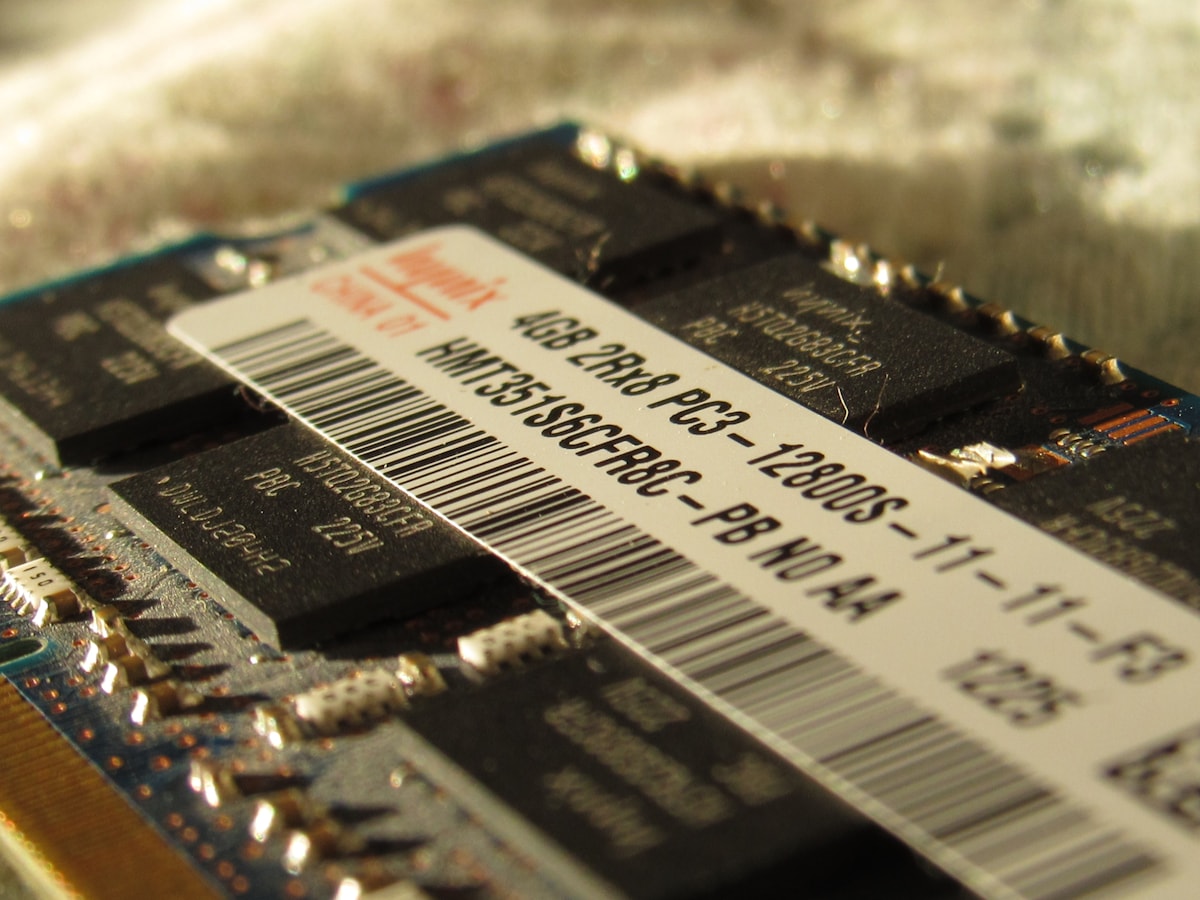
- Compatible RAM module – DDR3 or DDR4, commonly 4GB or 8GB. A new 8GB DDR4 stick costs Rs 3,500-5,500 depending on brand and speed. Check your laptop's manual or use CPU-Z to find the exact type.
- Plastic spudger or guitar pick – to pry open clips, Rs 50-100 at Hafeez Center.
- Clean, flat workspace – preferably wooden surface, away from dust or humidity (especially during Lahore's monsoon season).
Step-by-step guide
- Shut down your laptop completely and unplug all cables, including the charger. If your battery is removable, take it out. For non-removable batteries, hold the power button for 10 seconds to discharge residual voltage.
- Place the laptop upside down on a clean, soft cloth. Locate the RAM compartment cover – usually a small rectangular panel held by two to three screws. On some Lenovo or HP models, you may need to remove the entire bottom panel.
- Unscrew the compartment cover using your PH0 screwdriver. Keep the screws in a safe place – a small bowl works. Gently lift the cover; it may be clipped. Use the spudger to release any clips.
- Touch an unpainted metal surface (like the laptop's hinge) to discharge static. Then, if you have an anti-static strap, wear it now. This is critical in dry Lahore winters or air-conditioned rooms.
- Locate the existing RAM modules. They sit at a slight angle held by two metal clips on each side. To remove an old module, gently push the clips outward – the RAM will pop up. Pull it straight out at a 30-degree angle. Avoid touching the gold contacts.
- Take your new RAM module and align the notch in its gold connector with the slot's key. Insert it at a 30-45 degree angle, ensuring it sits fully in the slot. Then press down evenly until the clips snap into place on both sides. You should hear a click.
- Replace the compartment cover and screw it back. Don't overtighten, as the screws are small and can strip. If you removed the bottom panel, ensure all clips are seated before screwing.
- Reinstall the battery (if removable), connect the charger, and power on the laptop. Immediately enter the BIOS by pressing F2, F10, or Del (depending on brand) and verify the new RAM amount is detected. Then boot into Windows and confirm in Task Manager > Performance > Memory.
Safety and warnings
- Static discharge: RAM is sensitive to electrostatic discharge (ESD). In dry conditions common in Lahore and Islamabad winters, you can fry the module without anti-static precautions. Always ground yourself first.
- Incompatible RAM: Using the wrong generation (e.g., DDR3 in a DDR4 slot) can damage the motherboard. Check your laptop's spec – CPU-Z is free and reliable. Mixing different speeds or brands can cause instability or bluescreens.
- Physical damage: Excessive force when inserting or removing RAM can bend pins or crack the slot. Proceed gently. If you meet resistance, check alignment.
- Warranty void: Opening the laptop may void the warranty if it's still under manufacturer coverage. For laptops bought in Pakistan from authorised dealers, check if they allow user upgrades – some do, some seal the panel.
- Data loss: Upgrading RAM itself does not affect data, but if you mishandle the laptop (e.g., short-circuiting with a metal tool), you risk losing the motherboard. Always disconnect power and battery.
Typical repair or part costs in Pakistan
- RAM module (8GB DDR4): Rs 3,500-5,500 new – original Samsung or Kingston modules available at Hafeez Center, Gulberg III. Bench-tested used modules start at Rs 2,500 with a 30-day check warranty from our shop.
- RAM module (4GB DDR4): Rs 2,000-3,000 new.
- DDR3L (low voltage) 8GB: Rs 3,000-4,500 new.
- Professional installation at our workshop: Rs 500-1,000 if you bring the RAM – free diagnostic first. If you buy the RAM from us, installation is free with purchase.
- RAM testing and troubleshooting: Rs 1,000-2,000 for diagnosing memory-related bluescreens or no-boot issues.
We stock both new and bench-tested laptop parts at nnlaptops.com. For customers in Lahore, we offer same-day Lahore delivery. Nationwide delivery via TCS/Leopards is also available.
When to bring it to our workshop
If you've followed the steps but the laptop doesn't boot, or if the RAM is not detected, it might be a faulty slot, bent pins, or incompatible module. Also, if your laptop has soldered RAM (common in ultrabooks like Dell XPS or MacBook Air), DIY is not possible – we can still advise on options. Other signs: the screw holes are stripped, the bottom panel is glued shut, or you feel unsure about handling delicate connectors. In these cases, bring it to us at Shop 66A, 3rd Floor, Hafeez Center, Gulberg III, Lahore. WhatsApp 0314 4000131 or visit our laptop repair service page. Our chip-level repair workshop can handle even motherboard-level issues.
Frequently asked questions
How do I know what RAM type my laptop uses?
Download CPU-Z from the internet. Open it and go to the SPD tab – it will show the exact type (DDR3/DDR4), speed (e.g., 2400MHz), and whether it's soldered or socketed. Alternatively, check your laptop model on our shop – many listings include RAM specs.
Can I mix different RAM brands and speeds?
Technically yes, but it's risky. The system will run at the speed of the slowest stick. Mixing brands can cause random crashes. For stability, we recommend using identical modules – same brand, speed, and timings. If you need a second stick, bring your original to our shop and we'll match it.
Will upgrading RAM void my laptop warranty in Pakistan?
It depends. Many brands like Dell and Lenovo allow user upgrades without voiding warranty as long as you don't damage anything. But some HP and local assembled laptops have warranty seals. Check with the seller. If you're unsure, let us handle it – we open laptops without breaking seals and can advise.
What is the best RAM to buy in Lahore for a gaming laptop?
For gaming, get DDR4 3200MHz or higher (if supported). Brands like Kingston Fury, Corsair Vengeance, or Samsung are reliable. Prices range Rs 5,000-8,000 for an 8GB stick at Hafeez Center. We also carry bench-tested gaming RAM with a 30-day check warranty.
How much RAM do I need for Windows 11?
8GB is the minimum for basic tasks, but 16GB is recommended for multitasking, especially with multiple tabs open. For graphic design or video editing, 32GB is better. In Pakistan's climate, having enough RAM reduces strain and heat, which prolongs laptop life.
If you have more questions or need a hands-on upgrade, message Sayam on WhatsApp 0314 4000131 or browse nnlaptops.com for parts and bench-tested laptops. We're at Shop 66A, 3rd Floor, Hafeez Center, Gulberg III, Lahore – serving customers from Lahore, Karachi, Islamabad, Rawalpindi, and beyond.
Talk to us
Questions about anything in this post, or want a personalised recommendation? WhatsApp the shop directly.
WhatsApp 0314 4000131