How to Buy a Used Laptop from Hafeez Center Without Getting Scammed: 2026 Insider Guide
N.N Laptop Team — N.N Laptops Team
Insider step-by-step guide to buying used laptops at Hafeez Center Lahore. 5 red flags to walk away from, 10 checks to do before you pay, and what 'lush 10/10' actually means.
Prices & stock referenced were checked at our shop on — current prices at nnlaptops.com/shop.
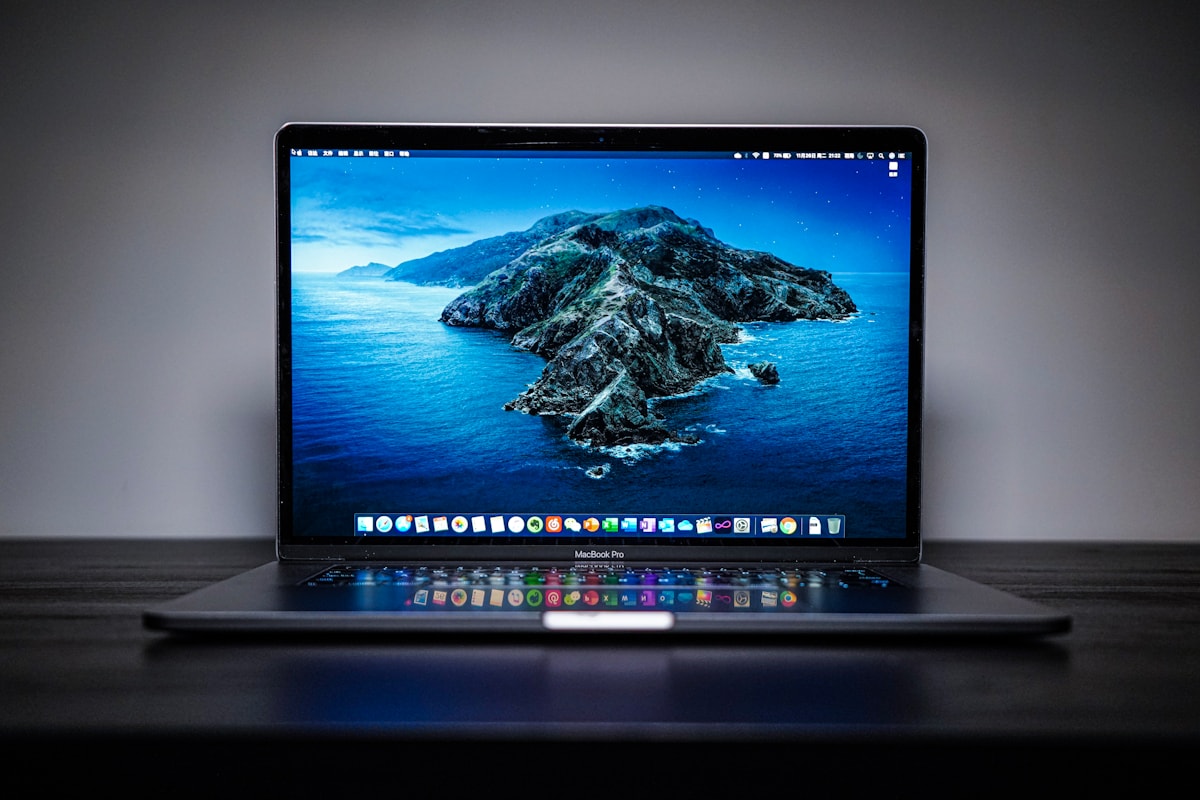
Buying a used laptop at Hafeez Center, Lahore is safe and reasonable if you follow a clear process. The five biggest red flags to walk away from are: 1) the seller refuses to put any warranty in writing, 2) the seller asks for full JazzCash or Easypaisa payment before you physically inspect the laptop, 3) the laptop is offered as "sealed unit, no inspection allowed", 4) the laptop's serial number on the chassis does not match the serial reported in BIOS or About This Mac, 5) the battery reports near-100% health in BIOS but the laptop dies after 60% of normal use. The ten checks every buyer should do before paying: serial verification on manufacturer's site, battery cycle count, hinge stability, full keyboard test, screen dead-pixel and uniformity check, all ports (USB, HDMI, audio jack, charging), speakers, microphone, webcam, and cooling fan under load. Honest sellers welcome all ten of these checks; dishonest sellers will resist.
We run a shop at 66A, Hafeez Center, Gulberg III, Lahore. We have been in this market for years. We know which corners get cut, which scams come back season after season, and what an honest deal looks like. This guide is the same advice we give to friends and family who ask "I am going to Hafeez Center this weekend, what should I check before buying." Everything below applies whether you buy from us, from a competitor, or from a stranger in the parking lot. Honest dealers will encourage all of these checks; sellers who push back are telling you something important about the unit and themselves.
Before You Walk Into the Building
The most useful preparation is knowing the realistic 2026 market price for the laptop you want. Get ranges from multiple sources, ideally from people who recently bought the same model. If a seller offers a unit at 30% below market, the unit has a problem — hidden defect, stolen-goods origin, or the seller fishing for buyers who do not know prices.
Bring with you: a USB-A flash drive for testing ports, headphones with 3.5mm jack for testing audio, your smartphone for serial number verification on manufacturer sites, and patience to spend 30-45 minutes inspecting before paying. If a seller tries to rush you, leave — Hafeez Center has hundreds of vendors selling thousands of similar machines.
Five Red Flags That Mean Walk Away
Red Flag 1: No Written Warranty
Every legitimate dealer at Hafeez Center offers some form of warranty in writing, even if it is short (7 days, 30 days check warranty). Written warranty means you get a receipt, the seller's shop number, the laptop's serial, and an explicit period during which the seller will repair or refund hardware defects. If a seller refuses to put a warranty in writing — verbal promises only, no receipt, "trust me brother" — assume the laptop has a known issue and the seller does not want to be held to it.
Our shop offers a 30-day check warranty in writing on every machine. This is the industry standard for honest dealers in 2026.
Red Flag 2: Full Payment via Mobile Money Before Physical Inspection
"Send me the JazzCash first, then come collect the laptop tomorrow" is the single most common scam pattern in Hafeez Center listings on Facebook Marketplace and OLX. The seller either disappears after payment, or hands over a fundamentally different (worse) laptop than the one in the listing photos, or hands over a non-functional unit and refuses refund.
Always inspect in person before any payment. Cash or in-shop bank transfer at the time of physical handover is the safe way to buy. If you must pay before inspection (rare and not recommended), pay a small token (Rs. 500-2,000) only, with the balance on inspection.
Red Flag 3: "Sealed Unit, No Inspection Allowed"
Some sellers claim a unit is "still sealed in original packaging, no inspection until purchase complete." This is almost always a lie. Even genuinely sealed units (rare in the used market) can be inspected via verification on the manufacturer's site using the serial number visible on the box, and through warranty status checks.
If the laptop is described as new-sealed, ask for the original purchase receipt from the seller's source. Verify the serial number against the manufacturer's warranty database. A genuine sealed unit's serial will show "in warranty" status with a recent activation date. A faked-seal unit's serial often shows previous activation or warranty already expired.
For used laptops, "no inspection" is a flat refusal you should walk away from. There is no scenario where a legitimate used laptop sale prohibits physical inspection.
Red Flag 4: Serial Number Mismatch
Every laptop has a physical serial number printed on the chassis (usually on the bottom case or in a battery compartment) and a software-reported serial number visible in BIOS (on Windows machines) or About This Mac (on Apple machines). On a genuine, untampered unit, these two serials must match exactly.
If the chassis serial and the software serial differ, one of two things has happened:
- The chassis has been swapped — common when a damaged-screen laptop has its working logic board moved into a cosmetically nicer chassis from another unit. The seller is selling you a Frankenstein machine without disclosing it.
- The logic board has been replaced — sometimes legitimate (warranty repair by manufacturer), sometimes suspicious (third-party replacement, possibly with parts of unknown origin).
For Windows laptops, check the BIOS serial by powering on, entering BIOS setup (typically F2 or F10 or Del at boot, varies by brand), and finding the serial in the System Information section. For Apple laptops, check About This Mac > More Info > System Report > Hardware Overview > Serial Number.
Cross-reference these against the physical sticker on the bottom of the chassis. If they do not match, the unit's history is not what the seller describes.
Red Flag 5: Battery Health Reading 100% but Failing Under Use
Cheap battery-status-reset tools exist that artificially restore the visible health percentage in BIOS or Windows Settings to near-100% on batteries that are actually worn out. The hardware is unchanged; only the displayed value is faked.
The way to detect this: do not trust the BIOS or Settings battery reading alone. Instead:
- Unplug the laptop with the battery fully charged.
- Run a normal workload (browser with 5-10 tabs, video playback, maybe a Word document) for 20-30 minutes.
- Observe the battery percentage drop.
A healthy battery should drop roughly 10-15% per 20 minutes of light use. A failing battery that has been spoofed to read 100% will drop much faster — often 30-40% per 20 minutes. The discrepancy between the reported percentage and the actual time-to-empty reveals the fake.
On Apple laptops, this is harder to spoof because Apple's battery health system reports cycle count and condition independently. On Windows machines (especially HP, Dell, Lenovo business laptops), this trick is more common. We have caught several units arriving at our shop with this exact pattern; we send them back to the supplier.
Ten Things to Check Before You Pay
Check 1: Serial Number Verification on Manufacturer's Site
For HP: Visit support.hp.com/us-en/checkwarranty. For Dell: support.dell.com/support-services. For Lenovo: pcsupport.lenovo.com. For Apple: checkcoverage.apple.com.
Enter the laptop's serial number. The site will return: the exact model number, original purchase date (sometimes), warranty status, and country of original purchase. Verify all of these match what the seller is telling you.
If the warranty is still active, that is a bonus (transfer to you in some cases) but not required. If the warranty expired years ago in a country other than Pakistan, that is normal for the used market — most laptops imported into Pakistan come from corporate fleet returns in the US, UAE, UK, and Saudi Arabia.
Check 2: Battery Cycle Count
For Apple laptops: About This Mac > More Info > System Report > Power. Find "Cycle Count" and "Condition". Healthy ranges:
- Under 200 cycles: like-new.
- 200-500 cycles: lightly used.
- 500-800 cycles: moderate use, still healthy.
- 800-1000 cycles: heavy use, battery replacement in 1-2 years.
- Over 1000 cycles: past rated life.
For Windows laptops: open Command Prompt as administrator, run "powercfg /batteryreport" and open the generated HTML file. Compare "Design Capacity" to "Full Charge Capacity". The ratio is your effective battery health. 80% or above is healthy.
Alternatively, manufacturer tools: Lenovo Vantage, HP Support Assistant, Dell Power Manager — all report battery health.
Check 3: Hinge Stability
Open and close the lid several times. Open to 45 degrees, then 90, then 130. The lid should hold its position at each angle without sagging closed or springing open. A loose hinge that lets the lid fall closed when you tilt the laptop is a sign of wear; the hinge mount will likely fail within 1-2 years.
Wobble test: with the lid open at 90 degrees, gently push the screen forward and back. Excessive wobble (more than 1-2 degrees of play) indicates worn hinge bushings or loose hinge screws. Some wobble is normal; substantial wobble is not.
For MacBook Air and MacBook Pro: the hinge is one of Apple's most over-engineered components. If a MacBook lid wobbles or sags, the unit has been heavily used or has had hinge servicing. Either is acceptable if disclosed; a seller hiding this is not.
Check 4: Full Keyboard Test
Open a text document (Notepad on Windows, TextEdit on Mac, or any browser text field). Type every single letter (a-z), every number (0-9), and the common symbols (- = [ ] \ ; ', . / `). Hold each key for one second to verify auto-repeat works.
Test special keys: Function row (F1-F12), brightness keys, volume keys, Print Screen / Screen Capture, Caps Lock indicator, Num Lock if present.
Test modifier keys: hold Shift while typing letters (uppercase output), hold Ctrl + various keys for shortcuts, hold Alt or Option + letters for special characters.
On laptops with backlit keyboards, cycle the backlight through its brightness levels using the keyboard shortcut.
If any key sticks, double-types, fails to register, or feels noticeably different from its neighbours, the keyboard has a problem. Specific MacBook generations (2016-2019 with butterfly keyboards) have known reliability issues; verify carefully on those.
Check 5: Screen Dead-Pixel and Uniformity Check
Set the screen to maximum brightness. Open a pure-white image or webpage (white-background Google search works). Look closely at the entire screen surface for:
- Dead pixels (always black dots).
- Stuck pixels (always coloured dots, usually red, green, or blue).
- Backlight bleed (lighter patches at corners or edges).
- Uneven brightness across the panel.
Repeat with a pure-black image. Look for:
- Backlight bleed-through (lighter patches in dark areas).
- IPS glow (bluish glow at extreme viewing angles).
- Stuck-on pixels (always lit when screen should be black).
Repeat with solid red, green, and blue images. Look for dead colour subpixels (a dot that does not produce that colour).
Online dead pixel tests (DeadPixelBuddy and similar) make this fast. Search "screen test" on the laptop's browser and pick any reputable test tool.
One or two stuck pixels is not uncommon on used laptops and not a deal-breaker; widespread defects or significant backlight bleed indicate a tired or damaged panel.
Check 6: Test All Ports
Bring the USB-A and USB-C flash drives you packed. Insert each into every port. Verify the drive mounts and you can read/write a small test file. For HDMI ports, connect to an external display (shops at Hafeez Center usually have one available; ask) and verify the laptop outputs video.
For Thunderbolt ports (on Apple laptops, some HP EliteBook, ThinkPad X1, Dell Latitude 7000), verify the port supports Thunderbolt by trying a Thunderbolt accessory if one is available.
Charging port: connect the included charger. Verify the laptop reports it is charging (battery icon shows charging indicator, plug indicator lights up). Some laptops have proprietary charging connectors that fail over years of insertion; verify the connection is firm and not loose.
Audio jack: insert headphones, play a sound, verify both left and right channels work.
Check 7: Speaker Test
Play a stereo music track at moderate volume. Listen for distortion (damaged cone), one channel quieter than the other (failed speaker or audio chip), or rattling/buzzing (loose housing). Test a deep bass track and a high-pitched track. MacBook Pro 13" and 14" speakers are excellent; if they sound poor or distorted, the laptop has had speaker damage, often from water spill.
Check 8: Microphone Test
Open Voice Recorder on Windows or QuickTime / Voice Memos on Mac. Record a 30-second sample of yourself speaking at normal volume and play it back. Verify clear recording with no excessive noise, both microphones working (test by speaking from different positions), and no clipping or distortion.
Check 9: Webcam Test
Open Camera app (Windows) or Photo Booth (Mac). Verify the webcam captures a clear image with sharp focus and reasonable exposure. Check for dust or smudges on the lens, and confirm the indicator LED works.
Check 10: Cooling Fan Under Load
Run a heavy workload (start a video render in any available editing tool, or open 30+ Chrome tabs and play HD video). As CPU load rises, the fans should spool up audibly. They should not make grinding noises (failing bearing), clicking (obstruction), or stay silent under heavy load (fan not functioning). For MacBook Air M1 (fanless): under load, the laptop should warm but not become uncomfortably hot — the chip throttles quietly without fan noise, which is normal.
What "Lush 10/10 Condition" Actually Means
Hafeez Center vendors often grade their stock with terms like "lush 10/10", "lush 9/10", "8/10", "7/10". Understand what these actually mean before you pay a premium for "10/10".
10/10 Lush Condition
Means: looks essentially new. No visible scratches, no scuffs on the lid, no keyboard wear, no bezel cracks, hinges tight, ports unworn. Battery health above 85%. All functions working. This grade should command a 10-15% premium over base-grade units.
9/10 Lush Condition
Means: very minor cosmetic blemishes (one or two small scratches, slight palm-rest darkening). Functionally perfect. Battery health 75-85%. Reasonable mid-tier grade.
8/10 Lush Condition
Means: visible wear (light scratches, small dents on edges, faded key letters on most-used keys). Fully functional. Battery health 65-80%. Should be the cheapest tier you consider for a primary-use laptop.
7/10 and Below
Means: significant wear (cracks in plastics, dents, missing rubber feet, worn keyboard letters, dimmer screen than spec). May still function but expect issues in 1-2 years. Only worth buying if priced at 30-40% below grade-8 prices.
The dishonest pattern to watch for: sellers describe units as "10/10 lush" or "9/10 lush" but the actual condition matches 7/10 or 8/10 grade. Inspect carefully. Real 10/10 lush units exist but are rarer than the market would suggest.
Payment Safety
Use IBFT bank transfer from your phone while at the shop, or cash with the seller counting it in front of you. Get a printed receipt with the seller's name, shop number, and the laptop's serial number. Never send any payment before physical inspection. Never send to a different account than the one on the shop's receipt. Never accept "shop is closed, send me JazzCash and I will deliver tomorrow" arrangements.
If You Discover a Problem Within the Warranty Period
Honest dealers offer at minimum a 7-30 day check warranty in writing. If you discover a hardware issue within that window, document it (photos or video), contact the seller with the warranty receipt, and most honest sellers arrange repair or exchange without dispute. If the seller refuses despite written warranty terms, public reviews on Facebook and Google and word-of-mouth in the Hafeez Center community are the most effective deterrents.
Why Hafeez Center Beats Online-Only Used Laptop Markets
Online listings (Facebook Marketplace, Telegram groups, classifieds) sometimes offer attractive pricing. The hidden cost is the inability to perform any of the ten checks above before money changes hands. At Hafeez Center, you inspect in person and pay only when satisfied. For laptops over Rs. 100,000 in particular, this is strongly worth the time investment.
The 5-Minute Pre-Purchase Sanity Check
If you have only 5-10 minutes to inspect a laptop, focus on the highest-impact checks:
- Serial verification on manufacturer's site (1 minute via phone).
- Battery cycle count or design capacity vs full charge ratio (1 minute).
- Open and close lid 3 times, check hinge stability (30 seconds).
- Type sample text in a text editor, test every key briefly (1 minute).
- Run a quick port test with your USB drive (1 minute).
- Pure-white screen test for dead pixels (30 seconds).
If all six pass, the laptop is likely a reasonable buy and you can do the remaining checks at home within the warranty window. If any of the six fail, walk away — there are hundreds of similar units in the building.
Frequently Asked Questions
Is the Hafeez Center used laptop market trustworthy overall?
Mostly yes. The majority of dealers run real businesses with reasonable warranties; the bad actors are concentrated among floor walkers and seasonal traders. The inspection process described above is your filter — honest sellers welcome it, dishonest sellers resist it.
How do I know if a price is reasonable?
Cross-reference with at least three sources before buying: ask in Facebook groups dedicated to laptop buying/selling, check recent sold listings, and ask 1-2 different shops for quotes on the same model. If three independent sources give you a price within Rs. 10,000-15,000 of each other, that is the market rate.
Should I bring a friend who is laptop-savvy?
Yes, if possible. A second pair of eyes catches things you miss. A friend who has bought used laptops before can spot warning signs faster than a first-time buyer.
What if I discover the laptop was stolen after purchase?
Rare for properly-vetted purchases but possible. If you suspect a stolen unit (especially relevant for MacBooks), file an FIR at your local police station with the serial number, seller details, and your purchase receipt. For Apple-specific stolen-laptop verification, see our MacBook verification guide.
Do you offer the same inspection process at your shop?
Yes. We welcome all the checks described in this guide at Shop 66A, Hafeez Center. We provide a 30-day check warranty in writing on every laptop we sell. WhatsApp 0314 4000131 to schedule an inspection or browse current stock at used laptops Lahore.
What if the laptop fails outside the warranty period?
Standard repair channels apply. Hafeez Center has dozens of independent repair technicians for keyboard, battery, screen, and motherboard repairs. We offer these services at our shop; many other vendors do similar work. See our general FAQ for service details.
Final Thoughts
Buying a used laptop at Hafeez Center in 2026 is largely honest if you do your homework, inspect carefully, deal with established sellers who offer written warranties, and walk away from anything that does not pass the standard checks. The dishonest minority survives because buyers in a rush skip the verification steps. Take 30 minutes, run the ten checks, and you will avoid almost every scam in the building.
For inspection-friendly purchase from our shop, WhatsApp 0314 4000131. We handle inspections in person at Shop 66A, Hafeez Center, Gulberg III, Lahore, and we offer a 30-day written warranty on every sale. See current stock at used laptops Lahore, our process in our FAQ and about page, the MacBook-specific guide at spot-check guide, and our trade-in guide.
Talk to us
Questions about anything in this post, or want a personalised recommendation? WhatsApp the shop directly.
WhatsApp 0314 4000131