Skip to content
N.N Laptop logo
Head-to-head · Gaming

HP Victus 15 vs Acer Nitro 5

Two budget gaming laptops every Pakistani student Googles before buying — RTX 3050 vs RTX 3050, but the cooling and chassis tell very different stories.

Option A
HP Victus 15 i5-13420H 16GB 512GB — used HP laptop, price in Pakistan at NN Laptops Hafeez Center Lahore

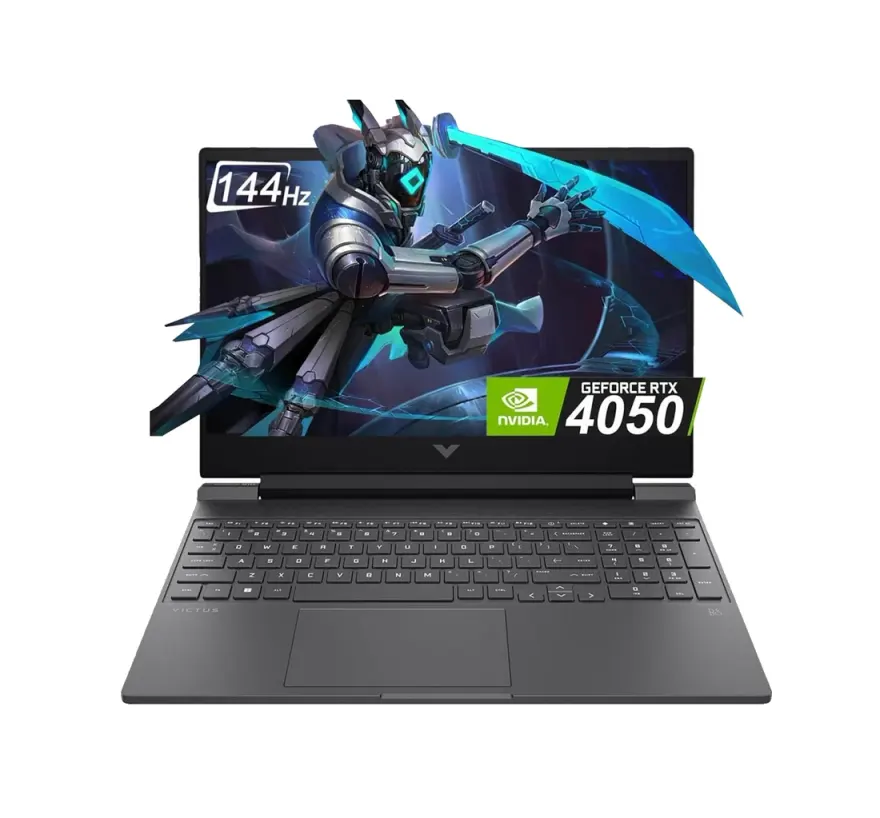
HP Victus 15 i5-13420H 16GB 512GB

Rs. 140,500
Used · 15-day check warranty · Free Lahore delivery
  • Intel Core i5-13420H (Raptor Lake-H, 10 nm Intel 7)
  • 16GB DDR4-3200 RAM · 512GB NVMe SSD
  • 15.6-inch · 1920×1080 FHD IPS 144 Hz
  • 5 to 7 hours productivity / 1.5 to 2 hours gaming
  • 2.29 kg
See details In stock
Best for

Which laptop wins by use case?

Programming
Tie
Gaming
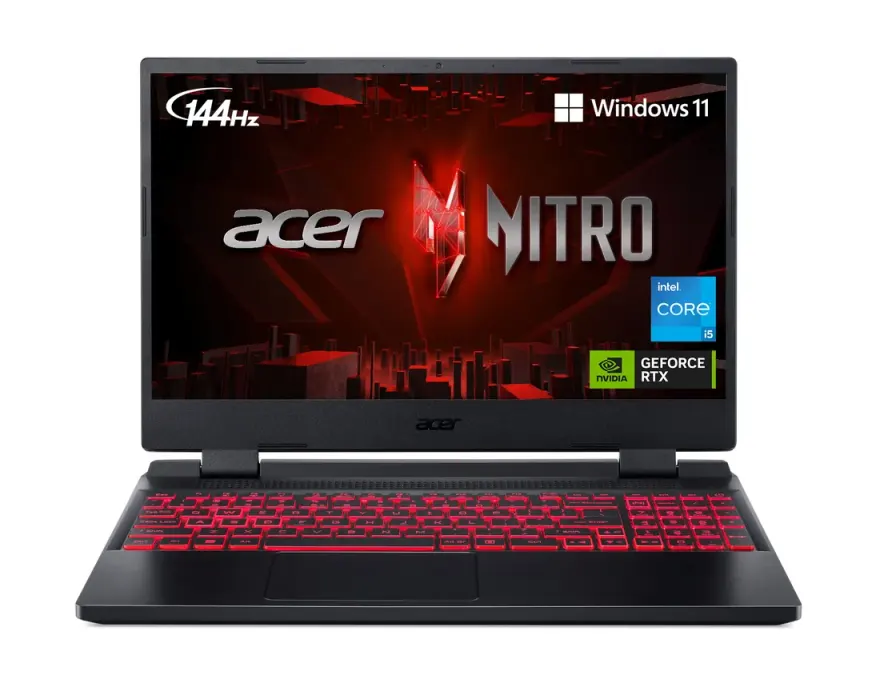
Acer Nitro 5 AN515-58 i5-12500H 16GB 512GB RTX 3050 Used Lahore
Battery life
Tie
Value
Acer Nitro 5 AN515-58 i5-12500H 16GB 512GB RTX 3050 Used Lahore
Portability
HP Victus 15 i5-13420H 16GB 512GB
Pakistan context

How this rivalry plays out in Pakistan.

The HP Victus 15 vs Acer Nitro 5 question is the most-Googled budget-gaming-laptop comparison from Pakistan in 2026. Both target the Rs. 130,000-150,000 segment that captures the largest gaming-buyer demographic — teenagers using Eidi savings, college students using parents' money, and young professionals upgrading from older gaming laptops. Both arrive in Pakistan via two channels: official authorised dealer imports (newer 2023-2024 models with full warranty, Rs. 25,000-35,000 premium) and grey-market parallel imports (older 2022-2023 models, no warranty, lower prices). The Acer Nitro 5 has stronger brand recognition in Pakistan's gaming community because Acer's pricing aggression in the 2020-2023 cycle made the Nitro line the default 'budget gaming' answer at most Hafeez Center gaming shops. HP Victus 15 is the newer entrant (launched 2022) trying to capture the same segment with a more 'normal-looking' chassis design that appeals to students whose families are uncomfortable with overtly gaming aesthetics. Pricing at N.N Laptops: Nitro 5 at Rs. 135,000, Victus 15 at Rs. 130,000. Both ship with Windows 11 Pro, 15-day testing warranty, and free cooling pad recommendation (Rs. 2,500 at Hafeez Center accessory shops) which we strongly suggest for any gaming laptop in Pakistani summer heat. K-Electric / Lesco voltage fluctuations also matter — both laptops draw 180-200W under gaming load, so we recommend a Rs. 4,000-6,000 surge protector for the AC adapter.

By use case

Which wins for which workflow?

Use caseWinnerReasoning
Competitive esports (Valorant, CS2, Apex, PUBG)Acer Nitro 5 AN515-58 i5-12500H 16GB 512GB RTX 3050 Used LahoreAcer Nitro 5's 95 W RTX 3050 + 12500H 12-core delivers 15-20% higher sustained FPS in CPU and GPU-bound esports titles. At 144 Hz panel, the higher framerate ceiling directly improves competitive performance.
AAA single-player gaming (Cyberpunk, RDR2, GTA V)Acer Nitro 5 AN515-58 i5-12500H 16GB 512GB RTX 3050 Used LahoreNitro 5 wins by 10-15% in sustained AAA gaming due to higher GPU TGP and better thermal headroom. Cyberpunk medium 1080p: Nitro 5 at 55-65 fps vs Victus 15 at 45-55 fps.
University student (gaming + studying)HP Victus 15 i5-13420H 16GB 512GBVictus 15's understated chassis design doesn't draw attention in classrooms or libraries. Lighter weight (2.29 kg) matters for daily backpack carry. Larger battery (70 Wh) handles longer unplugged productivity work.
Streaming (Twitch / YouTube Live while gaming)Acer Nitro 5 AN515-58 i5-12500H 16GB 512GB RTX 3050 Used LahoreNitro 5's 12500H 12-core CPU + NVENC encoding on RTX 3050 handles 1080p 60fps streaming with minimal performance impact. Better thermals sustain streaming sessions without frame drops.
Video editing (Premiere Pro, DaVinci Resolve)TiedBoth have RTX 3050 4GB and similar CPUs. 1080p editing works on both; 4K editing pushes both to their limits. The Nitro 5's slightly faster CPU helps editing exports by 5-10%.
Daily-driver laptop for non-gamersHP Victus 15 i5-13420H 16GB 512GBVictus 15 wins clearly. The slimmer, lighter, more professional-looking chassis works better as a primary daily laptop. Battery life is longer for productivity. The 'gaming laptop' aesthetic of the Nitro 5 feels out of place in office or business contexts.
Long-term ownership (3-5 years)TiedBoth have similar build quality and upgrade paths (32GB RAM, dual M.2 NVMe). Nitro 5's better cooling extends GPU lifespan; Victus 15's cleaner design ages better aesthetically. Both will run modern Windows through 2029+.
Is the price fair?

Pakistani street-price reality check.

Left option

HP Victus 15 i5-13420H 16GB 512GBRs. 140,500

The HP Victus 15 i5-13420H / 16GB / 512GB / RTX 3050 / 144Hz at Rs. 130,000 in Lahore is fair pricing for a 2023-model budget gaming laptop. The price reflects HP's typical brand premium plus the slightly newer 13th-gen Intel marketing positioning. Above Rs. 145,000 stock-standard is a markup. Below Rs. 120,000 indicates downgraded specs (likely lower RAM, smaller SSD, or i3 CPU). The Victus 15 with RTX 3060 variant at Rs. 165,000-180,000 is a meaningful step up for buyers who want more GPU power; the RTX 4050 / 4060 variants at Rs. 195,000+ approach mid-range gaming laptop territory and may be better value if budget allows.

Right option

Acer Nitro 5 AN515-58 i5-12500H 16GB 512GB RTX 3050 Used LahoreRs. 135,000

The Acer Nitro 5 AN515-58 i5-12500H / 16GB / 512GB / RTX 3050 / 144Hz at Rs. 135,000 in Lahore is excellent value for a budget gaming laptop. The Rs. 5,000 premium over the Victus 15 is more than justified by the 12500H's 12 cores (vs Victus 15's 8), the 95W GPU TGP (vs 75W), and the dual-fan triple-exhaust cooling. The Nitro 5 with RTX 3060 variant at Rs. 165,000-180,000 is the value sweet spot if budget allows. Above Rs. 150,000 for the RTX 3050 variant is a markup. Below Rs. 125,000 may indicate downgraded specs or significant battery wear. The Nitro 5 AN515-46 with Ryzen 7 6800H at Rs. 155,000-175,000 is a worthwhile upgrade for users who prefer AMD over Intel.

Real buyer profiles

Who we'd recommend each one to.

Lahore college student gaming + study

Hamza is a 1st-year college student in Lahore. He's saved Rs. 130,000 over 18 months from Eidi and tutoring. His use is 60% study (browser, Office, PDF reading, Zoom) and 40% gaming (Valorant, PUBG Mobile via emulator, occasional Apex). He's torn between Victus 15 at Rs. 130,000 and Nitro 5 at Rs. 135,000. We recommend the Victus 15 — his use is study-dominant, the lighter chassis matters for daily campus carry, and the slimmer design doesn't draw teacher attention in class. He won't notice the 10-15% gaming FPS difference at his casual gaming level.

Karachi competitive Valorant player

Bilal is an 18-year-old aspiring competitive Valorant player in Karachi. His parents have agreed to spend Rs. 140,000 on a gaming laptop. His use is 80% Valorant ranked play (he's diamond rank pushing for immortal), 20% other gaming/streaming. The Nitro 5 wins clearly for him — the 95W RTX 3050 + 12500H delivers 15-20% more sustained FPS in Valorant, the 144Hz panel + higher framerate gives competitive edge, and the dual-fan cooling handles 4-hour ranked sessions in Karachi's heat. The Rs. 5,000 premium over Victus 15 pays back in ranked-points gained.

Islamabad engineering student

Saad is a 3rd-year mechanical engineering student. He uses SolidWorks for projects, MATLAB for control systems coursework, and games AAA titles on weekends (Cyberpunk, Forza Horizon). Budget Rs. 145,000. We recommend the Nitro 5 — better cooling sustains SolidWorks renders without throttling, the 12500H 12-core CPU helps MATLAB simulations, and AAA gaming performance is meaningfully better. The aggressive gaming aesthetic is less relevant for engineering school where students openly use gaming hardware for CAD work.

Faisalabad young IT professional

Tariq is a 24-year-old web developer in Faisalabad making Rs. 80,000/month. He works at his desk all day on Node.js and React projects, and games AAA titles in the evening. Budget Rs. 140,000 for a personal laptop (his work uses company hardware). The Victus 15 wins — his work involves typing all day so the slightly better keyboard layout matters, his evening gaming is casual single-player AAA (Cyberpunk, RDR2) where the FPS difference between Victus 15 and Nitro 5 is less noticeable, and the more professional chassis suits his home office setup that doubles as a Zoom-call workspace.

Before you buy

What to check on either of these used.

  • Both — most important: remove the bottom panel and inspect cooling fans for dust buildup. Gaming laptops accumulate dust quickly and reduced cooling causes thermal throttling that destroys gaming performance. A Rs. 3,000-5,000 cleaning service (thermal paste reapplication + fan cleaning) is worthwhile at year 2+.
  • Both — run 30-minute Cinebench R23 multicore stress test and watch CPU temperatures. i5-12500H / i5-13420H should peak under 95°C. Above 95°C indicates thermal paste degradation needing service.
  • Both — run FurMark or 3DMark Time Spy stress test for 15 minutes. RTX 3050 should peak under 80°C; above 80°C means GPU thermal issues.
  • Both — inspect AC adapter for melting, scorching, or cable damage. Gaming laptop adapters (180-230W) get hot and damage is common. Replacement runs Rs. 7,000-10,000.
  • Both — check battery wear with HWiNFO64. Gaming laptops typically have higher wear than business laptops due to frequent heavy-discharge cycles. Above 30% wear means Rs. 10,000-14,000 battery replacement.
  • Both — verify both RAM slots are populated correctly. Some sellers ship with 16GB in single slot to save cost — halves memory bandwidth and reduces gaming FPS 5-10%. Dual-channel 8GB+8GB is correct.
  • Victus 15 specifically — verify the 144 Hz refresh rate is enabled in Display Settings → Advanced. Some Victus 15 units ship at 60 Hz by default; confirm the higher refresh works correctly.
  • Nitro 5 specifically — check the RGB lighting works correctly via PredatorSense / NitroSense software. Some used units have failed RGB controllers requiring keyboard replacement (Rs. 10,000-14,000).
  • Both — test the keyboard for sticking or dead keys. Gaming keyboards endure heavier WASD-focused use; key failures in those zones are common.
  • Both — check hinges for stiffness or play. Gaming laptops with heavy GPU/cooling stress hinges over time.
  • Both — verify Windows 11 Pro activates after fresh install with digital licence linked to motherboard.
Our take

NN Laptops Hafeez Center — the honest verdict.

Our honest take: for pure gaming, the Acer Nitro 5 wins — better GPU TGP, better CPU (12 cores vs 8), better cooling, and only Rs. 5,000 more than the Victus 15. For students and daily-driver use where gaming is secondary, the HP Victus 15 wins — lighter, slimmer, more professional chassis, slightly longer battery, and meaningfully better as a 'normal' laptop you carry every day. We sell roughly 55% Nitro 5s and 45% Victus 15s in this comparison bracket — the Nitro 5's gaming reputation leads pure gamers to it, while the Victus 15's understated design wins students whose use is primarily study. Both are budget gaming laptops with realistic 3-5 year useful life. Both need a Rs. 2,500 cooling pad in Pakistani summer (Lahore/Karachi heat reduces sustained gaming performance without one). Both should be paired with a Rs. 4,000-6,000 surge protector to handle K-Electric / Lesco voltage fluctuations that can damage AC adapters drawing 180-200W under gaming load. Both carry our 15-day testing warranty with full refund or replacement on genuine fault. We run thermal stress tests on every gaming laptop before sale and provide written temperature documentation. For consultation on which fits your specific gaming/study mix, WhatsApp 0314 4000131 — we'll ask about your most-played games, typical session length, and study workload, then recommend the rational choice. Also consider: at Rs. 130,000-140,000 budget, a desktop with the same CPU/GPU performs 20-30% better and lasts longer; if portability isn't critical, the desktop is the smarter buy. COD available in Lahore; secure courier nationwide.

Full spec comparison

Specs side-by-side

SpecLeftHP Victus 15 i5-13420H 16GB 512GBRightAcer Nitro 5 AN515-58 i5-12500H 16GB 512GB RTX 3050 Used Lahore
CPU
Intel Core i5-13420H (Raptor Lake-H, 10 nm Intel 7)Intel Core i5-12500H (Alder Lake-H, 10 nm Intel 7)
Cores / Threads
8 cores (4P + 4E) / 12 threads, up to 4.6 GHz12 cores (4P + 8E) / 16 threads, up to 4.5 GHz
RAM (default)
16GB DDR4-320016GB DDR4-3200
RAM (max)
32GB (2× SO-DIMM)32GB (2× SO-DIMM)
Storage
512GB NVMe SSD512GB NVMe Gen4 SSD
GPU
NVIDIA RTX 3050 4GB GDDR6, up to 75 W TGPNVIDIA RTX 3050 4GB GDDR6, up to 95 W TGP
Display size
15.6-inch15.6-inch
Display resolution
1920×1080 FHD IPS 144 Hz1920×1080 FHD IPS 144 Hz
Refresh rate
144 Hz144 Hz
Battery (Wh)
70 Wh57 Wh
Battery (claimed)
5 to 7 hours productivity / 1.5 to 2 hours gaming4 to 6 hours productivity / 1.5 hours gaming
Weight
2.29 kg2.50 kg
Ports
3× USB-A 3.2, 1× USB-C 3.2, HDMI 2.1, RJ45, 3.5 mm2× USB-A 3.2, 1× USB-C 3.2, HDMI 2.1, RJ45, 3.5 mm
Keyboard
Numpad backlit (single-zone), 1.5 mm travelRGB 4-zone backlit, 1.6 mm travel, dedicated NitroSense key
Build
Plastic with stylised lid, slim mainstream profilePlastic with aggressive gaming aesthetics, dual-fan triple-exhaust cooling
Price (N.N Laptops Lahore)
Rs. 140,500Rs. 135,000
Best for
Students who carry the laptop to university, casual gamers, value-conscious buyersPure gamers, esports players, anyone who values cooling and sustained performance
Reliability score
8.2 / 108.3 / 10
Our verdict

Which one should you buy?

Both are budget gaming laptops with the same RTX 3050 4GB GPU and similar 12th/13th-gen Intel silicon, but they're tuned for different priorities. The Acer Nitro 5 AN515-58 is the gaming-first pick — higher GPU TGP at 95 W (vs Victus 15's 75 W), dual-fan triple-exhaust cooling that handles sustained gaming sessions in Pakistani summer heat, and the i5-12500H's 12 cores / 16 threads beats the i5-13420H's 8 cores / 12 threads in multi-threaded workloads despite being one generation older. In real gaming tests, the Nitro 5 runs Cyberpunk 2077 at medium settings 1080p at 55-65 fps vs the Victus 15's 45-55 fps — a 15-20% advantage that matters for the gaming buyer. The HP Victus 15 wins on chassis design (slimmer, less aggressively styled, doesn't scream 'gaming laptop' in a classroom), weight (2.29 kg vs 2.50 kg — meaningful for daily campus carry), and battery (70 Wh vs 57 Wh for slightly longer productivity unplugged). Pricing at N.N Laptops puts the Nitro 5 at Rs. 135,000 vs the Victus 15 at Rs. 130,000 — a narrow Rs. 5,000 difference. For pure gamers who care about FPS in Valorant, Apex, Cyberpunk, and PUBG, the Nitro 5 is the clear pick. For students who game on weekends but mostly use the laptop for university, the Victus 15 is the more practical all-rounder. Both have user-upgradeable RAM (32GB max) and dual M.2 NVMe SSD slots for storage expansion.

FAQ

HP Victus 15 vs Acer Nitro 5 — frequently asked

HP Victus 15 or Acer Nitro 5 for gaming in Pakistan?

+

Acer Nitro 5 wins for pure gaming. Higher GPU TGP (95 W vs Victus 15's 75 W) delivers 15-20% more FPS in GPU-bound titles. The i5-12500H's 12 cores / 16 threads outperforms the Victus 15's i5-13420H 8 cores / 12 threads in multi-threaded gaming workloads. Dual-fan triple-exhaust cooling handles sustained gaming sessions in Pakistani summer better. For Cyberpunk 2077 at 1080p medium: Nitro 5 hits 55-65 fps vs Victus 15's 45-55 fps.

Which is better as a daily-use laptop for students?

+

HP Victus 15 wins. The slimmer, less aggressively styled chassis doesn't look like a 'gaming laptop' in classroom or library settings — a real advantage for some Pakistani students whose teachers or parents discourage visible gaming hardware. Lighter weight (2.29 kg vs 2.50 kg) matters for daily backpack carry. Larger 70 Wh battery delivers 5-7 hours productivity vs Nitro 5's 4-6 hours.

Both have RTX 3050 4GB — is the GPU performance identical?

+

No — TGP matters a lot. The Nitro 5's RTX 3050 runs at 95 W TGP; the Victus 15's runs at 75 W. The same chip with 27% more power budget delivers 12-18% more sustained FPS in GPU-bound titles. The Nitro 5's better cooling (dual fan + triple exhaust) sustains the higher TGP without thermal throttling. For competitive esports at 144 Hz, the Nitro 5's higher sustained FPS is meaningful.

Which generation of Intel is better — i5-13420H or i5-12500H?

+

Counter-intuitively, the i5-12500H (12th gen) outperforms the i5-13420H (13th gen) in this comparison. The 12500H has 12 cores (4P + 8E) / 16 threads, while the 13420H has only 8 cores (4P + 4E) / 12 threads. The 13420H is essentially a 12th-gen die marketed as 13th-gen — same core architecture, slightly higher boost clocks. In real multi-threaded workloads (gaming, video encoding, compiling), the 12500H wins by 10-15%.

Price difference at N.N Laptops Lahore?

+

Acer Nitro 5 AN515-58 at Rs. 135,000 vs HP Victus 15 i5-13420H at Rs. 130,000 — a narrow Rs. 5,000 difference. The Nitro 5 is genuinely the better-value buy for gamers despite being Rs. 5,000 more, because the 95W GPU TGP and 12500H 12-core CPU deliver materially better gaming performance. For non-gaming use, the Victus 15 closes the value gap. WhatsApp 0314 4000131 for current stock.

Can these run AAA games at high settings?

+

At medium settings 1080p, both run modern AAA titles at 50-60+ fps. At high settings 1080p, both drop to 40-50 fps in demanding games (Cyberpunk 2077, Hogwarts Legacy, Alan Wake 2). For maxed-out 1080p, consider stepping up to RTX 3060 (HP Victus 15 RTX 3060 variant, Acer Nitro 5 RTX 3060 variant, or stepping up to Lenovo Legion 5 / Asus ROG Strix G15) at Rs. 165,000-200,000.

Will the RTX 3050 4GB be obsolete in 2 years?

+

Not obsolete but increasingly limited. 4GB VRAM is already tight for modern AAA titles at high settings (some games already hit VRAM ceiling at 1080p ultra). For competitive esports at 1080p (Valorant, CS2, Apex, Fortnite, PUBG), the RTX 3050 will remain capable through 2028. For maxed-out AAA at 1080p in 2027-2028, you'll need to drop to medium settings. For esports-only buyers, the RTX 3050 is sufficient long-term.

Can I upgrade RAM and SSD on both?

+

Yes on both. Both have two SO-DIMM slots (one populated with 16GB) supporting up to 32GB total — adding a second 16GB stick is Rs. 10,000-12,000 upgrade. Both have two M.2 NVMe SSD slots (one populated) supporting expansion to 1TB or 2TB second drive (Rs. 12,000-25,000 depending on capacity). We do upgrades free with part purchase at our shop.

Do these get uncomfortably hot during gaming?

+

The keyboard and palmrest stay reasonable (under 38°C) during gaming. The rear-bottom and rear-side near GPU exhausts get hot (45-50°C) — avoid placing on bare legs during gaming. A Rs. 2,500-4,000 cooling pad reduces surface temperatures 5-10°C and is strongly recommended for Pakistani summer gaming sessions. The Nitro 5 runs slightly cooler than the Victus 15 due to its more aggressive cooling.

Battery life — realistic numbers?

+

Victus 15 (70 Wh): 5-7 hours productivity (browser, Office, YouTube), 1.5-2 hours gaming with significant FPS throttling. Nitro 5 (57 Wh): 4-6 hours productivity, 1.5 hours gaming throttled. Both are plug-in-when-gaming laptops. For all-day battery, a business laptop like the EliteBook 840 or ThinkPad T14 is a better choice — but you won't game on those.

Are these good for content creation (YouTube, video editing)?

+

For 1080p video editing in Premiere Pro / DaVinci Resolve, both work. Nitro 5's 12500H 12-core CPU helps editing exports by 5-10% over Victus 15's 8-core 13420H. RTX 3050 accelerates video encoding via NVENC. For 4K editing or serious content creation, step up to RTX 3060 / 4060 variants (Rs. 195,000+) which have more VRAM (6GB / 8GB) and better sustained performance.

OBS streaming while gaming — which is better?

+

Nitro 5 wins. The 12500H 12-core CPU + NVENC on RTX 3050 handles 1080p 60fps streaming with minimal performance impact (3-5 fps loss). Better thermals on Nitro 5 reduce frame drops during sustained streaming. The Victus 15 streams adequately but the 8-core CPU is more strained.

Are these good enough for VR (Oculus Quest 2 via Air Link)?

+

Borderline. Both meet Oculus Link / Air Link minimum specs. RTX 3050 4GB is at the low end for VR (most VR titles recommend RTX 3060+). For casual VR (Beat Saber, Superhot VR, Job Simulator), both work. For demanding VR (Half-Life Alyx, Microsoft Flight Simulator VR), step up to RTX 3060+ laptops for smoother performance.

Browse more

Other comparisons

See all 24
Stock alerts + Pakistani deals

Get an email when fresh stock arrives.

One email per month, max. We tell you what new used laptops just landed at Hafeez Center, with prices. Skip the WhatsApp-spam — read on your own time. Unsubscribe in one click.

Open WhatsApp chat