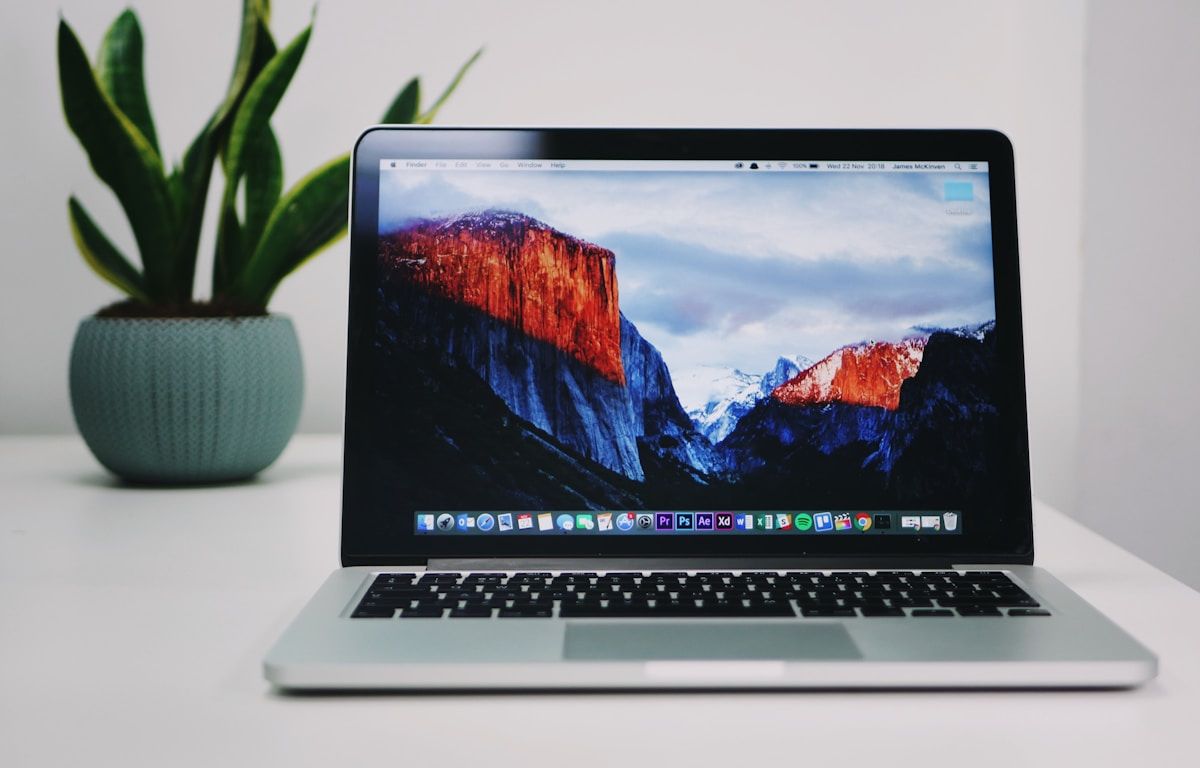
How to Pick a Laptop for Medical College / MBBS in Pakistan 2026
N.N Laptop Team — N.N Laptops Team
Real, honest guide for MBBS / BDS / Pharm-D students at AKU, KEMU, AMC, FMH, SIMS, Dow, and Rawalpindi Medical — battery, weight, Anki, and why used MacBook Air M1 is the medical-student sweet spot.
Prices & stock referenced were checked at our shop on — current prices at nnlaptops.com/shop.
For Pakistani medical and dental students in 2026, the right laptop is the one that survives 15-hour hospital rotation days on a single charge, fits in a white-coat pocket-bag without weighing your shoulder down, and runs Anki, PowerPoint lecture decks, and Zoom recorded sessions without complaint. For 90% of MBBS, BDS, and Pharm-D students at AKU, KEMU, AMC, FMH, SIMS, CMC, Dow Medical, and Rawalpindi Medical, the practical pick is a used MacBook Air M1 (Rs. 135,000-150,000) for the battery and silence, OR a used HP EliteBook 840 G6/G7 or ThinkPad T14 (Rs. 85,000-110,000) if you need Windows and want to save money. Save the heavy GPU machines and gaming laptops for someone in a different faculty.
Medical school is unlike almost any other Pakistani degree when it comes to laptop usage. You are rarely sitting at a desk. You are moving between hostel, lecture hall, OSCE/OSPE practice room, library, wards, and home. Your laptop spends more hours in a bag than open on a table. Anki and OneNote eat almost no compute. The only places where you really lean on your machine are 1) annotating drug pharmacology PDFs, 2) watching downloaded clinical-skill videos at 1.5x while travelling, and 3) the occasional research project in final year. Everything below is calibrated to that reality, not to abstract benchmarks.
What Medical Students Actually Run (Day-to-Day)
Look at any MBBS or BDS student's laptop in years 1-4 and you will find the same handful of apps open most of the time:
- Anki: The flashcard tool every medical student in Pakistan eventually adopts. AnKing deck, Pakistani-curriculum custom decks, drug-pharmacology decks. Anki uses almost no CPU and runs on anything from a 4th-gen Core i3 onwards.
- OneNote or GoodNotes (via iPad): Lecture notes, annotated diagrams of brachial plexus, cardiac cycle drawings. OneNote on Windows or Mac is fine on any modern laptop.
- PDF readers: Adobe Acrobat Reader, Apple Books, Foxit, or Preview on Mac. You will annotate 500-1000 PDF lectures over the degree. The pain point is not CPU; it is screen quality for hours of reading.
- Zoom / Microsoft Teams / Google Meet: Recorded lecture playback, optional online tutorials, telemedicine practice in some institutions. CPU load is low. Webcam and microphone quality matter.
- YouTube and downloaded clinical videos: Osmosis, Lecturio, Dr Najeeb, ArmandoHasudungan, AMBOSS clinical-skills clips. Hours of video playback on battery.
- MS Office: PowerPoint for presentations in viva, Word for case reports and research-elective write-ups, Excel for occasional data work in community medicine.
- Browser: UpToDate, AMBOSS, PubMed, Pakistani journals on PMRC, OASIS for library access at institutions that provide it.
- Final-year additions: SPSS or Jamovi for thesis statistics, EndNote or Zotero for citations.
Notice what is missing: no Adobe Creative Cloud, no AutoCAD, no MATLAB heavy lifting, no Android Studio, no Premiere Pro renders, no game-engine development. The medical-student workload is light on compute and heavy on battery, weight, screen comfort, and reliability.
Why the Used MacBook Air M1 is the Medical-Student Sweet Spot
If your parents are willing to spend Rs. 135,000-150,000 on a used machine that will last you the full degree and beyond, the MacBook Air M1 (2020) is genuinely the best practical pick for a Pakistani medical student in 2026. We sell more of these to medical students than any other model. Here is why.
The Battery Survives a Full Rotation Day
A used MacBook Air M1 with under 500 battery cycles delivers 12-15 hours of real-world mixed use: Anki, PDF reading, Zoom lecture playback, browsing. We have measured it on dozens of units at our shop. A medical student who leaves home at 7 AM for ward rounds, attends two lectures, sits in the library for case-write-ups, takes evening tutorial, and gets back to hostel at 9 PM, has not needed a charger once. No Windows ultrabook at this price range comes close.
This matters especially during rotations at hospitals like Jinnah Hospital Lahore, Mayo Hospital, Civil Hospital Karachi, Holy Family Rawalpindi, where finding a working plug point in the call room or library is a small daily struggle.
Silent, Fanless Operation
The M1 Air has no fan. In a quiet library at FJMC or KE Mayo, when 40 students are reading silently, your laptop's whirring fan is genuinely embarrassing. The MacBook Air M1 is completely silent. Many Windows ultrabooks (especially the cheaper EliteBook variants) have fans that spin up under modest load and disturb the room.
Apple Books and GoodNotes Workflow
This is the underrated advantage. If you also own a basic iPad (even an entry-level iPad 9 used at Rs. 38,000-48,000), the Apple Books + GoodNotes workflow for PDF annotation is the best in the industry. PDFs you annotate on iPad sync to MacBook automatically. The Books app handles textbooks (Robbins, Guyton, Harper, Snell, BD Chaurasia) with proper bookmark and highlight sync.
Compare this to Acrobat Reader on a Windows ThinkPad with the same workflow: file-by-file manual sync, no continuous reading position, slower highlighting. The Apple ecosystem advantage is small for some users and decisive for medical students.
Resale Value at the End of MBBS
A MacBook Air M1 you buy in second year of MBBS will hold roughly Rs. 95,000-115,000 of value at graduation five years later. A Windows ultrabook bought at the same price will be worth Rs. 35,000-50,000 by then. For families thinking about the cost-per-year of medical school, the Air M1's depreciation curve is dramatically better.
When a Windows Laptop is the Right Call
The MacBook is not the right answer for every Pakistani medical student. Reasons to pick a Windows machine instead:
- Your budget is under Rs. 110,000. The M1 starts around Rs. 135,000 used. Below that, a used HP EliteBook 840 G6/G7 or Lenovo ThinkPad T14 Gen 1 with 16GB / 256GB SSD gives you 70% of the M1 experience at Rs. 85,000-105,000.
- Your medical school uses Windows-only research tools. Some Pakistani institutions still use older SPSS versions, specific Pakistani research database clients, or legacy hospital information system (HMIS) software that requires Windows. AKU and Dow have moved largely to platform-agnostic tools; CMC Lahore and a few others still have Windows-locked workflows. Check with seniors before committing.
- You will share the laptop with a sibling who needs Windows. Family-shared laptops where a younger sibling is doing FSc or A-Levels with Windows-locked exam software (Cambridge, Aga Khan Board software) need a Windows machine.
- You will end up doing some video editing as a hobby. If part of your time goes to YouTubing about med-school life or editing your community-medicine documentaries, a Windows laptop with a decent CPU gives you Adobe Premiere flexibility that 8GB M1 starts to feel tight on.
Concrete Recommendations by Budget
Budget: Under Rs. 70,000
Look at a used HP EliteBook 840 G5 or G6 with i5-8th gen, 8GB RAM, 256GB SSD. Around Rs. 55,000-68,000 at our shop. Solid keyboard, good 14-inch FHD display, MIL-spec build that survives daily hostel-to-ward commute. Battery delivers 6-8 hours with battery saver. This is enough for MBBS years 1-4 if you upgrade to 16GB RAM (a Rs. 4,500 upgrade we can do at intake).
Budget: Rs. 70,000-100,000
Step up to a Lenovo ThinkPad T14 Gen 1 with i5-10th gen or AMD Ryzen 5 PRO 4650U, 16GB / 256GB. Around Rs. 90,000-110,000. The ThinkPad keyboard is genuinely the best laptop keyboard for typing up case reports and viva notes. Battery is 8-10 hours in mixed use.
Alternatively, a Dell Latitude 7410 or 7420 with i5-10th gen, 16GB / 256GB. Around Rs. 88,000-105,000. Slightly thinner than the ThinkPad, fingerprint reader, smart-card reader (occasionally useful for hospital network access at AKU and SIMS).
Budget: Rs. 100,000-150,000
This is the MacBook Air M1 zone. Used MacBook Air M1 (2020) with 8GB unified memory and 256GB SSD sells at Rs. 135,000-150,000 with a healthy battery cycle count. For most medical students this is the lifetime-of-degree machine. Browse our Apple laptops at the shop for current stock.
If you want Windows at this budget, the HP EliteBook 840 G8 with i5-11th gen, 16GB / 512GB sells used at around Rs. 125,000-140,000. Iris Xe graphics are useful if you do occasional Photoshop work; 11th gen battery efficiency is good.
Budget: Rs. 150,000-200,000
MacBook Air M1 with 16GB / 512GB at Rs. 175,000-195,000. The RAM upgrade matters if you keep 30+ Chrome tabs open while studying (and you will).
Alternatively, a used ThinkPad X1 Carbon Gen 9 with i7-1165G7, 16GB / 512GB at Rs. 130,000-148,000. Save the rest of the budget for an iPad for note-taking.
Budget: Over Rs. 200,000
Honestly, you are over-spending for medical-school workload. The marginal benefit beyond Rs. 195,000 is small. Put the difference into an iPad with Apple Pencil, a good external monitor for home study desk, and a quality chair. Your back at age 30 will thank you. See our broader picks under laptops under Rs. 200,000.
Screen Size: 13 or 14 Inch is the Right Answer
Medical students should resist the urge to buy a 15.6-inch or 16-inch laptop. Yes, the bigger screen is nice for the PDF you are reading. No, the extra 600-800 grams you carry through daily ward rounds, OSCE practice, and library sessions is not worth it. After three weeks of clinicals, your shoulder will know the difference.
13.3-inch (MacBook Air) or 14-inch (HP EliteBook, ThinkPad T14, ThinkPad X1 Carbon, Dell Latitude 7410) is the right form factor. If you need a bigger display, get an external monitor for home use; do not carry a 2.2 kg machine to hospital every day.
The Bag and Carrying Question
Your laptop bag will get wet during Lahore and Karachi monsoon, dropped on a hospital tile floor at least once during rotations, and pressed against your stethoscope and BP cuff for hours. Practical advice:
- Use a soft sleeve (a Rs. 1,500-2,500 neoprene sleeve from Hafeez Center) inside any backpack. Do not put the laptop directly into a backpack pocket.
- Spend Rs. 3,000-5,000 on a reasonable laptop backpack from Targus, Wenger, or generic equivalents with a padded laptop compartment. Avoid the cheap Rs. 800 backpacks that sag.
- Avoid sling bags for laptops over 1.5 kg. Your shoulder needs the weight distributed.
Battery Care During Long Hostel Periods
Many medical students leave their laptops plugged in overnight in hostel rooms because the UPS or backup invertor handles the load shedding. Lithium-ion batteries dislike being held at 100% charge for months. Two habits that significantly extend battery life:
- If your laptop has battery charge-limit setting (most ThinkPads, EliteBooks, some HP Probooks), enable it to 80%. On ThinkPad use Lenovo Vantage. On HP use HP Command Center. MacBook Air M1 has Optimised Battery Charging in System Settings; turn it on.
- Once a month, run the battery down to 20% then back up to 100%. This recalibrates the battery management chip and keeps capacity reporting accurate.
The Tablet Question: Do You Need an iPad?
This is one of the most-asked questions from medical students. The honest answer in 2026: no, you do not need an iPad to succeed in MBBS or BDS. Plenty of students complete their degree on laptop-only setups using OneNote or printed material.
But if your family budget allows, the iPad + Apple Pencil workflow is genuinely better for medical study than laptop alone. Reasons specifically for the medical-student case:
- PDF annotation with stylus is far more intuitive than mouse-and-trackpad highlighting. Anatomy diagrams, ECG strips, X-rays you mark up by hand stick better in memory.
- Apple Books on iPad with the major textbooks (Robbins, Guyton, Harper, Snell, BD Chaurasia) gives you a textbook-replacement workflow that drops 6-8 kg of physical book weight from your daily carry.
- GoodNotes or Notability for handwritten notes in lectures keeps the writing-by-hand benefit while keeping notes searchable and synced.
If you go the iPad route, the laptop becomes a secondary device for writing case reports, viva prep, and final-year research. In that case, the MacBook Air M1 + iPad combination is unbeatable; a Windows laptop + iPad combination has more sync friction.
Specific Recommendations by Institution
AKU (Aga Khan University)
AKU is mostly platform-agnostic. Course materials are PDF-based, accessed through AKU's LMS. Research projects use SPSS or R, both available on Mac and Windows. MacBook Air M1 is well-suited. ThinkPad X1 Carbon Gen 9 is also a fine pick for students who prefer Windows.
KEMU (King Edward Medical University)
KEMU students often work in shared library spaces with reliable but congested WiFi. Long battery laptops help when plug points are scarce. We see roughly half MacBook and half ThinkPad among KEMU students who buy from our shop.
AMC (Army Medical College, Rawalpindi)
AMC has a more structured Windows-first IT environment for some administrative tasks. Many AMC students go with ThinkPad T14 or HP EliteBook 840 G6/G7. MacBook is fine for personal study but check with seniors about specific Windows-only tools your batch will use.
FMH (Fatima Memorial Hospital College of Medicine)
FMH and similar private medical colleges have flexible IT setups. MacBook Air M1 or any reasonable Windows ultrabook works. Defence-area hostel residents specifically benefit from the M1's silent operation in shared rooms.
SIMS (Services Institute of Medical Sciences, Lahore)
SIMS students near Services Hospital Lahore have variable WiFi. Battery and offline-first workflows matter. MacBook Air M1 or ThinkPad T14 are good picks.
CMC (CMH Lahore Medical College), DOW Medical College, Rawalpindi Medical University, Nishtar Medical University Multan
All similar profiles. Lightweight ultrabook, 16GB RAM minimum, SSD storage, battery over 8 hours. MacBook Air M1 if budget allows, ThinkPad T14 or HP EliteBook 840 G6/G7 if not. For options under Rs. 200,000 specifically, see our student laptop picks.
What Not to Buy as a Medical Student
- Gaming laptops (Asus ROG, MSI GE, HP Omen, Lenovo Legion). Heavy, loud, short battery, designed for a workload you do not have. The Rs. 200,000-300,000 you spend gets you 30 minutes of frames per second that no medical student should be optimising for.
- Convertibles or 2-in-1 laptops with mediocre keyboards. If you want a tablet experience, get a dedicated iPad and a real laptop separately. The compromise machines do neither job well.
- Workstation laptops (Dell Precision, HP ZBook) over 2 kg. Designed for engineers running Revit; you do not need NVIDIA Quadro graphics for Anki cards.
- Brand-new laptops at retail price. A medical student's laptop has a 5-7 year useful life. Used machines that are 2-3 generations old (which is what we sell) give you 90% of the value at 50% of the price. Save the difference for the iPad or the final-year coaching fees.
- Laptops with mechanical hard drives (HDD instead of SSD). Some old refurbished machines at Hafeez Center are advertised at very low prices but still have spinning hard drives. Boot times of 90+ seconds will frustrate you every single day. Always confirm SSD storage.
Frequently Asked Questions
Is 8GB RAM enough for MBBS in 2026?
On MacBook Air M1, yes. The unified memory architecture is unusually efficient. On Windows machines, 8GB is the absolute minimum and you will feel it within a year. We strongly recommend 16GB RAM on any Windows machine bought today, even for medical students. The upgrade is Rs. 4,500-6,500 at our shop and pays back many times over.
Should I buy a laptop in first year or wait until clinical years?
Buy in first year. PDF annotation, Anki, lecture recordings, and OSCE prep are equally relevant from year 1. A 5-year laptop bought in year 1 sees you all the way through MBBS plus internship and possibly the early years of post-graduation. The cost-per-year is best when you start early.
What about the new MacBook Air M2 or M3?
The M2 Air is roughly 15-20% faster than the M1 and costs Rs. 25,000-40,000 more used. The M3 Air is rarer in the Pakistani used market and commands a Rs. 60,000+ premium. For medical-school workload, the M1 is genuinely enough. The M2/M3 are nicer but not necessary. We sell M1, M2, and (limited stock) M3; the M1 has the best value-to-price for this use case.
Can I use a Chromebook for medical school?
Not recommended. Chromebooks struggle with offline-first study workflows, have limited Anki support, do not run Microsoft Office natively (web versions only), and cannot run SPSS or other research tools. Skip them.
Is the trackpad on the MacBook Air M1 actually good for medical study?
Yes, genuinely the best trackpad in the industry. Multi-touch gestures (three-finger swipe between desktops, two-finger swipe to navigate PDFs) save real time over weeks of use. The X1 Carbon and HP EliteBook trackpads are good but not at this level. The TrackPoint on ThinkPad is great if you adapt to it; many do not.
What about the webcam quality for online vivas and online classes?
The MacBook Air M1 has a 720p webcam, which is the weakest part of the machine. Adequate for Zoom, but not impressive. The HP EliteBook 840 G7/G8 webcam is similar quality. The ThinkPad X1 Carbon Gen 9 has a noticeably better 720p sensor and (on some configurations) an IR camera for Windows Hello. If video calls and online vivas matter a lot, this is one area where Windows machines edge ahead.
Where can I check warranty and battery health before buying?
Before any purchase from any shop (including ours), confirm three things: (1) battery cycle count under 600 for MacBook, or battery design capacity vs full charge above 75% for Windows; (2) physical condition matches description; (3) all ports, keyboard, trackpad, and screen are functional. We let buyers do all checks in person at our shop in Hafeez Center. See our broader buyer guide at our FAQ.
I am from LUMS undergraduate doing pre-med. Should I follow the same advice?
LUMS pre-med students often need both medical-style PDF reading and more compute-heavy work (data science courses, MATLAB if engineering minor, occasional Python work). The MacBook Air M1 still covers it well; if budget stretches, the MacBook Air M2 16GB or a ThinkPad X1 Carbon Gen 10/11 with 16GB are stronger choices. See our LUMS-specific laptop guide for that case.
Ready to Decide?
Buying a laptop for medical school is one of those purchases parents agonise over because the price feels large but the use case feels unclear. The truth is, MBBS workload is one of the lighter compute workloads in any Pakistani university degree, and the bigger questions are battery, weight, and reliability over 5-7 years. A used MacBook Air M1 or a used HP EliteBook 840 G6/G7 / ThinkPad T14 covers it cleanly. The Rs. 80,000-150,000 you spend now is genuinely a 5-7 year investment.
If you want personalised advice based on your specific medical school, your study habits, and whether you already own an iPad, WhatsApp us at 0314 4000131. We have helped hundreds of students from AKU, KEMU, AMC, FMH, SIMS, Dow Medical, Rawalpindi Medical, and other Pakistani medical institutions pick the right machine, and we will give you the honest answer for your situation. Browse current stock at Apple laptops, our broader student laptop recommendations, options under Rs. 200,000, the LUMS student guide, or our general FAQ for buyer questions.
Talk to us
Questions about anything in this post, or want a personalised recommendation? WhatsApp the shop directly.
WhatsApp 0314 4000131