Best Laptops for Pakistani Architects + AutoCAD / Revit Users 2026
N.N Laptop Team — N.N Laptops Team
Honest workstation buying guide for Pakistani architects and architecture students — Dell Precision, HP ZBook, Revit, Lumion, and the real Pakistani summer cooling reality.
Prices & stock referenced were checked at our shop on — current prices at nnlaptops.com/shop.
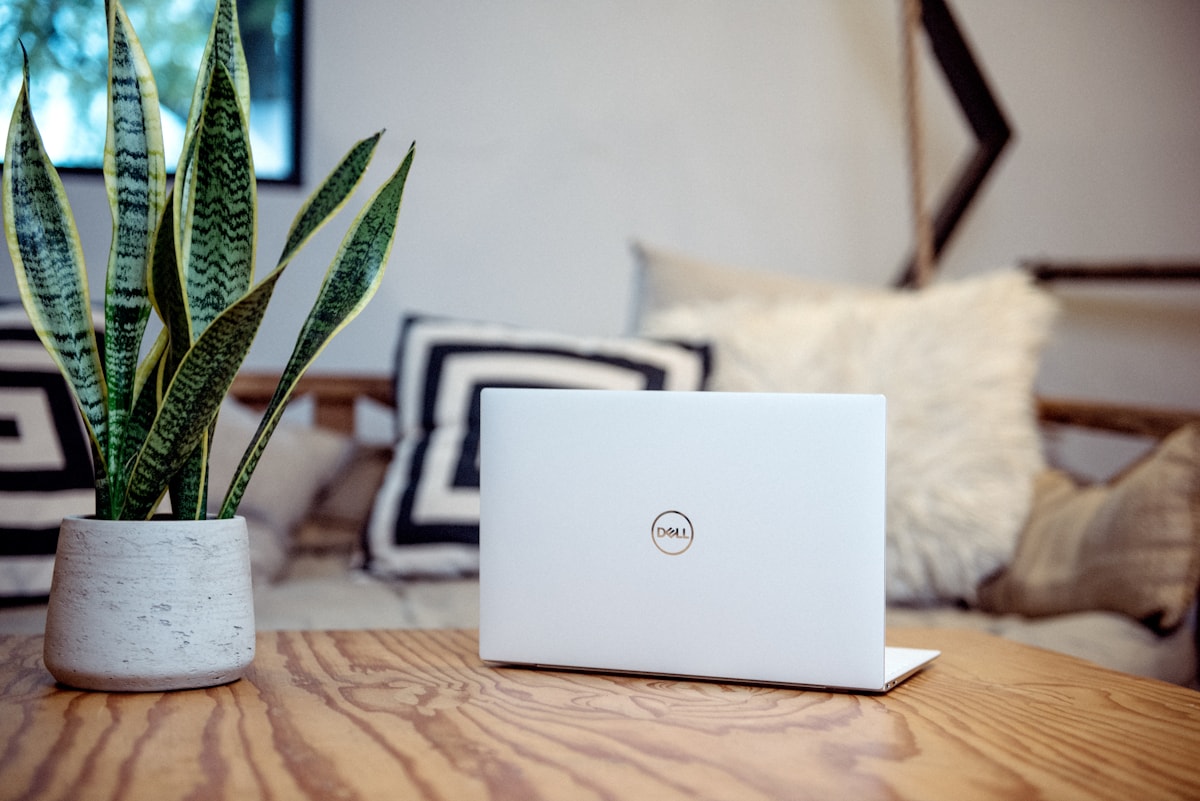
For Pakistani architecture students and practising architects in 2026, the workstation laptops to look at first are the Dell Precision 5550/5560/5570, HP ZBook Studio G7/G8, and HP ZBook Fury G7/G8, in the Rs. 150,000-280,000 used range. These have the NVIDIA Quadro / RTX A-series GPUs that Autodesk Revit and AutoCAD 3D actually use, the 32GB+ RAM that Revit families with linked models require, and the sustained cooling that Pakistani summer ambient temperatures demand. A MacBook is the wrong tool for serious Revit work; a thin ultrabook will throttle under sustained load; and a gaming laptop with consumer GeForce drivers will be unreliable in CAD workflows. This guide walks through what actually matters.
The architects and architecture students we serve at our shop in Hafeez Center are almost always coming from one of two situations. Either they are a final-year B.Arch student at NCA Lahore, COMSATS Lahore, UET, NED Karachi, UCA Karachi, or BNU, panicking about Revit performance in their thesis project. Or they are a practising architect at one of the design firms in Gulberg, Defence, Clifton, F-7, or G-9, finally upgrading from an inherited office desktop and needing portability for site visits. Both groups are over-spending on the wrong specifications because the consumer-laptop conversation is dominated by gaming benchmarks and Apple Silicon hype, neither of which is the right framing for Revit and AutoCAD work.
What Architecture Software Actually Demands
Before pricing or brand discussion, understand what your daily tools need.
AutoCAD (2D Drafting)
AutoCAD 2D is heavily single-threaded. It cares about CPU clock speed more than core count. A 4-core CPU with 4.5 GHz boost will outperform a 12-core CPU with 3.5 GHz boost in standard 2D drafting work. RAM requirement is modest (16GB is plenty for 2D-only work, 32GB if you have many drawings linked). The GPU barely matters for 2D AutoCAD.
AutoCAD 3D Modelling
3D AutoCAD starts using the GPU for viewport rendering. A consumer GeForce GPU works fine; a workstation Quadro/RTX A-series GPU certified by Autodesk works more reliably (no random crashes when switching between visual styles). RAM jumps to 32GB recommended.
Autodesk Revit (BIM / 3D Architecture)
This is where most students and architects underestimate hardware requirements. Revit projects, especially in their later phases with full mechanical, electrical, and structural disciplines linked in, can consume 16GB of RAM by themselves. Add Windows, Chrome, Autodesk background services, and you need 32GB minimum, 64GB ideal for large commercial projects.
Revit is a mix of single-threaded (model regeneration, view updates) and multi-threaded (rendering, batch print) work. You want both: high CPU clock and decent core count. The Intel Core i7-10850H, i7-11850H, i9-10885H, and i9-12900H series are the right fits in workstation laptops. AMD Ryzen 5000/6000/7000 H-series (especially 5950HX and 7945HX) are also strong.
Revit's GPU requirement is real but moderate. NVIDIA Quadro T1000/T2000/RTX A1000/A2000/A3000 in workstation laptops are well-tested with Revit. Consumer RTX 3060/3070/4060/4070 work but occasionally have driver-related rendering glitches.
3ds Max / Lumion / Enscape (Rendering)
These are where you spend hours waiting. A faster GPU saves you literal hours per render. Lumion 12 and Enscape specifically benefit from RTX cores for ray-traced rendering. For students doing thesis-level renderings, a workstation with RTX A3000/A4000 or even gaming RTX 4060/4070 mobile makes the difference between 8-minute and 24-minute render times.
Adobe Photoshop / Illustrator / InDesign (Presentation Boards)
Any modern laptop with 16GB RAM handles these for standard architecture presentation work. The bottleneck for architectural board work is screen quality and colour accuracy, not raw compute.
Why Workstation Laptops Beat Gaming Laptops for Architecture
The gaming laptop market in Pakistan is large and aggressively marketed. You will see Asus ROG, MSI Stealth, Lenovo Legion, and HP Omen machines pitched at architecture students. They have powerful GPUs at lower used prices than workstation equivalents. Why not just buy a gaming laptop?
Three real reasons workstation laptops are the better answer:
Driver Certification
Autodesk certifies certain GPUs for Revit, AutoCAD, and 3ds Max. Certified GPUs include the NVIDIA Quadro T-series, T1000, T2000, and the newer RTX A-series (A1000, A2000, A3000, A4000, A5000). On these GPUs, Autodesk officially supports the rendering pipeline; bugs get fixed; performance is optimised.
Consumer GeForce drivers are tuned for gaming workloads, not CAD viewport stability. A random Revit crash during a 3-hour modelling session because the GeForce driver dropped the OpenGL context is a real problem we have seen with architecture students using gaming laptops. The workstation Quadro / RTX A-series uses a different driver branch tuned for sustained CAD reliability.
Sustained Thermal Performance
Workstation laptops (Dell Precision, HP ZBook, Lenovo ThinkPad P series) are designed for engineers who will run sustained CPU and GPU load for 4-8 hours daily, year after year. The thermal design is more aggressive: thicker chassis, larger vapour chambers, multiple heatpipes, sometimes dual fans larger than what gaming laptops use.
In Pakistani summer ambient temperature (40-42 C), this matters enormously. A Dell Precision 5560 will sustain its CPU and GPU boost clocks for an hour-long Lumion render at 38 C ambient. A thin gaming laptop will thermal-throttle within 20 minutes and the render takes 50% longer.
Build Quality and ECC RAM Support
Workstation laptops are MIL-spec rated, designed to survive site visits, drops, dust, and the kind of mechanical stress an architect's bag sees during construction-site walks. The keyboards survive 10,000+ hours of typing. Hinges last 5+ years of daily use. Some models support ECC RAM, which catches memory errors that would otherwise cause silent corruption in long Revit sessions.
Used Workstation Laptops Available in Pakistan
The single best thing about the workstation-laptop category in Pakistan is the used market. Corporate fleet leases at major Pakistani architecture and engineering firms (Arif Habib Group, NESPAK, NLC engineering, Coopers Hill, Habib Construction, multinational consultancies in Karachi and Islamabad) turn over their workstation laptops every 3-4 years. These machines flood the used market in excellent condition with original chargers and often with documentation.
At our shop in Hafeez Center, we regularly stock these models from corporate-fleet sources. Real 2026 used pricing:
Dell Precision 5530, 5540, 5550, 5560
- Precision 5550 i7-10750H, 16GB / 512GB NVMe, NVIDIA Quadro T1000: Rs. 145,000-170,000.
- Precision 5560 i7-11850H, 32GB / 1TB NVMe, NVIDIA RTX A2000: Rs. 195,000-230,000.
- Precision 5570 i7-12700H, 32GB / 1TB NVMe, NVIDIA RTX A2000: Rs. 220,000-265,000.
The Precision 5550-5570 family is the thin-and-light workstation. 15.6-inch chassis at around 2.0 kg. Beautiful OLED display option on some configurations. Strong cooling for the size. Our most-recommended workstation for architecture students and practising architects who travel between office and site.
HP ZBook Studio G7, G8, G9
- ZBook Studio G7 i7-10750H, 16GB / 512GB NVMe, NVIDIA Quadro T1000: Rs. 140,000-165,000.
- ZBook Studio G8 i7-11800H, 32GB / 1TB NVMe, NVIDIA RTX A2000: Rs. 195,000-235,000.
- ZBook Studio G9 i7-12700H, 32GB / 1TB NVMe, NVIDIA RTX A2000: Rs. 230,000-275,000.
HP's ZBook Studio competes directly with Dell Precision 5550-5570. Slightly heavier, slightly better keyboard, similar performance envelope. Often available cheaper than the equivalent Precision because Dell carries more brand premium in Pakistan.
HP ZBook Fury G7, G8 (Mobile Workstation, Heavier)
- ZBook Fury G7 i7-10850H, 32GB / 512GB NVMe, NVIDIA Quadro RTX 3000: Rs. 175,000-210,000.
- ZBook Fury G8 i7-11850H, 32GB / 1TB NVMe, NVIDIA RTX A3000: Rs. 220,000-265,000.
- ZBook Fury G7 i9-10885H, 64GB / 1TB NVMe, NVIDIA Quadro RTX 5000: Rs. 260,000-310,000.
The ZBook Fury (and ZBook 17 before it) is the desktop-replacement workstation. 17.3-inch chassis at 2.9-3.4 kg. Not the right choice for everyday portability, but for architects who use one laptop as primary machine at office and rarely move it, the cooling and ports are excellent. Best for large-firm architects rendering complex Lumion or 3ds Max scenes daily.
Lenovo ThinkPad P15, P15s, P16
- ThinkPad P15s Gen 2 i7-1165G7, 16GB / 512GB NVMe, NVIDIA Quadro T500: Rs. 125,000-155,000.
- ThinkPad P15 Gen 2 i7-11850H, 32GB / 1TB NVMe, NVIDIA RTX A2000: Rs. 195,000-235,000.
- ThinkPad P16 Gen 1 i7-12800HX, 32GB / 1TB NVMe, NVIDIA RTX A3000: Rs. 245,000-285,000.
ThinkPad's P series is the workstation cousin of the famous T-series. Same legendary ThinkPad keyboard, more compute and GPU under it. P15s is the thinner one for portability; P15/P16 are full workstations.
Dell Precision 7560, 7570, 7670 (Larger Mobile Workstations)
- Precision 7560 i7-11800H, 32GB / 1TB NVMe, NVIDIA RTX A3000: Rs. 215,000-265,000.
- Precision 7670 i7-12700H, 32GB / 1TB NVMe, NVIDIA RTX A4000: Rs. 270,000-330,000.
The Precision 7560-7670 family is Dell's desktop-replacement workstation. Direct competitor to HP ZBook Fury. Excellent for office-bound architects with occasional travel; less ideal for daily-carry students.
Configuration Sweet Spots by Budget
Architecture Student Budget: Rs. 150,000-200,000
Look for a used Dell Precision 5550 or HP ZBook Studio G7 with i7, 32GB RAM, 512GB NVMe, NVIDIA Quadro T1000 or T2000. Around Rs. 165,000-195,000 at our shop with original chargers and clean condition. This covers full Revit / AutoCAD / Lumion student workload through your B.Arch thesis project.
Practising Architect Budget: Rs. 200,000-280,000
Look for a used Dell Precision 5560/5570 or HP ZBook Studio G8 with i7-11800H or i7-12700H, 32GB RAM, 1TB NVMe, NVIDIA RTX A2000. Around Rs. 220,000-265,000. This handles real production architecture work: full BIM coordination, presentation rendering, multi-project switching, and 5-year longevity.
Senior Architect / Studio Director Budget: Rs. 300,000-400,000
HP ZBook Fury G8 or Dell Precision 7670 with i9 or i7-12800HX, 64GB RAM, 1TB+ NVMe, NVIDIA RTX A3000 or RTX A4000. Around Rs. 290,000-380,000. For architects who render large urban-scale projects, do real-time BIM coordination across full project teams, or run multiple Revit instances concurrently.
The Pakistani Summer Cooling Reality
We mentioned thermal performance briefly. Let us get specific. The ambient temperature inside a Lahore architect's studio in May-August often hits 33-38 C even with AC running, because the AC cannot keep up with full sun on south-facing windows during peak hours. Without AC during load shedding, indoor temperatures hit 40-42 C.
In these conditions, sustained CPU + GPU load (which is what Revit, Lumion, and 3ds Max all are) generates significant heat. The laptop's cooling system must dissipate that heat continuously. Workstation laptops are designed for this; thin ultrabooks are not.
Practical recommendations to extend workstation laptop life in Pakistani heat:
- Always use a cooling pad with at least two 140mm fans. Brands like Klim Wind, Cooler Master, or generic dual-fan pads at Rs. 4,000-7,000 from Hafeez Center. Drops temperatures 5-8 C under load.
- Repaste your laptop every 18-24 months with quality thermal compound. Stock paste degrades faster in 40 C ambient. Noctua NT-H1, Arctic MX-6, or Thermal Grizzly Kryonaut are reliable. We do repaste services at our shop for Rs. 3,500-5,000 depending on the model.
- Clean the dust filters monthly during summer. Compressed air, 5 minutes, drops temperatures by 3-5 C if your laptop is dusty.
- Position the laptop on a desk with airflow underneath. Avoid running it on a bed, sofa cushion, or carpeted floor. The intake vents need clearance.
- If your laptop has performance / balanced / quiet thermal modes (most do via OEM tools), use performance mode when actively rendering and quiet mode when just modelling or 2D-drafting. This balances battery, heat, and acoustic noise.
Why MacBook is Not the Right Tool for Revit
This is a common question because MacBook Air M1/M2 and MacBook Pro M1 Pro/M2 Pro are popular in Pakistan, and Apple aggressively markets them as creative-pro machines. The reality for architecture work specifically:
- Revit is Windows-only. Autodesk has not released a native macOS version, and there is no realistic prospect of one. You would need to run Windows via Parallels (which works but has performance penalties and limited GPU passthrough) or BootCamp (not available on Apple Silicon Macs).
- 3ds Max is Windows-only. Same situation.
- Lumion is Windows-only. Lumion makes this explicit on their website; no Mac support, even via emulation.
- Enscape is Windows-only on Apple Silicon. The Mac version of Enscape requires Intel-era Macs and is essentially deprecated.
- AutoCAD has a Mac version, but it lags the Windows version by 12-18 months in feature parity, and several common AutoCAD plugins are Windows-only.
Architecture students who buy MacBooks end up either dual-booting (impossible on Apple Silicon), running Windows in a VM (works but slow for graphics-heavy Revit), or borrowing a friend's Windows laptop every time they need Revit (the most common path). None of these is a good primary workflow.
If you want a MacBook for personal/lifestyle reasons and a Windows machine for architecture work, that is a reasonable two-machine setup. As a single laptop for architecture, MacBook is the wrong call.
Used Corporate-Fleet Sources: What to Look For
The best used workstation laptops in Pakistan come from corporate fleet returns. Engineering firms, multinational consultancies, financial-services firms, and oil/gas company offices in Karachi and Islamabad lease laptops on 3-year cycles, then turn them over to the used market.
What makes corporate-fleet machines good buys:
- Single-owner machines kept in office environments (cool, clean, low physical wear).
- Always have the original charger, often the original packaging.
- Specifications were chosen by IT departments for professional workloads, so RAM and SSD are usually generous.
- Documentation (serial, service tag, original purchase records) often available.
- Less wear on chassis and keyboard than student-used or freelancer-used machines.
Red flags on used workstation laptops:
- Asset tags scratched off (sometimes legitimate, sometimes hides origin).
- BIOS password set and unknown (the previous corporate IT did not clear it; could be a problem).
- Drive bays modified, swapped, or showing third-party stickers (sometimes legitimate upgrades, sometimes hides previous failures).
- Very low used price relative to peer machines (often indicates a known fault).
At our shop we check all of these before stocking a used workstation. Buyers can verify any of them in person before purchase.
Specific Software Setup Notes for Architects
Revit + NVIDIA Quadro / RTX A-series Driver Setup
Use NVIDIA Studio Drivers (not Game Ready Drivers) for any architecture workstation. Studio drivers are tested specifically with Autodesk, Adobe, and other creative-pro applications. They update less frequently but more reliably. Download from NVIDIA's official driver page; select your specific Quadro / RTX A-series model.
Revit Performance Tuning
- In Revit Options, set Graphics > Hardware Acceleration ON.
- Disable anti-aliasing if your viewport is sluggish.
- Purge unused families and groups monthly. Files bloat.
- Use linked models instead of one mega-file; Revit handles this far better.
- Keep autosave interval at 30 minutes; shorter intervals create more disruption than they save.
Lumion / Enscape Optimisation
- Render at 720p or 1080p during iteration; 4K only for final.
- Use Lumion's "Edit" quality during scene-building, "Final" only for export.
- For Enscape, real-time mode with reduced ray-tracing during navigation, full quality only for image capture.
Two-Display Workflow at the Studio
Most architects work with two displays. Workstation laptops support 2-3 external 4K monitors via Thunderbolt or dedicated DisplayPort. For studio setups, invest in a 27-inch 1440p IPS monitor (around Rs. 38,000-55,000) as the secondary, with the laptop screen as primary. Some architects prefer a 32-inch 4K as primary; the workstation can drive this without issue.
Practical setup at studio: laptop closed in a vertical stand with external keyboard, mouse, and monitor. This keeps the workstation thermally happier (no display heat) and saves desk space. Costs roughly Rs. 8,000-15,000 in stand and peripherals.
Frequently Asked Questions
Can I do Revit on a gaming laptop with RTX 4060/4070?
Yes, technically. Many architecture students do. The two practical issues are: driver reliability (GeForce drivers occasionally cause Revit viewport crashes), and sustained thermal performance (most gaming laptops thermal-throttle within 30 minutes of sustained Revit + Lumion load in Pakistani summer). If budget forces you to choose a gaming laptop, the Lenovo Legion Pro 5 or HP Omen 16 with RTX 4060 are the more reliable picks. But a used Dell Precision 5550 with Quadro T2000 will likely give you a more consistent experience for similar price.
Is the NVIDIA Quadro T1000 enough for student Revit work?
Yes. T1000 with 4GB VRAM handles student-scale Revit projects (single building, moderate detail) without issue. For final-year thesis projects with high-detail modelling, T2000 or RTX A2000 is more comfortable. The jump from T1000 to T2000 is roughly 30% performance for Rs. 20,000-30,000 more in used pricing.
Should I get 32GB or 64GB RAM?
For most architecture work, 32GB is the sweet spot. 64GB only pays off if you regularly work with multiple Revit project files open simultaneously, or run Lumion with multiple high-detail scenes loaded. Final-year students and most practising architects are well-served by 32GB. The Rs. 25,000-40,000 you would spend going from 32 to 64GB is usually better spent on a faster SSD or a second monitor.
What about the new Apple Silicon MacBooks for AutoCAD work?
AutoCAD has a native macOS version. Performance on M1 Pro and M2 Pro is good. But the Pakistani architecture workflow includes Revit (Windows-only) and often Lumion (Windows-only), so MacBook becomes a partial solution that requires running Windows in parallel for the rest of the toolchain. Single-machine workflow is better served by a Windows workstation.
How long should a used workstation laptop last?
With reasonable care (cooling pad, periodic repaste, dust filter cleaning), 5-7 years of useful life from a used workstation laptop is realistic. The components that fail first are typically the fan bearings (2-4 years of heavy use, replaceable for Rs. 6,000-12,000) and the battery (3-5 years, replaceable for Rs. 10,000-20,000 depending on model). The CPU, GPU, RAM, and SSD reliably outlast 7 years.
Do you have these laptops in stock at Hafeez Center?
We regularly stock Dell Precision 5550-5570, HP ZBook Studio G7/G8/G9, HP ZBook Fury G7/G8, ThinkPad P15s/P15/P16, and Dell Precision 7560-7670. Stock rotates; for current availability, WhatsApp us at 0314 4000131 with the specific model and configuration you want.
Will you upgrade RAM and SSD on these laptops?
Yes. RAM upgrades on most workstation laptops (Dell Precision, HP ZBook, ThinkPad P) are simple — these machines are designed for user serviceability. SSD upgrades are equally easy. We offer both as part of pre-sale customisation at our shop; pricing depends on the specific RAM/SSD you want.
What screen do you recommend for architecture presentation work?
For laptop displays, 15.6-inch 4K IPS or OLED is ideal for Revit detail work. The Dell Precision 5550-5570 has excellent OLED options. The HP ZBook Studio has DreamColor IPS variants with 100% sRGB and 95%+ DCI-P3 coverage. The colour accuracy matters for presentation board design and image rendering.
Closing
Architecture is one of the few Pakistani undergraduate programs where the laptop genuinely is a working tool, not just a study aid. The right machine measurably affects how long your renders take, how often Revit crashes during late-night thesis work, and whether your laptop survives 5 years of summer Lahore heat and site-visit punishment. The wrong machine costs you hours every week in waiting, restarting, and working around throttling.
For specific advice based on your architecture school, your typical project scale, and your budget, WhatsApp 0314 4000131. We routinely advise students at NCA Lahore, UET, BNU, COMSATS, NED, and UCA Karachi, and practising architects across Lahore, Karachi, and Islamabad on workstation purchases. Browse current Dell laptops at our Dell stock, HP options at HP stock, broader picks at design laptop recommendations, options under Rs. 200,000, or higher-tier picks under Rs. 250,000.
Talk to us
Questions about anything in this post, or want a personalised recommendation? WhatsApp the shop directly.
WhatsApp 0314 4000131